Truecaller has turned into a go-to app for many people over the last few years. It became popular because it can quickly show who is calling, block unwanted numbers, and make daily calling less stressful. Today, it is used by millions of people on both Android and iPhone, and for many, it has become a must-have app.
Apart from showing caller details, Truecaller also has a feature called “Availability”. This works a lot like the last seen option you may have noticed on WhatsApp, Telegram, or Facebook Messenger. It shows when someone was last active on the app and even tells if they are on another call or if their phone is on silent. For some, this feature feels useful, but for others, it feels a little too personal since it lets people know about their activity without asking.
Because of this, many users are curious about how they can keep their last seen private on Truecaller. It is the same feeling people have on social apps, where last seen is both helpful and uncomfortable at the same time. If you are here, it means you want to hide your Truecaller on your phone. Below, we will explain step-by-step instructions with screenshots.
How to Hide Last Seen on Truecaller in Android and iPhone
On Android
If you want to hide your last seen on Truecaller, you can do it by turning off the Availability option.
- Open the Truecaller app.
- Tap on your profile icon in the top left corner.

- Tap the gear icon in the top right corner to open “Settings”.

- Scroll down and select “Privacy Center”

- Turn off the toggle for “Availability”
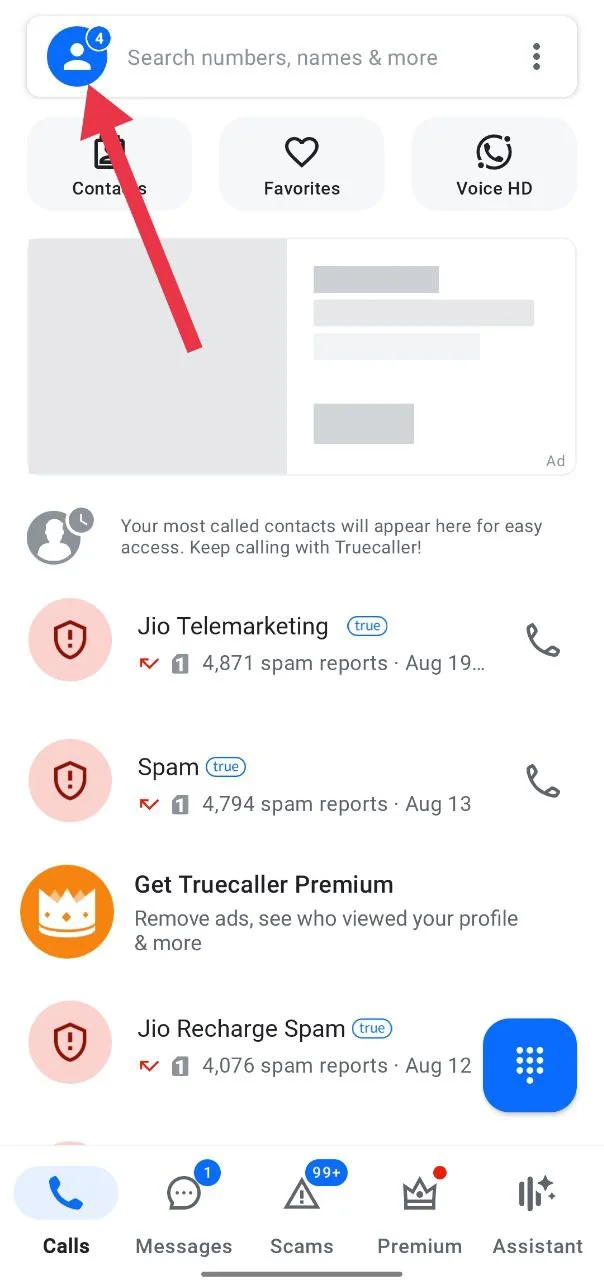
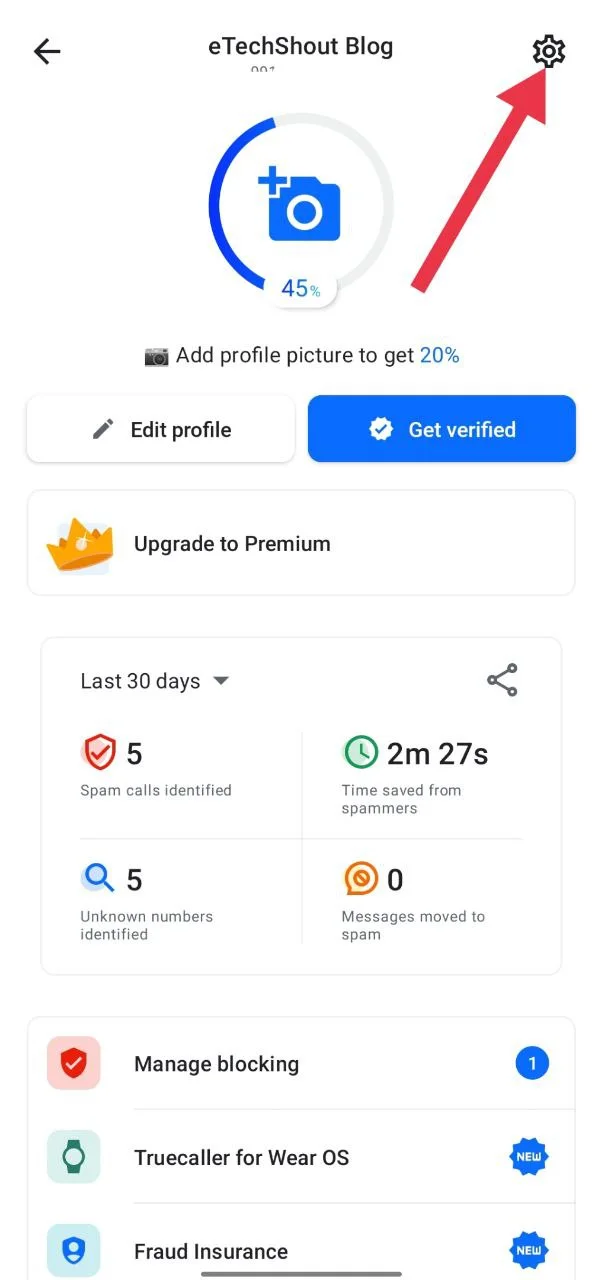

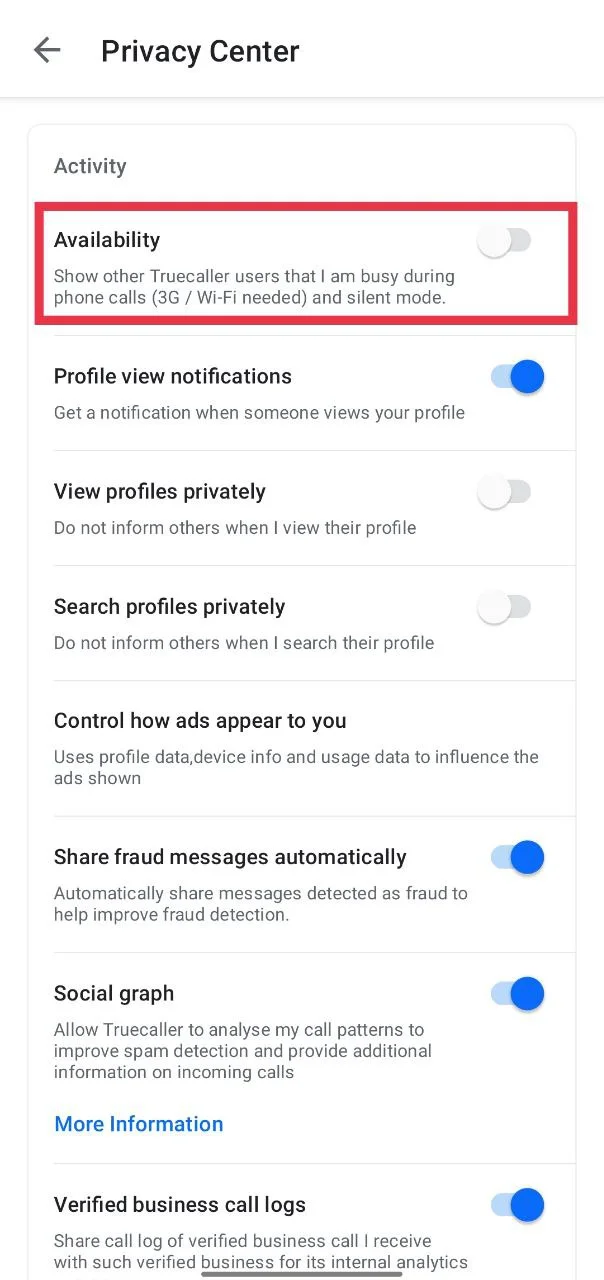
Once you do this, others will not be able to see when you were last active. It will also stop showing if your phone is on silent or if you are already on another call.
On iPhone
If you are using Truecaller on an iPhone, you actually do not have to do anything to hide your Truecaller last seen. The app does not show your activity to others because of the restrictions on iOS. This means no one can see when you were last active, if your phone is on silent, or if you are on another call.
At the same time, you will still be able to see the last seen and status of Android users on your iPhone, but they cannot see yours. So if you are on an iPhone, there is nothing to worry about since your availability is already hidden by default.
Hide Profile Visibility on Truecaller
If someone is using the premium version of Truecaller, they can see when you view their profile. To stop this, Truecaller gives you the option to browse in incognito mode. This feature is only available for premium users and works on both Android and iPhone.
On Android
- Open the Truecaller app.
- Tap on your profile icon in the top right corner.
- Scroll down and select “Privacy Center”
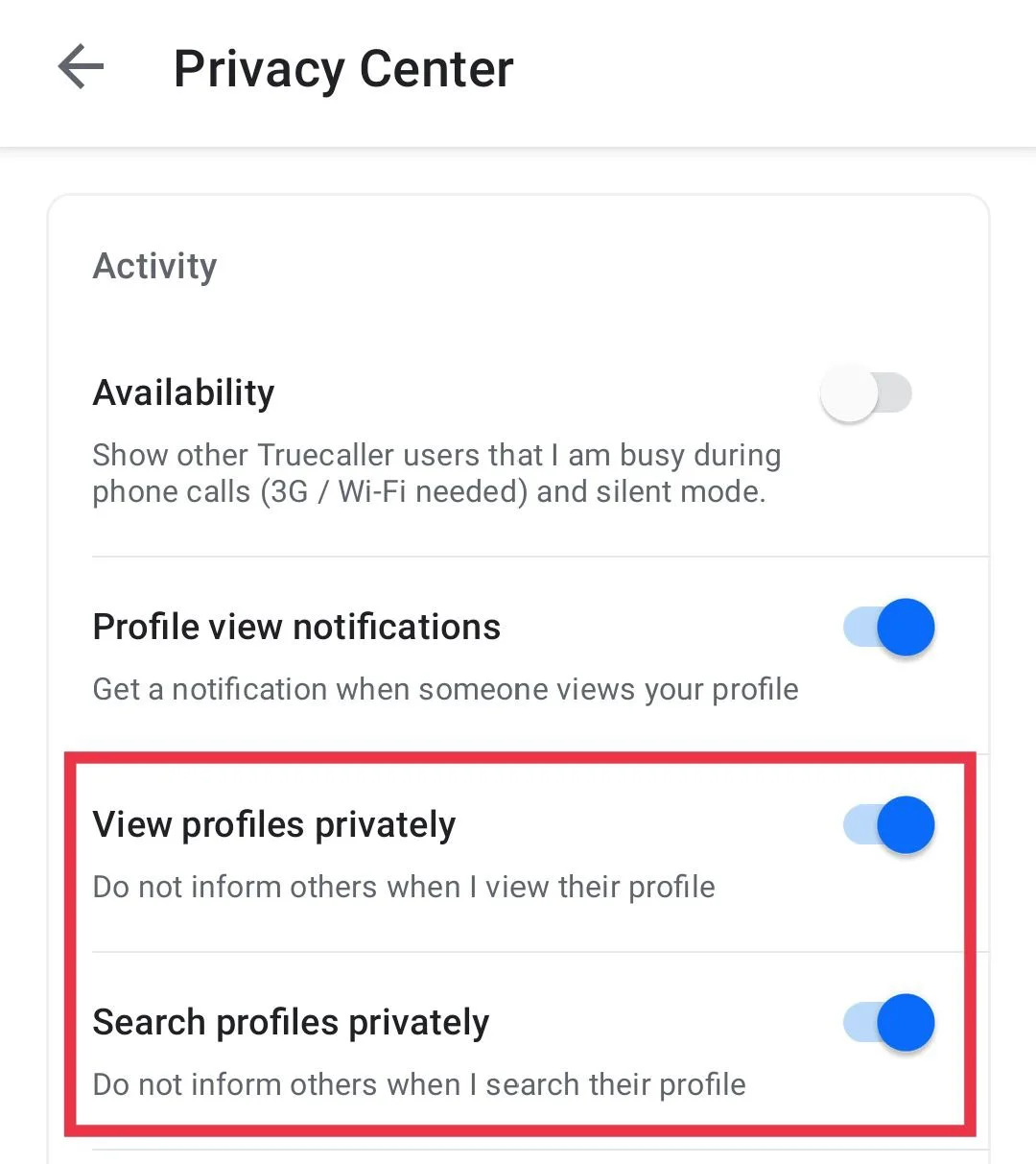
- Turn on the toggle for “View profiles privately.”
- Also, turn on the toggle for “Search profiles privately.”

On iPhone
- Open the Truecaller app.
- Tap on your profile icon in the top right corner.
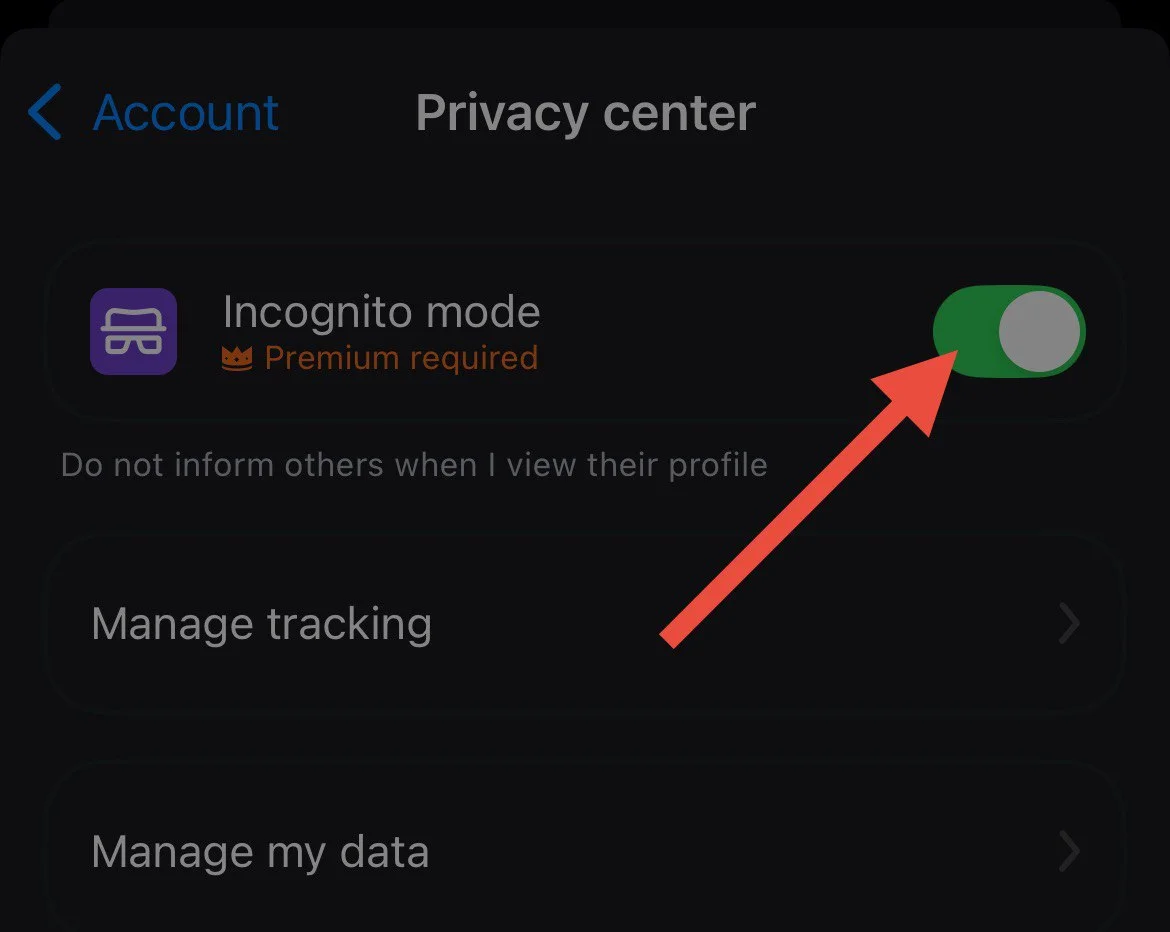
- Now, click on “Privacy Center”

- Turn on the toggle for “Incognito Mode.”


The Availability feature is turned on by default, but you can follow these simple steps to hide your last seen on Truecaller. If you are using an iPhone, you don’t need to change anything because iOS restrictions already keep your last seen hidden. If you have any questions about Truecaller’s Availability feature, feel free to share them in the comments.