CapCut, the name does not need a long introduction. The app started recently but gathered millions of users around the globe because of its easy editing tools, smooth transitions, creative effects, and ready-to-use templates. Many creators prefer it for quick edits on mobile and PC. While the app has been banned in some countries due to policy and security concerns, it is still popular among users because of its powerful features and simple interface.
Coming to the error, from time to time, the app goes wild and shows a range of problems. One common message is “Too many people are using this feature now. Try again later.” This usually appears when you try to access effects or templates while editing. 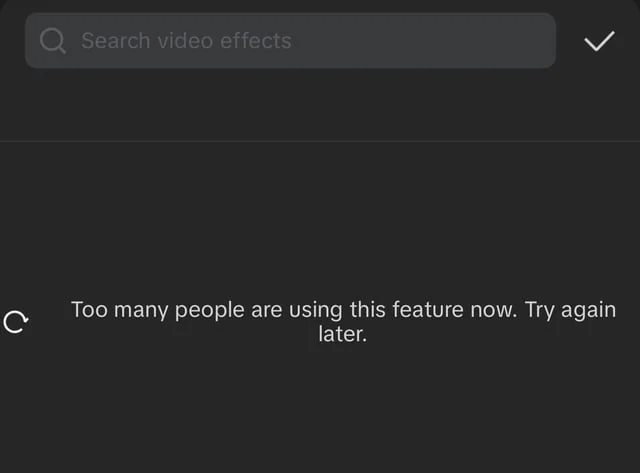
Along with this, some users also see other error messages. These errors can appear out of nowhere and ruin your important editing work. We know that many people still try to access the app even from banned countries using different workarounds.
Whatever the reason may be, this issue can completely disrupt the editing experience and waste your time. In the sections below, you will learn what exactly this error means and how you can resolve it in CapCut.
7 Quick Fixes for CapCut “Too Many People Are Using This Feature Now” Error
Before trying any other solution, we recommend making sure your internet connection is perfectly fine.
Servers Are Down
First, let us clear this up. Most of the time, this error is a server-side issue. Around ninety percent of the cases happen because CapCut servers are overloaded or temporarily down. When too many users try to access effects or templates at the same time, the system may block access and show this message.
The strange thing is that CapCut usually does not share updates about such problems or tell users when the issue will be fixed. In most cases, it gets resolved automatically after a few hours or sometimes a few days. So, there is nothing much you can do from your side except wait.
Until the servers are working properly again, you can continue editing other parts of your project that do not require online effects or templates. Unfortunately, waiting is often the only option in this situation.
Turn Off Private DNS on Android
Sometimes this error appears because of your network settings, especially if Private DNS is enabled on your Android phone. If you turned it on by mistake or without knowing what it does, it may block certain app connections, including CapCut. This method applies only to Android devices.
- Open Settings on your Android phone.
- In the search bar at the top, type Private DNS.
- Tap on Private DNS from the results.
- Select Off or Automatic instead of the Private DNS provider hostname.

- Save the changes and restart your phone.

Use or Change Your VPN
In some regions, CapCut is restricted, so many users rely on a VPN to access the app. However, not all VPN services work well with CapCut.
If you are already using a VPN and facing this issue, try switching to a different server location within the same VPN. If that does not help, consider changing to a more reliable and well-known VPN service such as Proton VPN or NordVPN.
Update the App
Sometimes, the version of CapCut installed on your device may have bugs or issues that prevent you from accessing certain features and cause this error to appear. That is why you need to make sure your device is running the latest version of the app.
Try Using an Older Version of the App
Another thing we found is that sometimes an older version of the app works perfectly fine.
If you are an Android user, you can uninstall the current version and install an older version of the app from trusted third-party APK websites. Make sure you download the correct file that matches your device.
If you are using CapCut on Windows, you can also download an earlier version from the internet. If the 64-bit version does not work properly, try installing the 32-bit version instead.
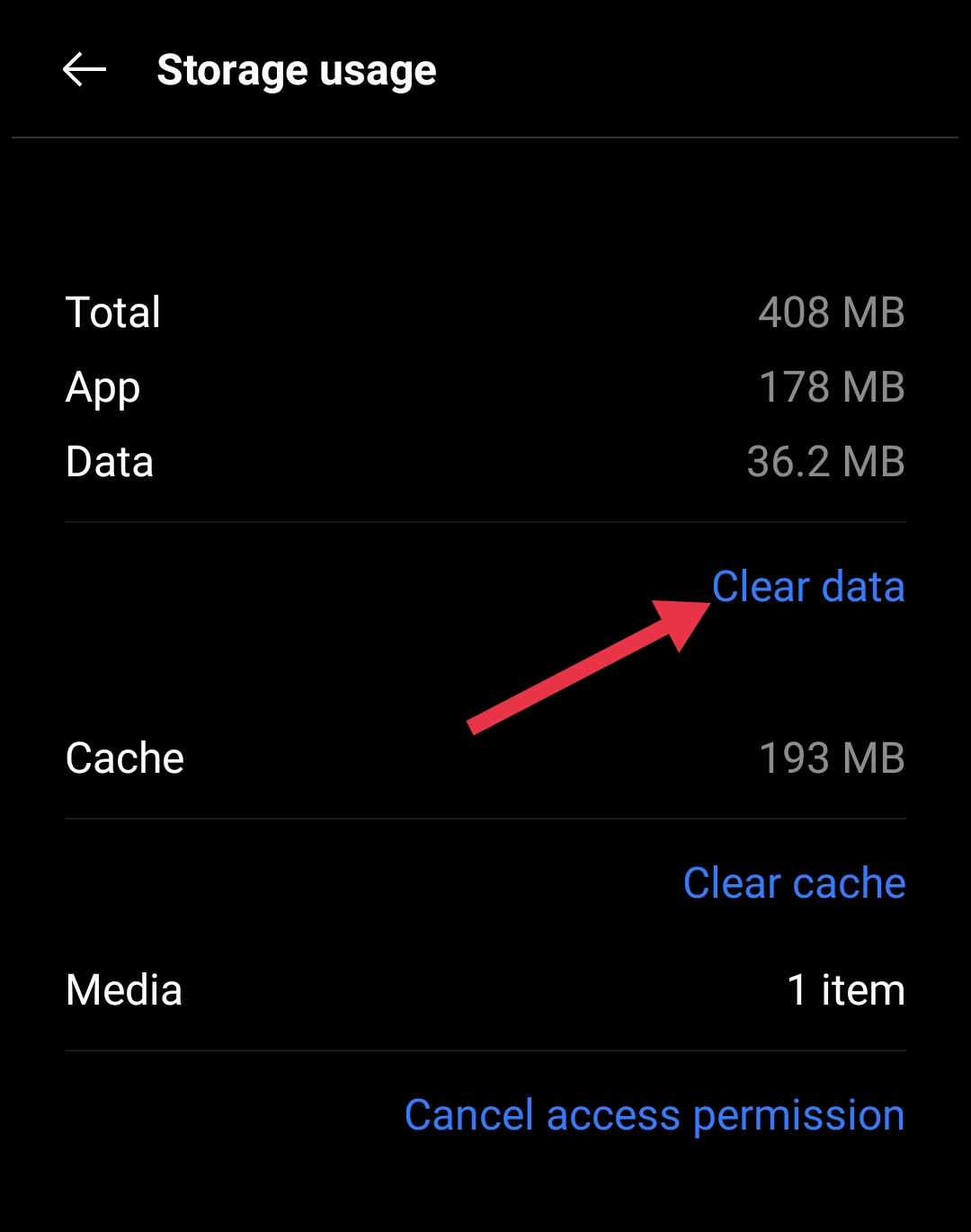
Clear CapCut Cache and Data on Android
Note: Clearing app data will erase all your saved projects, drafts, and editing files stored inside the app. Make sure you understand this before proceeding, as you may lose your ongoing work.
- Open Settings on your Android phone.
- Go to Apps and then tap on CapCut from the list of installed apps.
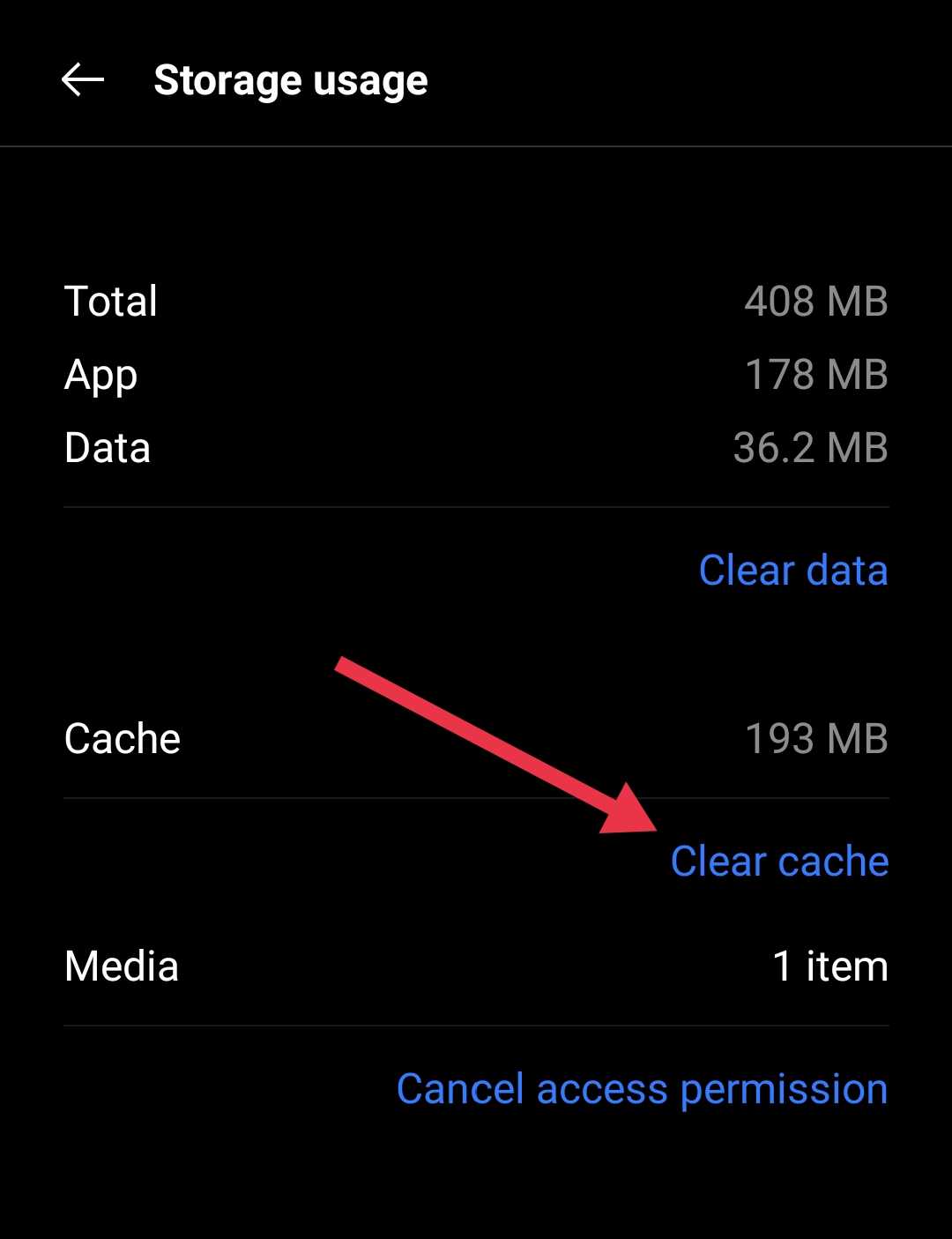
- Tap on Storage, then select Clear Cache first.

- After that, tap on Clear Data and confirm.

Reinstall CapCut on Your Device
If you are using a bad version of CapCut, you may face issues while accessing effects, templates, or other online features. In such cases, reinstalling the app is often the final and most effective solution. This method works for Android, iOS, Windows, and Mac users.
First, completely uninstall CapCut from your device. Make sure the app is fully removed. Then download and install the latest official version.
These are the methods that can help fix the “Too many people are using this feature now” error on any device; if you found any other workaround that worked for you, feel free to share it.