We all know how TikTok once ruled the world and quickly became a global stage for creativity. It helped many people become stars overnight and shaped trends across music, fashion, and entertainment. At the same time, the app faced several issues and was even banned in some countries due to different concerns. Still, TikTok continues to have a massive fan base and is used by billions of people around the world every day.
If you have landed here, it likely means you are seeing an error message that says “Due to multiple Community Guideline violations, you’re temporarily prevented from sending and receiving messages. View details in your app notifications.” Getting such an error can feel bad, and no one likes to face errors on any app, and it becomes even more frustrating when your account actions are suddenly restricted.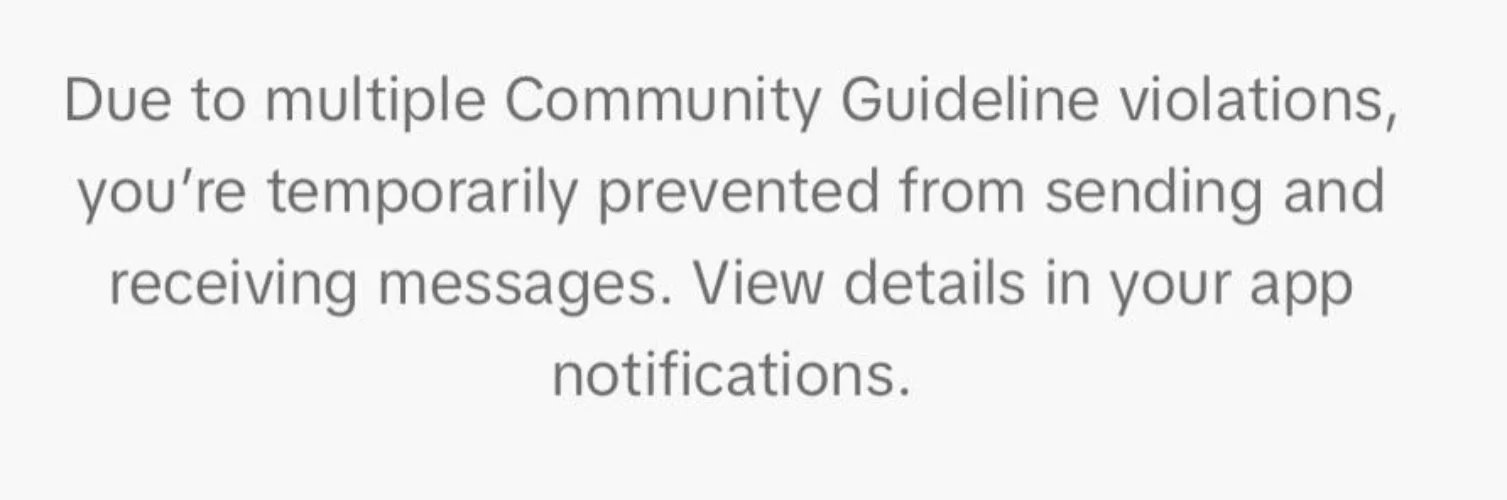
This message usually appears when TikTok limits your account activities like posting, commenting, messaging, or editing your profile. Many users feel upset because they believe they did nothing wrong but still ended up facing a temporary ban. In the next sections of this article, we will explain the error alongside the fixes.
What Exactly Does “Due to multiple Community Guideline violations” Error Mean on TikTok?
If you are not sure what this message means or why it showed up on your screen, this section will clear that up. Reading this will help you understand the error in a simple way and give you a clear idea of why TikTok placed limits on your account.
The full message usually says that due to multiple violations of TikTok community guidelines, your account is temporarily blocked from posting, messaging, or commenting until a specific date. That date is the day TikTok plans to remove the restriction, as long as no further issues happen. Until then, many features on your account stay locked.
This warning means TikTok detected activity that goes against its rules. It could be a video you uploaded, a comment you posted, or even repeated reports on your account. Because of this, TikTok placed a time-based ban and limited how you can use your profile. You can either wait until the mentioned date for the restriction to end, or try to contact TikTok if you feel the ban was applied by mistake.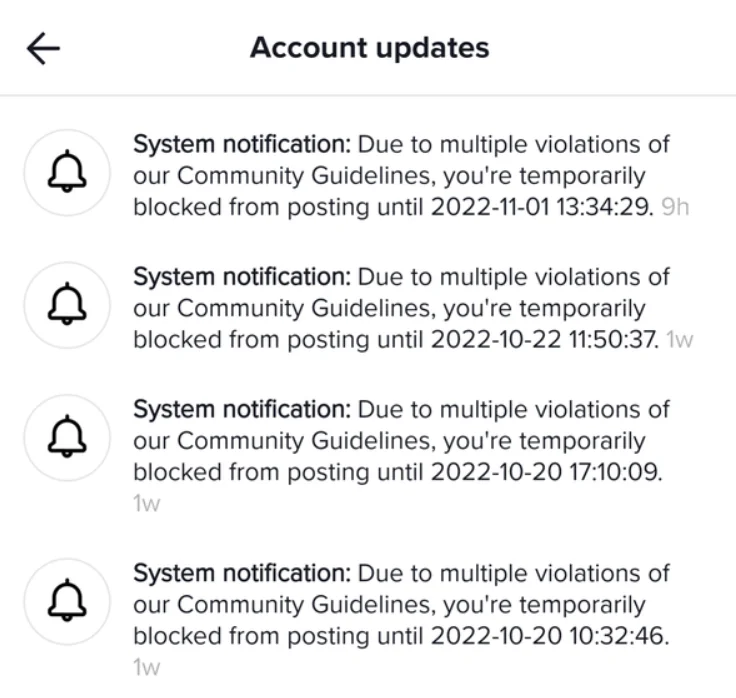
3 Easy Ways to Fix “Due to multiple Community Guideline violations” TikTok Error
File an Appeal to TikTok Team
One of the first options you can try is sending an appeal directly to TikTok. This lets them know that you feel the restriction on your account is incorrect or needs another look.
- Open the TikTok app and sign in to your account.
- After that, tap on the Inbox section at the bottom of the screen.
- From there, open System Notifications and find the message related to the Community Guidelines violation.
- Open that notification and scroll until you see the Appeal option. Tap on it
- Now, explain your side in simple words and submit.
After submitting the appeal, all you can do is wait for a response from the TikTok team. Replies may take some time, so patience is important here.
Contact TikTok Support Team
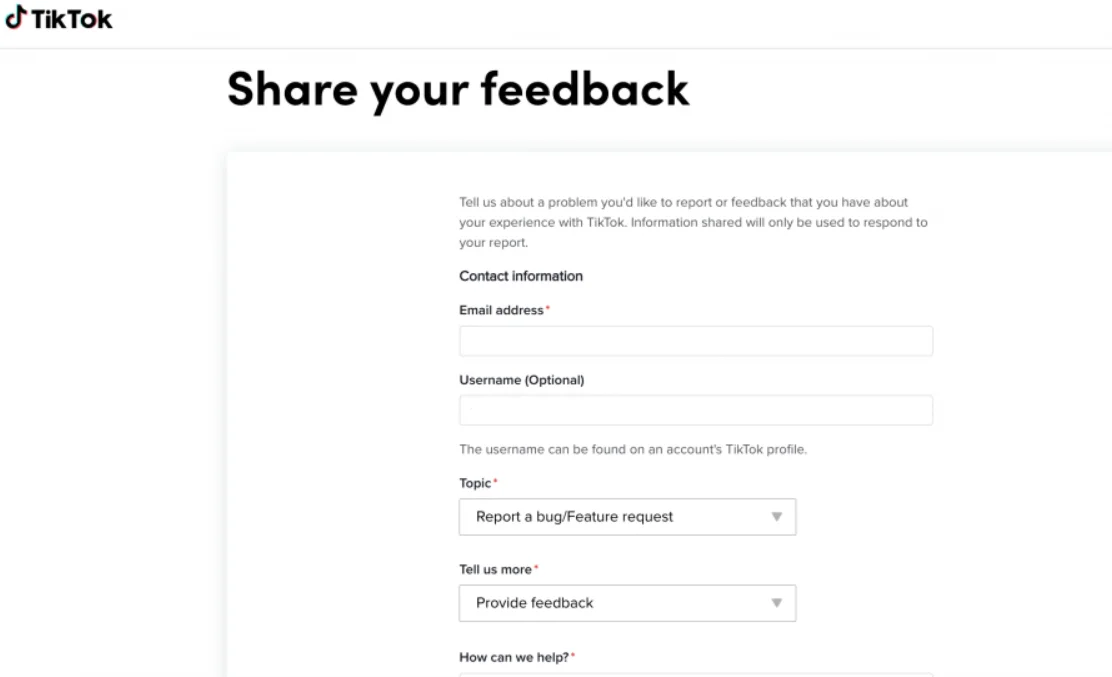
Another option is reaching out to TikTok support directly through their feedback page.
- Open the TikTok feedback page and choose General account inquiry from the topic list.
- After that, pick the Other category to continue.

- Now, enter your linked email address along with your TikTok username so they can find your account easily.
- In the message box, clearly explain that your account was blocked by mistake and that you did not violate any TikTok community guidelines.
- Now, add a screenshot of the error message you received in your inbox for reference.
- Once everything is filled in, submit the report and wait for a reply from the TikTok support team.
Wait for the Ban Period To End
If you do not want to reach out to TikTok support, you can wait for the restriction to lift on its own. TikTok usually shows a message with a date and time, such as being temporarily blocked from direct messaging until a specific day. That date is when the block ends automatically.
When no date or time is mentioned in the notification, the restriction is usually temporary and can last up to 90 days. During this time, posting, commenting, and messaging stay limited.
I know waiting this long does not make sense if you use TikTok daily, spend hours on it, or even earn money from it. Still, there is no action you can take in this case. Once the waiting period is over, access returns, and you can use your account again.
RELATED GUIDES:
- How to Fix Content Under Review on TikTok [Android/iOS]
- TikTok following others too frequently (SOLVED)
- How to Use TikTok After Ban [100% Works]
We hope this guide helped you understand the “Due to multiple Community Guideline violations” error on TikTok and the ways you can deal with it.
We would also love to hear about your experience. How many days did it take for your account restriction to lift? Did you receive a reply from TikTok after sending an appeal or report? If you found another way that helped, share it in the comments so it can help others, too.