eTechShout
  • TECH
  • HOW TO
    • ANDROID
    • iOS
    • WINDOWS
  • TOP LIST
  • ALTERNATIVES
  • REVIEWS
  • COMPARISON
No Result
View All Result
  • TECH
  • HOW TO
    • ANDROID
    • iOS
    • WINDOWS
  • TOP LIST
  • ALTERNATIVES
  • REVIEWS
  • COMPARISON
No Result
View All Result
eTechShout
Home ANDROID

How to Chat in WhatsApp Without Opening App? (Hide Blue ticks and Online)

by eTechShout Editor
January 8, 2021

Want to chat in WhatsApp without coming Online? Want to hide Bluetick? Want to hide your Last Seen in Whatsapp? Well. These all things are not possible in Official WhatsApp App. So here we are back with a new trick to hide Showing “Online” and to hide “Bluetick” using the app called “Hidden chat for Whatzapp”. Many times we want to show that we are not Online but we want to chat in WhatsApp.So this App allows you to Reply to your WhatsApp Messages without revealing yourself as “Online” either update you last seen!! From this app, you can hide your last seen time and even people will not know if you are chatting in WhatsApp or not. You may also like How to Download WhatsApp Stories On Android

But it is Important that you don’t have to Open Official WhatsApp App until you want to remain hidden.

  • How to Hide Last Seen, Bluetick, and Online in WhatsApp?
    • How it Works?

How to Hide Last Seen, Bluetick, and Online in WhatsApp?

  1. Firstly Download an app called Hidden Chat for WhatsApp From Playstore
  2. After installation, Open the App
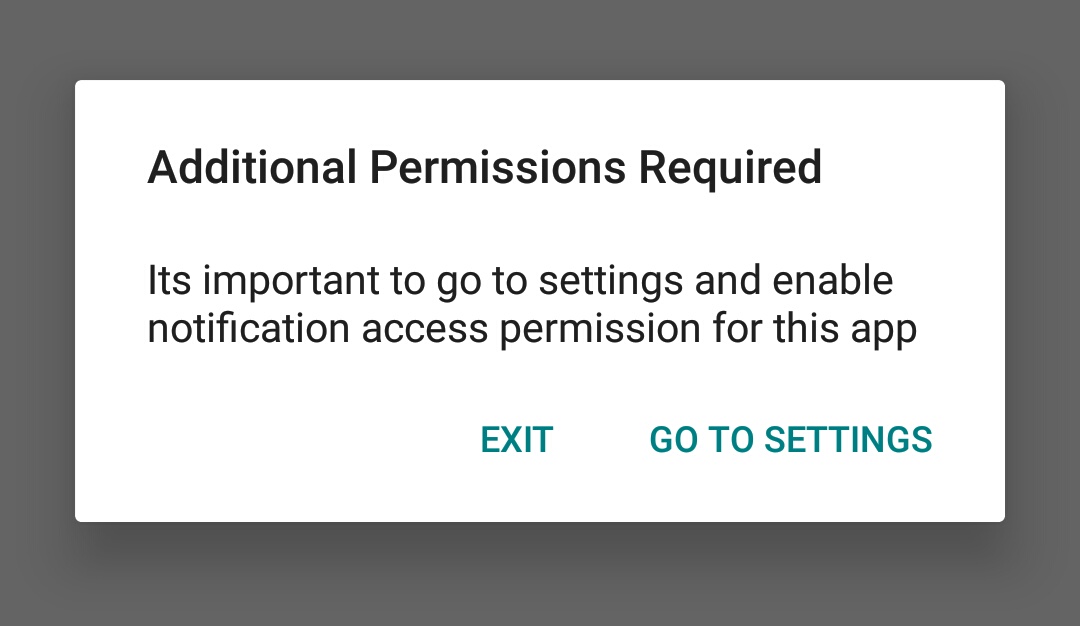
  3. You will get a Popup of “Additional Permission Required”
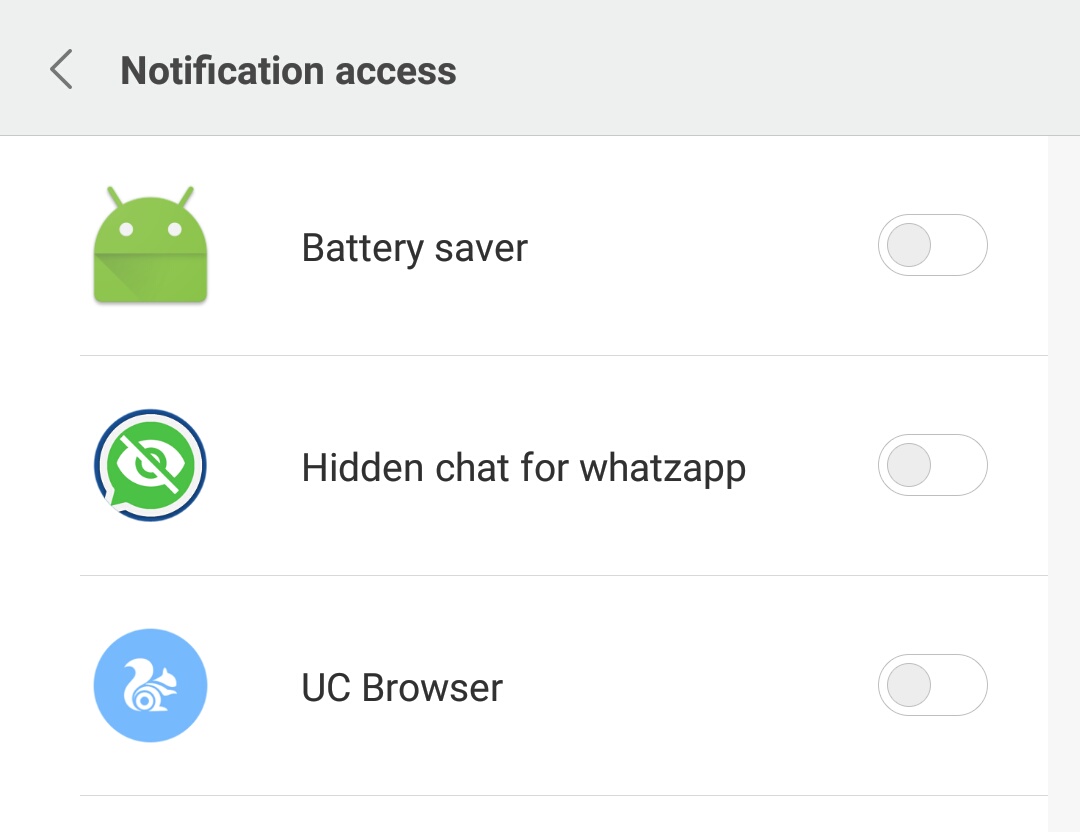
  4. Click on “Go to Settings”
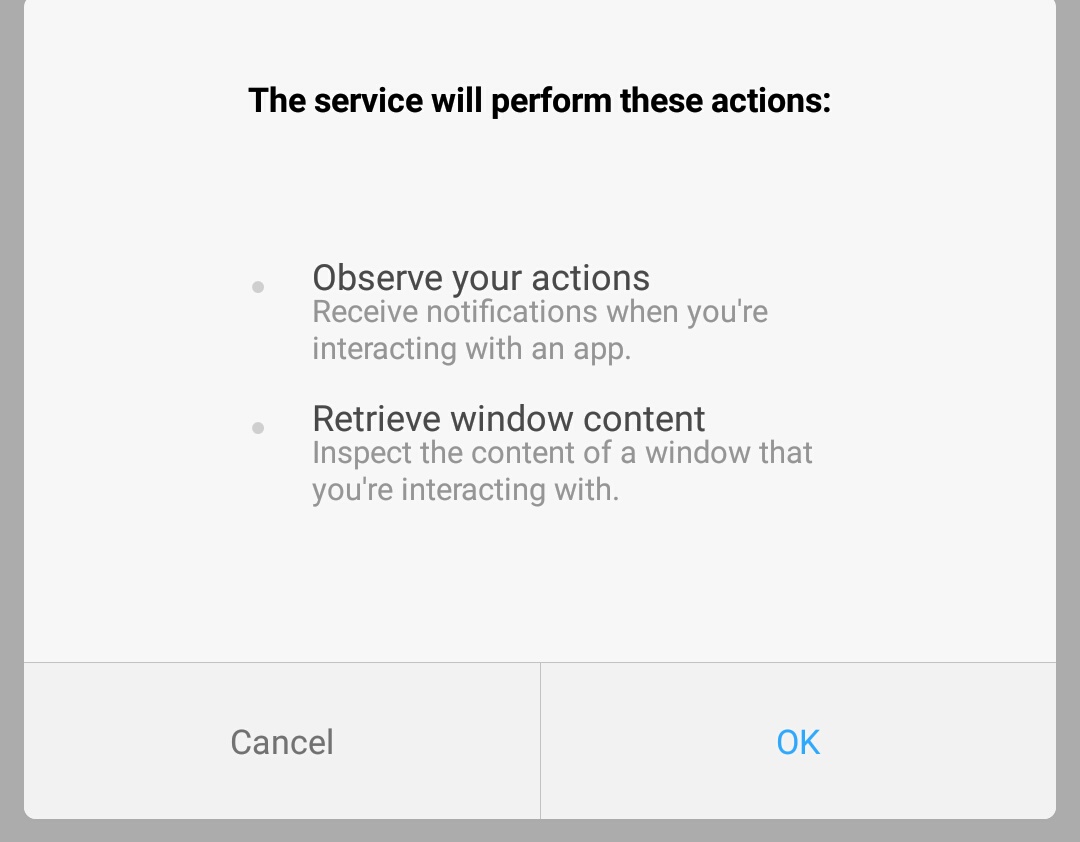
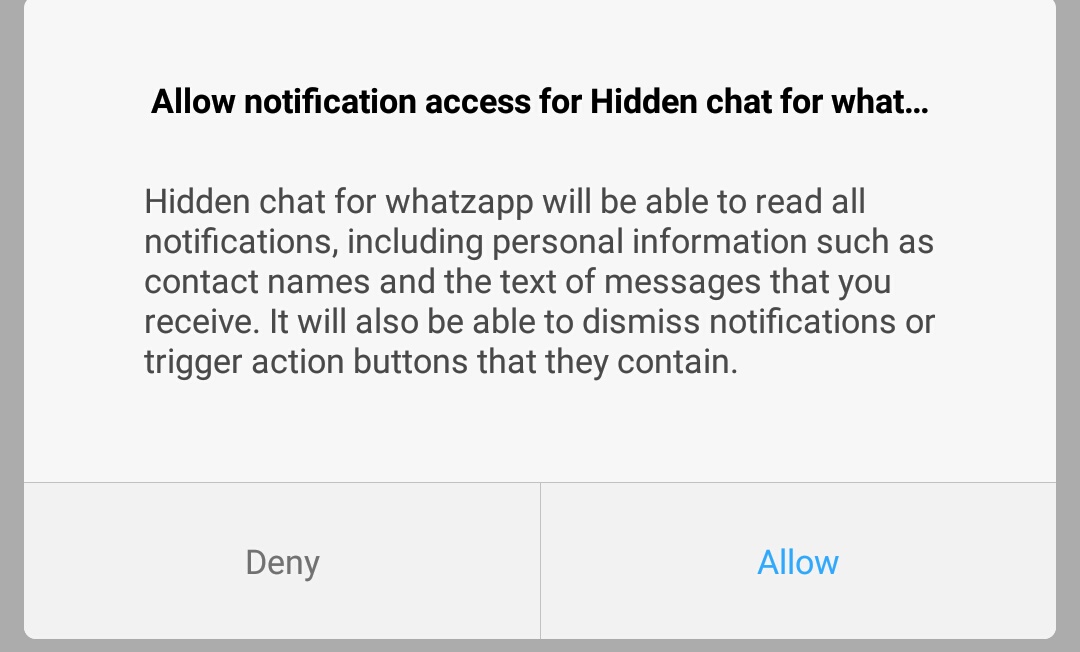
  5. Now in Notification access “Allow” for  Hidden Chat For Whatzapp
  6. Now go to Accessibility in your Mobile Settings
  7. And allow Click on Hidden chat for Whatzapp and Switch on the Toggle to enable hidden chat for Whatzapp permission and click OK
  8. Now come back to Hidden chat for Whatzapp App and Keep checking it after receiving Whatsapp message
  9. That’s it! Whenever you get WhatsApp message in this App you can Reply it at any time and it will not show blue ticks, it will not show you as Online and even your last seen!
How it Works?

 
This app will request you the read notifications permission to be aware when someone texts you and the contact who did it. This way you will be able to reply through this app in a hidden mode.
Some Cons of this App:-
 
  • Too many Ads
  • Little irritating as you’re familiar with official WhatsApp
  • Sometimes it will redirects you to Official Whatsapp (in some devices) so better to change Privacy of Last Seen to “Only Me” before trying this app.
  • And as we mentioned before, you don’t have to Open Official WhatsApp App until you want to remain hidden.
  • More.
Hope you like this Trick. Feel free to comment on any problems. Do Share this post with your Friends:)


Tags: AndroidWhatsapp
ShareTweetSendPinPinShareShareSend
eTechShout Editor

eTechShout Editor

Freelancer and writer who keeps a close eye on new technologies. He writes about the best apps/games, how-to tips, tutorials especially on Android, iPhone, computers, Windows, Linux, and Mac.

Related Posts

Follow these steps to turn off Developer options and fix the debug mode error in Poshan Tracker app

How to Fix “This application is not supported on debug mode” Poshan Tracker

March 26, 2026
Steps to know if someone saved your phone number on Android and iPhone

How to Know If Someone Saved Your Number [Android & iPhone]

January 26, 2026
Best Apps Like SoLo Funds

12 Apps Like SoLo Funds to Lend & Borrow Money (2026)

January 3, 2026
Step-by-step guide to fix WhatsApp error 'Internal storage required. Please turn off USB storage'

How to Fix WhatsApp Internal Storage Required Error [EASY 2026]

January 1, 2026

Recent Posts

Quick guide on fixing Instagram something went wrong with your upload error on Android and iPhone devices

How to Fix Instagram “Something went wrong with your upload” Error

April 18, 2026
Guide on fixing Messenger not optimized for Android error

How to Fix “Messenger isn’t optimized for the latest version of Android” Error

April 16, 2026
Guide on changing among us name

How to Change Name in Among Us [QUICK & EASY]

April 15, 2026
Quick guide on changing TikTok date of birth

How to Change Date of Birth on TikTok [100% WORKS]

April 8, 2026
Guide on fixing Messenger couldn’t complete call error on Android and iOS devices

How to Fix Messenger “Couldn’t complete call” Error

April 6, 2026
  • Disclaimer
  • Privacy
  • Contact Us
  • About Us
  • eTechShout Team

Copyright © 2026 All Rights Reserved.

No Result
View All Result
  • TECH
  • HOW TO
    • ANDROID
    • iOS
    • WINDOWS
  • TOP LIST
  • ALTERNATIVES
  • REVIEWS
  • COMPARISON

Copyright © 2026 All Rights Reserved.