eTechShout
  • TECH
  • HOW TO
    • ANDROID
    • iOS
    • WINDOWS
  • TOP LIST
  • ALTERNATIVES
  • REVIEWS
  • COMPARISON
No Result
View All Result
  • TECH
  • HOW TO
    • ANDROID
    • iOS
    • WINDOWS
  • TOP LIST
  • ALTERNATIVES
  • REVIEWS
  • COMPARISON
No Result
View All Result
eTechShout
Home ANDROID

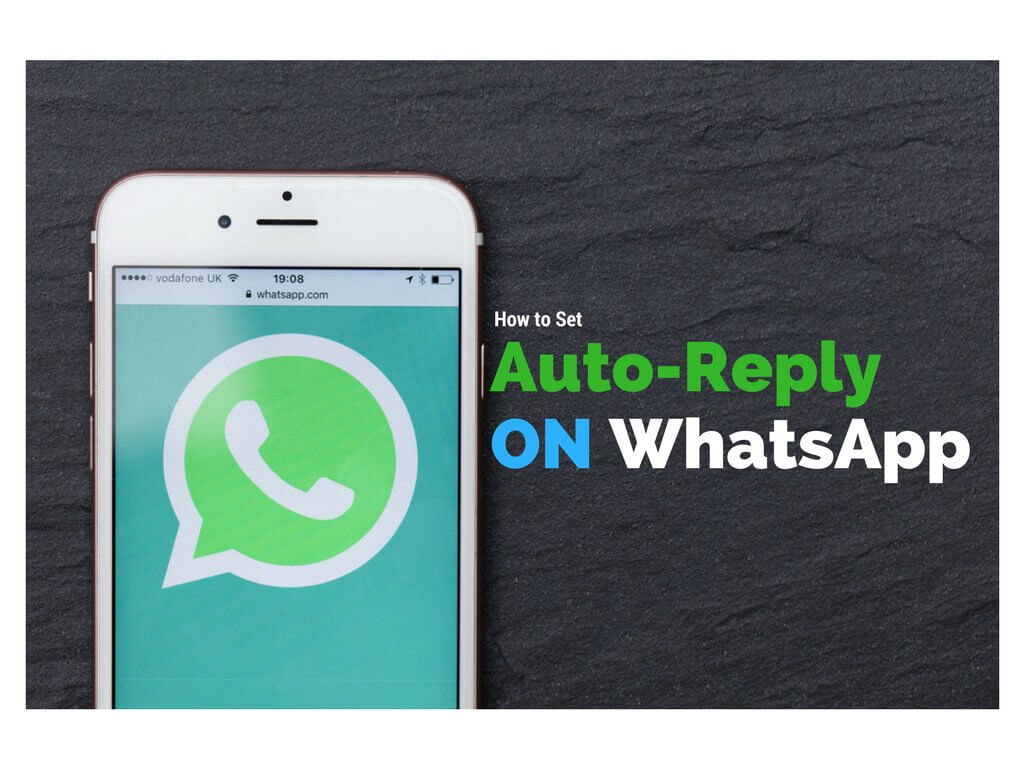
How to Set Auto Reply On WhatsApp

by eTechShout Editor
January 8, 2021

Auto Reply For Whatsapp

Tired of receiving WhatsApp messages while you’re on vacation, Office or busy in personal works? Do you want to send automatic reply to the sender? So Today we are going to introduce an App called WhatReply which helps you to sends a predefined message to each contact who will send you message automatically when you are busy. You have to set custom reply message than it will send it to the person who sent you message. Official WhatsApp does not have the auto-reply feature. So follow below mentioned steps to auto reply to received messages. Also Try How to Chat in WhatsApp Without Opening App? (Hide Blue ticks and Online)

  • How to Set Auto Reply to WhatsApp Messages?
    • Additional features of this App :-

How to Set Auto Reply to WhatsApp Messages?

  1.  You need to Download an App Called WhatReply From Here For Android
  2.  After successful installation Open the App
  3.  Skip the Intros
  4.  Click On Grant Permission

    whatsapp auto reply

  5.  Now allow WhatReply App in permission list & comeback to app again
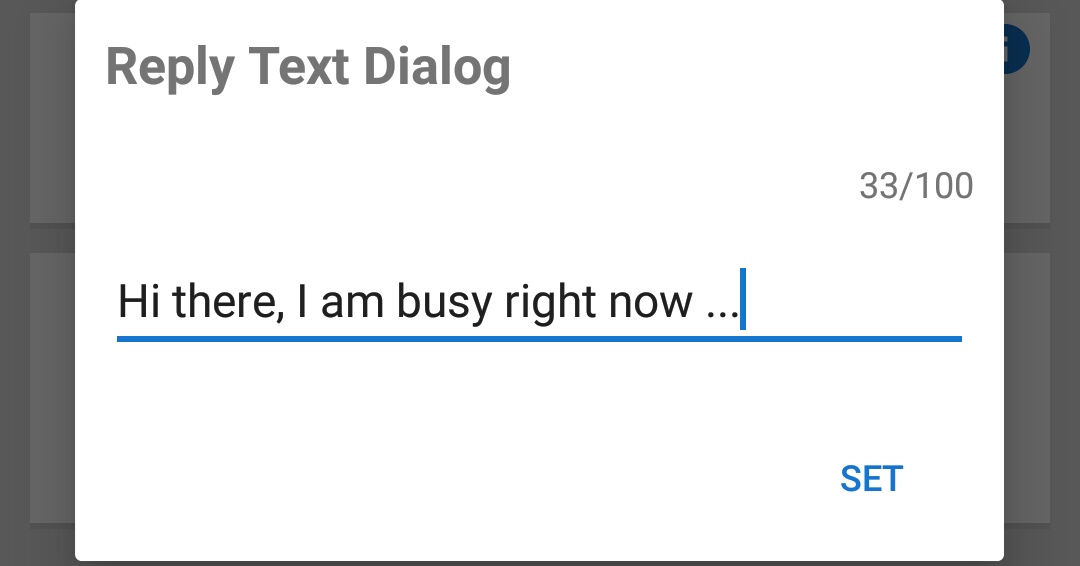
  6.  Enter the Reply Text that you want to send automatically

    whatsapp auto reply

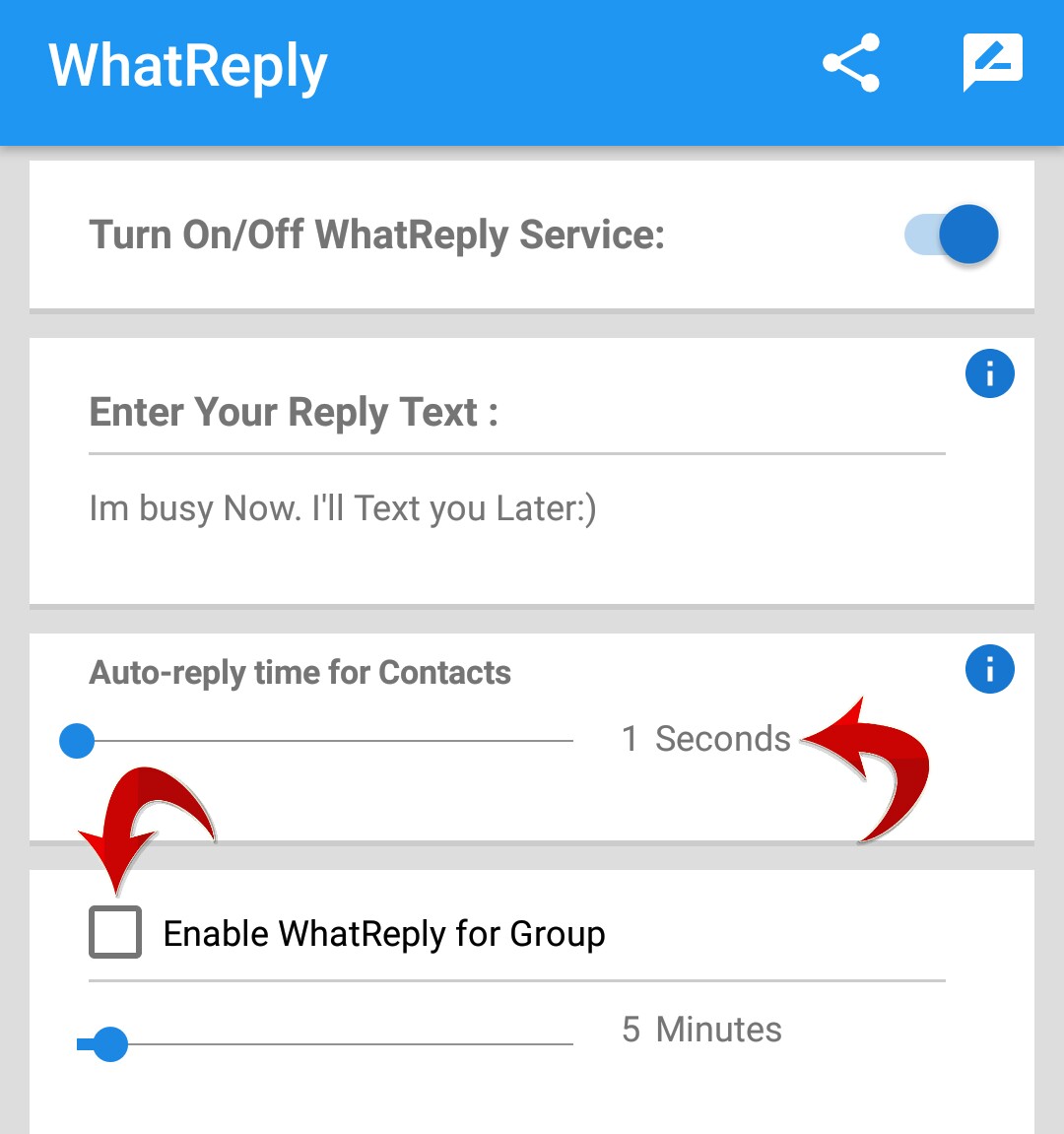
  7.  Set the auto-reply time for the contacts by changing the values. Maximum you can set upto 5 minutes

    whatsapp auto reply

  8.  If you want to auto-reply to WhatsApp group messages than Enable WhatReply for Group
  9.  That’s it! You’re done.
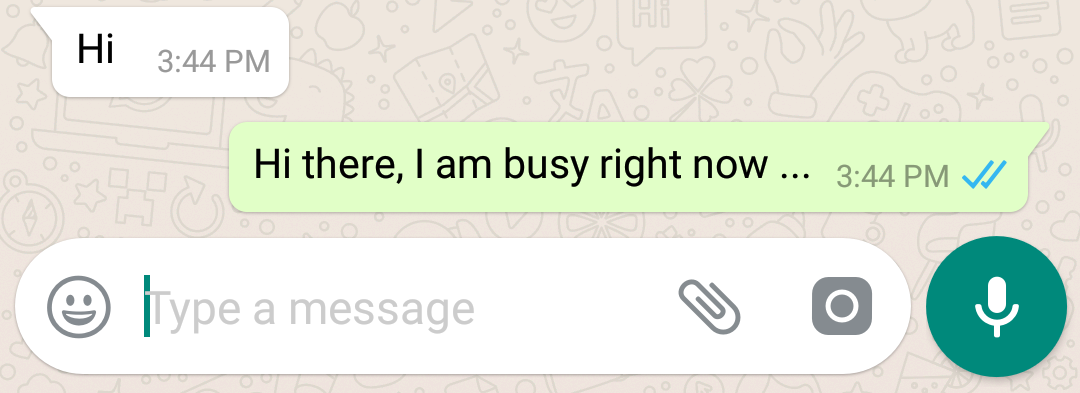
  10.  Now whenever you are busy in other things this app will reply to all received messages in WhatsApp.

    whatsapp auto reply

Note: You can disable this auto-reply by Clicking on Turn On/Off WhatReply Service in App.
You may also like How to Download WhatsApp Stories On Android

Additional features of this App :-

  • Connection status is not updated in WhatsApp. You will not be online if you are not!
  • You can set the time interval that has to pass from the last message to reply again, as well as the text of the message
  • Enable auto-reply only for contacts or also for WhatsApp groups

This app is an independent one and is not affiliated with any other company including WhatsApp.

Speak Your Mind In The Comments. I Would Like To Hear What You Think 🙂

Tags: AndroidWhatsapp
ShareTweetSendPinPinShareShareSend
eTechShout Editor

eTechShout Editor

Freelancer and writer who keeps a close eye on new technologies. He writes about the best apps/games, how-to tips, tutorials especially on Android, iPhone, computers, Windows, Linux, and Mac.

Related Posts

Best Apps Like SoLo Funds

12 Apps Like SoLo Funds to Lend & Borrow Money (2026)

January 3, 2026
Step-by-step guide to fix WhatsApp error 'Internal storage required. Please turn off USB storage'

How to Fix WhatsApp Internal Storage Required Error [EASY 2026]

January 1, 2026
Best Watermark Remover Apps for Android iOS

11 Best Watermark Remover Apps for Android and iOS

January 3, 2026
Quick guide to fix “WhatsApp is open in another window”

How to Fix WhatsApp is Open in Another Window Error [9 Easy Ways]

November 25, 2025

Recent Posts

Simple guide to fix YouTube search history not showing on the app and website

How to Fix YouTube Search History Not Showing [Mobile & PC]

January 22, 2026
Best Websites Like Aliexpress

19 AliExpress Alternative Sites with Faster Shipping

January 22, 2026
Steps to fix Talkie AI not working issues including app errors, loading problems, and network failures

How to Fix Talkie Ai Not Working [7 Easy Ways]

January 21, 2026
Steps to fix McDonald’s app not working on Android and iPhone

How to Fix McDonald’s App Not Working on Android and iPhone

January 19, 2026
Step by step guide to fix Messenger this message is not available on this app version error

How to Fix Messenger “This message is not available on this app version”

January 17, 2026
  • Disclaimer
  • Privacy
  • Contact Us
  • About Us
  • eTechShout Team

Copyright © 2025 All Rights Reserved.

No Result
View All Result
  • TECH
  • HOW TO
    • ANDROID
    • iOS
    • WINDOWS
  • TOP LIST
  • ALTERNATIVES
  • REVIEWS
  • COMPARISON

Copyright © 2025 All Rights Reserved.