Snapchat Spotlight is a feature that showcases short-form, TikTok-style videos created by users. Launched in 2020, it provides a dedicated tab for entertaining and viral content, such as dance challenges, memes, and creative snippets. Spotlight uses an algorithm to curate videos based on your viewing habits, offering a personalized feed designed to keep you engaged.
While some people like this feature for its entertainment value, others find it frustrating or distracting. For users who prefer Snapchat as a platform to save memories, share unfiltered stories, or use unique tools like the birthday feature, Spotlight can feel like an unnecessary addition. It may even mimic the addictive qualities of apps like TikTok and Instagram, which some users actively avoid.
Many users report spending more time than intended scrolling through Spotlight, especially while waiting for message replies, which leads to a feeling of lost productivity. The constant notifications and reminders about new Spotlight Snaps can also be overwhelming.
If you’re among those who use Snapchat primarily as a digital photo diary or a place to connect with friends, you may be wondering how to limit the impact of Spotlight or disable it altogether. In this guide, we’ll explore the steps to turn off the Snapchat Spotlight feature.
QUICK ANSWER: Unfortunately, there is no option to disable the Spotlight feature on Snapchat, since that’s what Snapchat wants, right? They want to keep you engaged and addicted to the app. However, even though there is no official way, we have a trick to block Spotlight on Snapchat. Just follow the steps below.
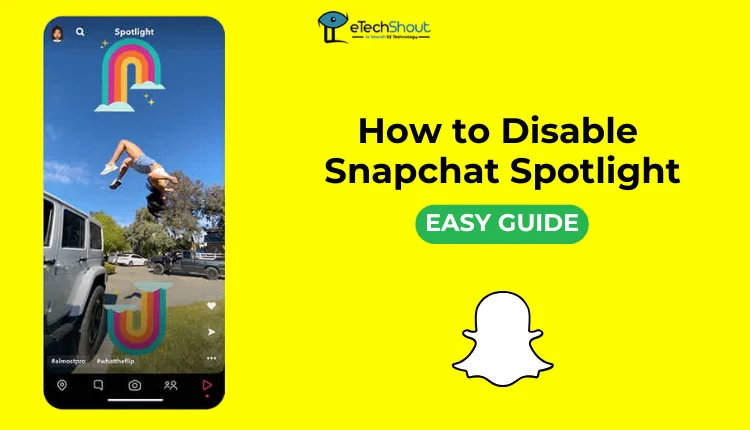
How to Disable Snapchat Spotlight
Since there is no option to disable the Spotlight feature directly within the Snapchat app, you can use a third-party app to block it. Here’s how you can do it with the Stayfree app on Android:
- Open the Play Store and search for the StayFree app.
- Click on the Install button and wait for the completion of the download and installation process
- Open the app, click GET STARTED, read and accept the terms, then click Continue.
- The app requires you to be over 18 to use it, so enter your age and click Continue.
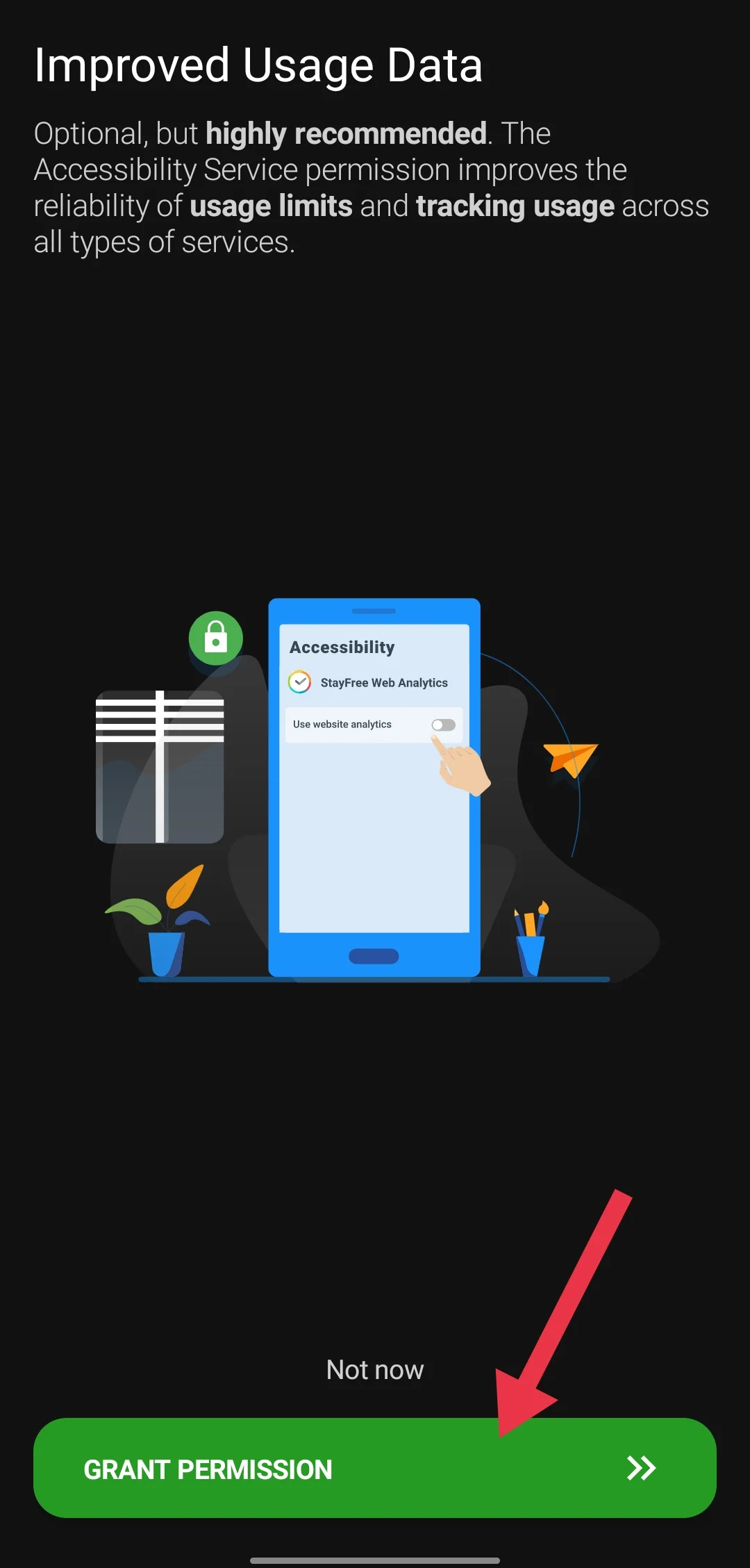
- Click GRANT PERMISSIONS, which will take you to the accessibility section of your device settings.

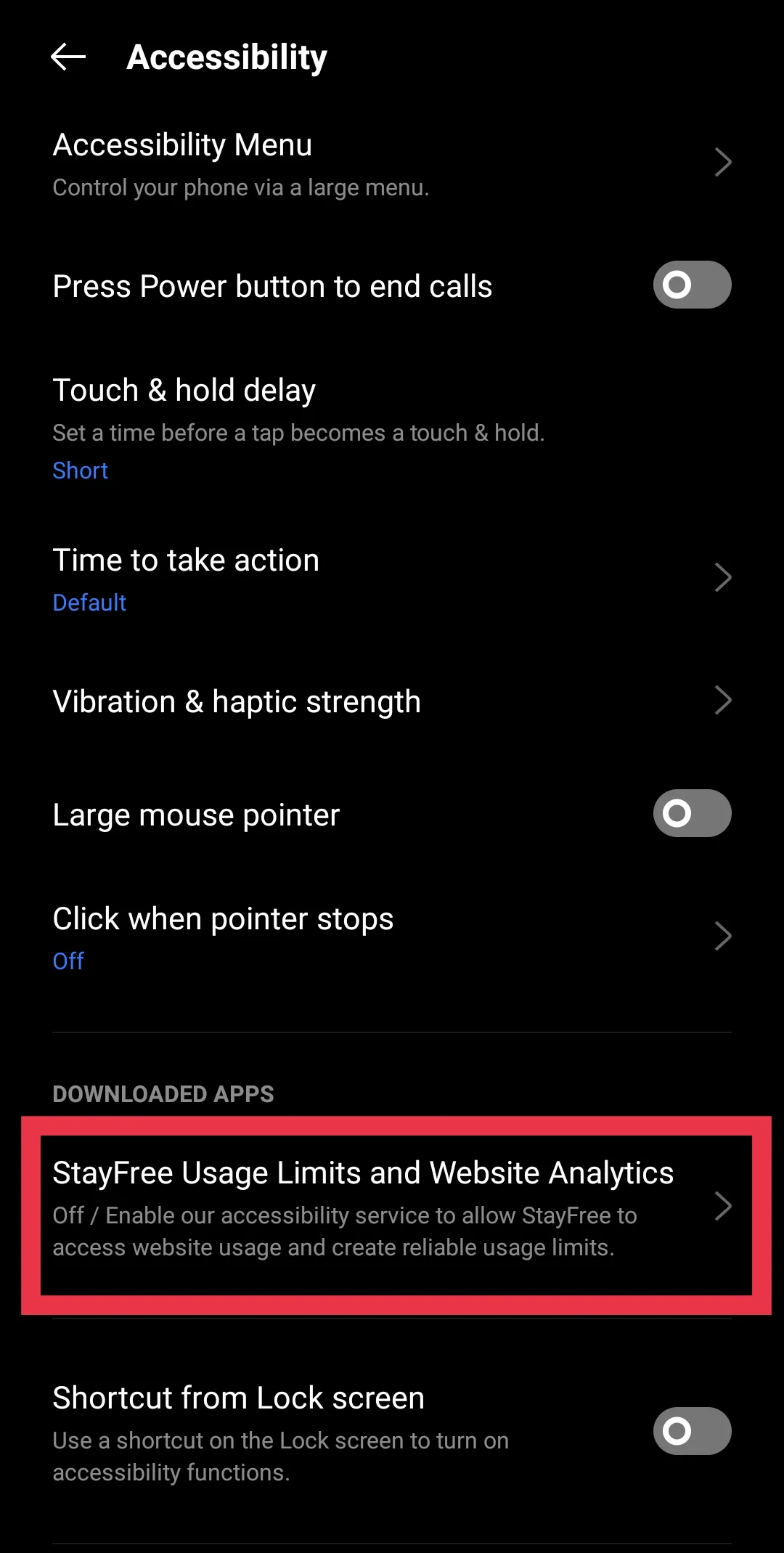
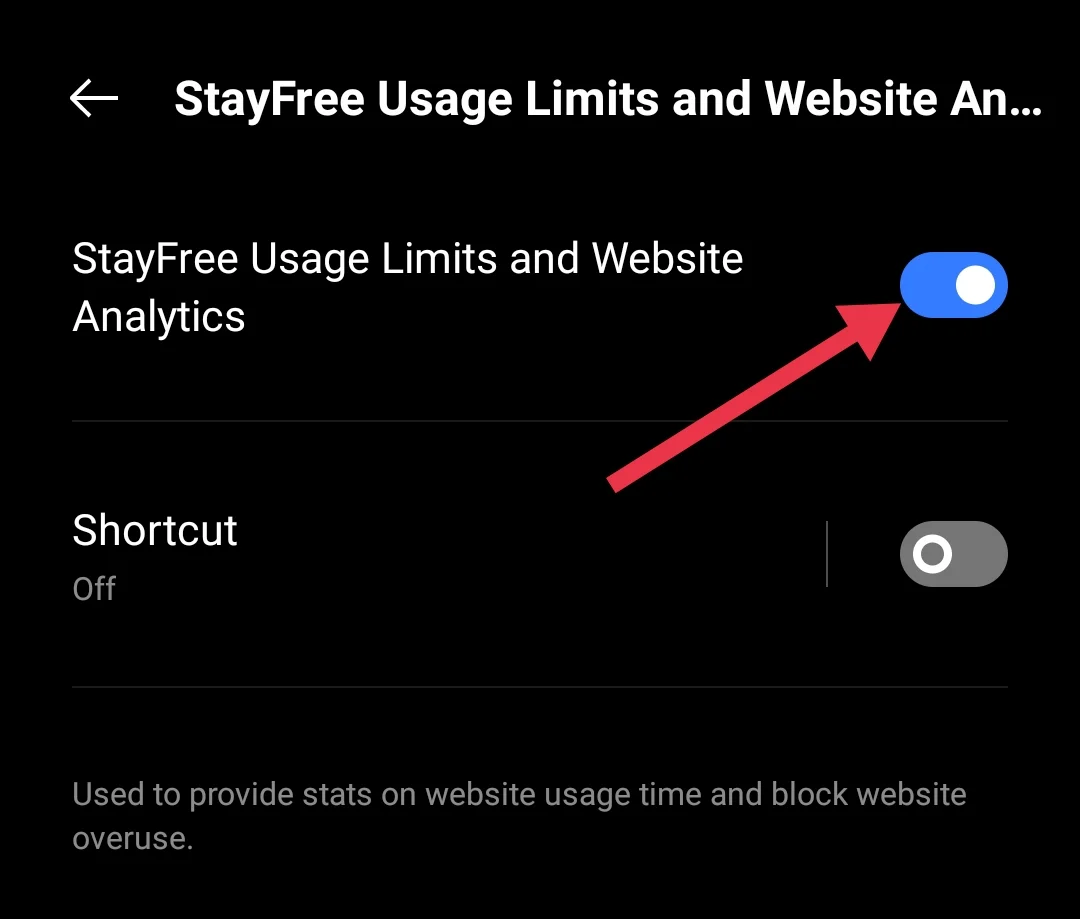
- In the settings, select StayFree Usage Limits and Website Analytics. Enable the toggle.

- After enabling the toggles, return to the StayFree app.

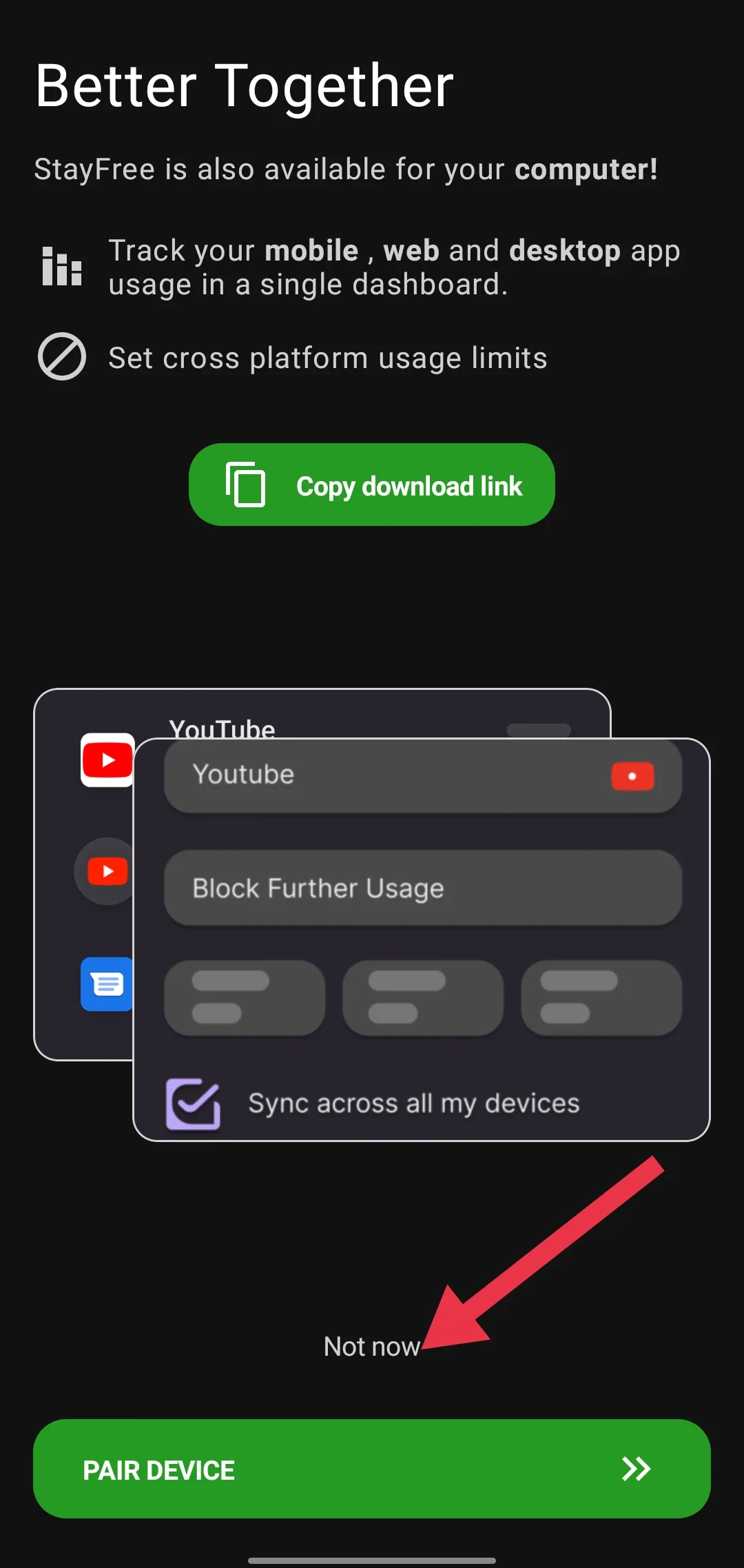
- When prompted to pair the app for other features, click Not Now since it’s not necessary for this purpose.

- On the app’s home screen, select the In-App Blocking option

- Then click on Snapchat and enable the Block Spotlight toggle.

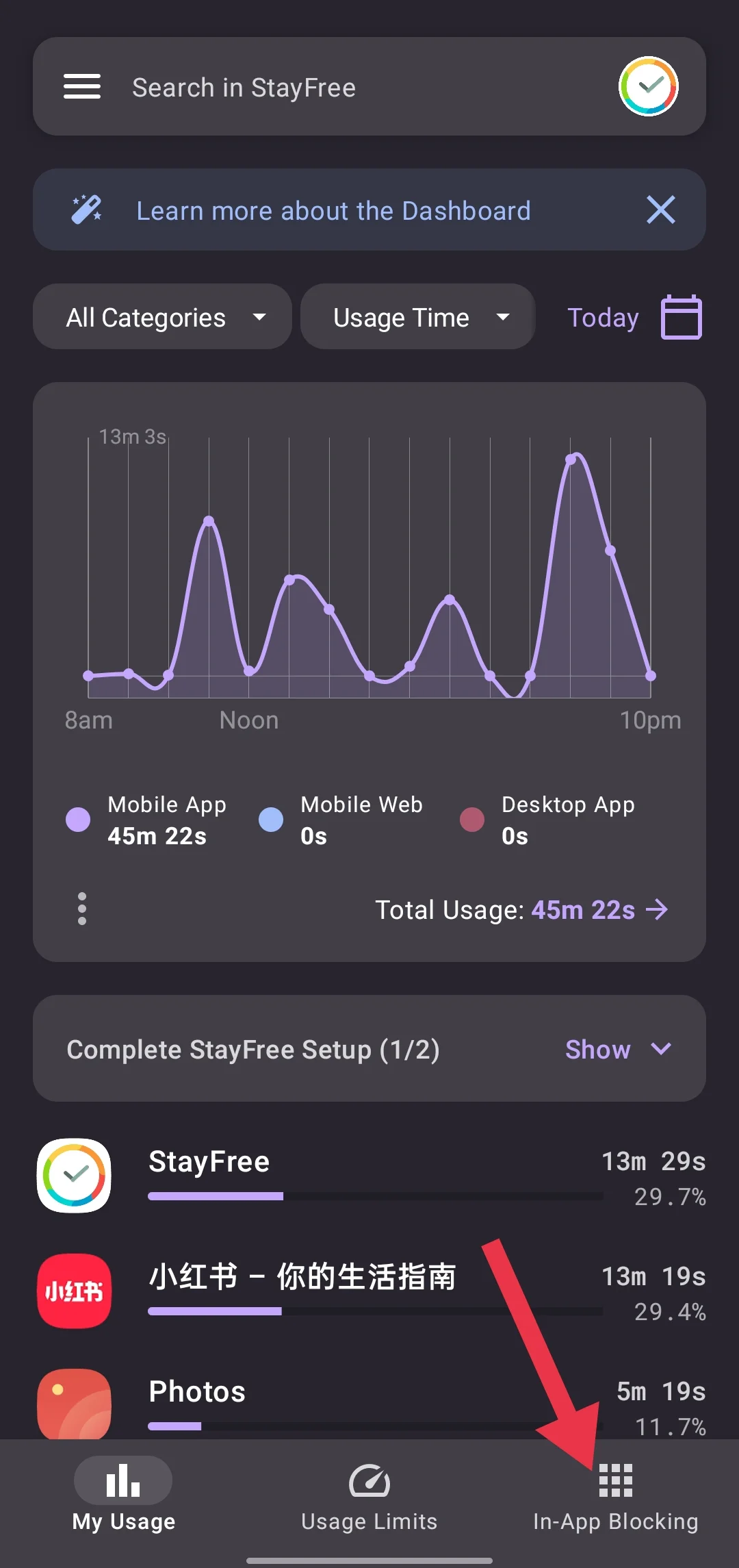
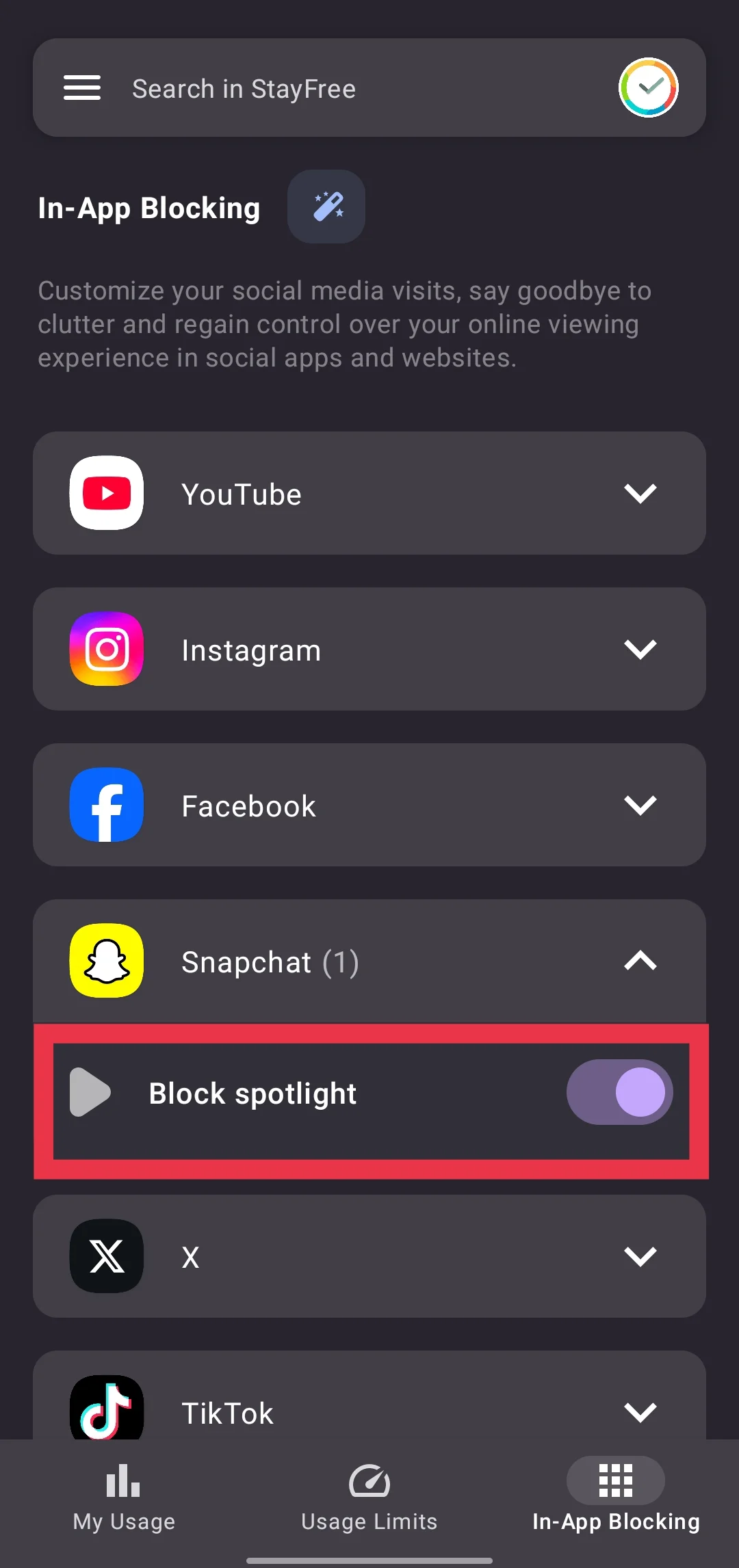
That’s it! The app will now block the Spotlight section in Snapchat. You can open Snapchat to confirm that the Spotlight tab is no longer accessible. 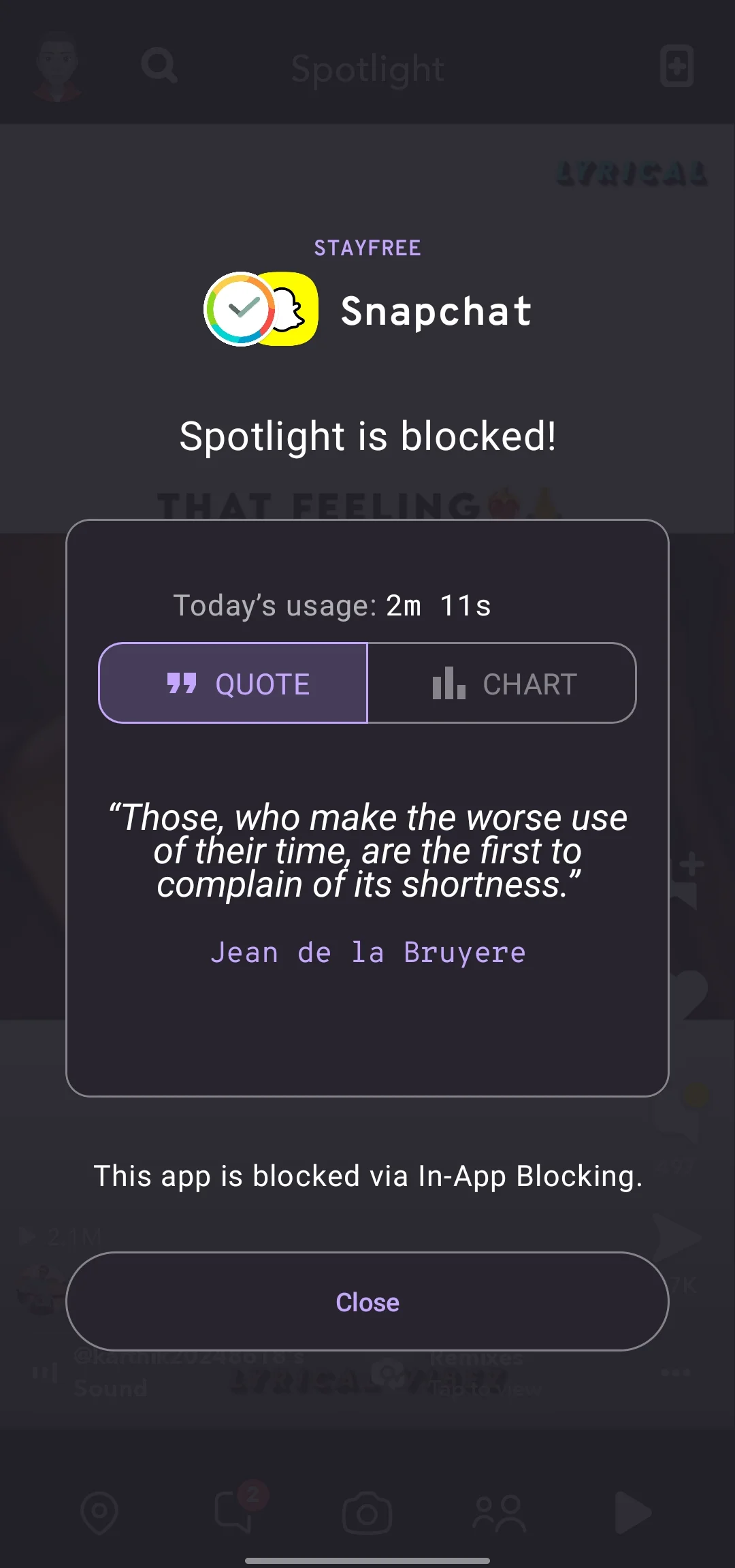
Note: Since the StayFree app needs to run continuously in the background to block the In-App feature, make sure it is granted permission to run in the background on your Android device. Keep in mind that this may consume some battery as the app runs in the background.
Unfortunately, while the StayFree app is available for iOS devices, the in-app blocking feature is not currently available on the iOS version. We couldn’t find this option, but we will update the instructions once this feature becomes available or if we discover another method to disable Snapchat Spotlight for iPhone users.
We hope this guide has helped you turn off Spotlight on Snapchat. If you know of any other methods, especially for iOS users, feel free to share them in the comments below.