WhatsApp has become a big part of daily life for almost everyone. We use it all the time to chat with friends, share photos, talk in family groups, and even stay updated with work or community events. Since it is used so much, it is no surprise that sometimes it causes problems with storage on our phones. One of the most confusing issues is when the phone shows that WhatsApp is using a huge amount of space, even though the app itself shows very little usage in its own settings. This makes it hard to understand where all that storage is going. Many people also see the error message “Internal storage required. Please turn off USB storage” when trying to use WhatsApp, which can be stressful and frustrating. Storage problems like this can fill up the device and make using the phone much harder than it should be.
If you have ever seen the message about internal storage required or been asked to turn off USB storage while using WhatsApp, this guide is for you on troubleshooting this error.
How to Fix Internal Storage Required Error on WhatsApp
Remove and Give Storage Access to WhatsApp Again
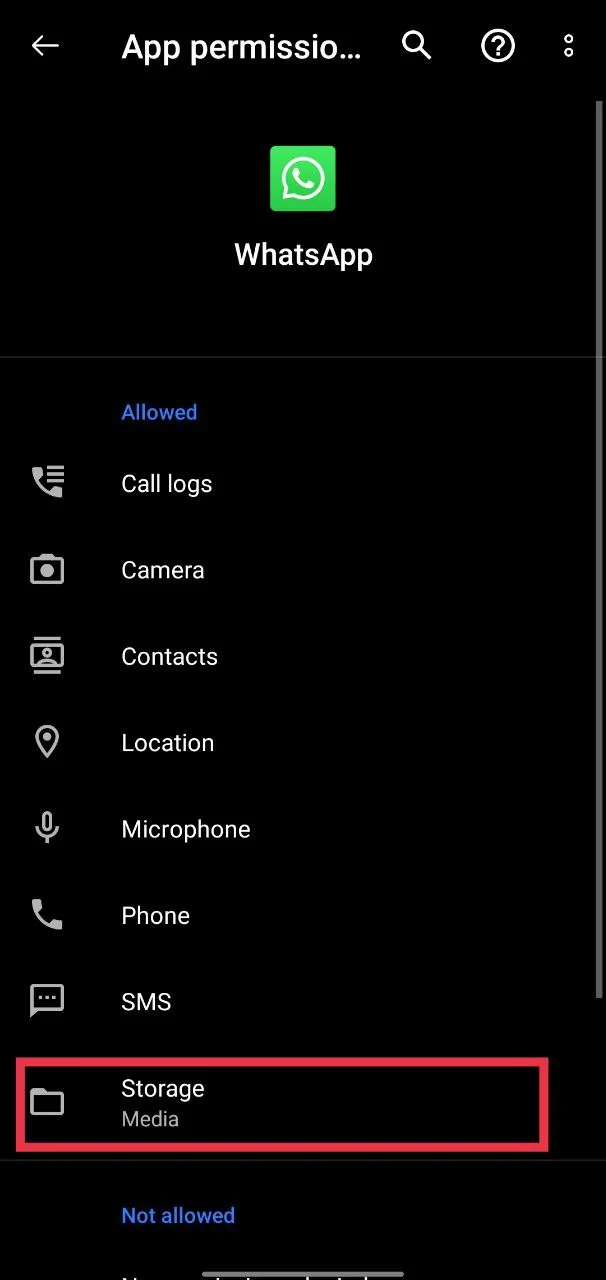
Sometimes WhatsApp cannot read or manage files on your phone properly because of a permission issue. This can cause storage errors or even bring up the “Internal storage required. Please turn off USB storage” message. The simplest solution for this that can help for this is resetting the storage permission.
Go to your phone settings, open app permissions, and remove WhatsApp’s access to storage. After that, allow storage access again.
Switch USB Debugging Off and On From Developer Options
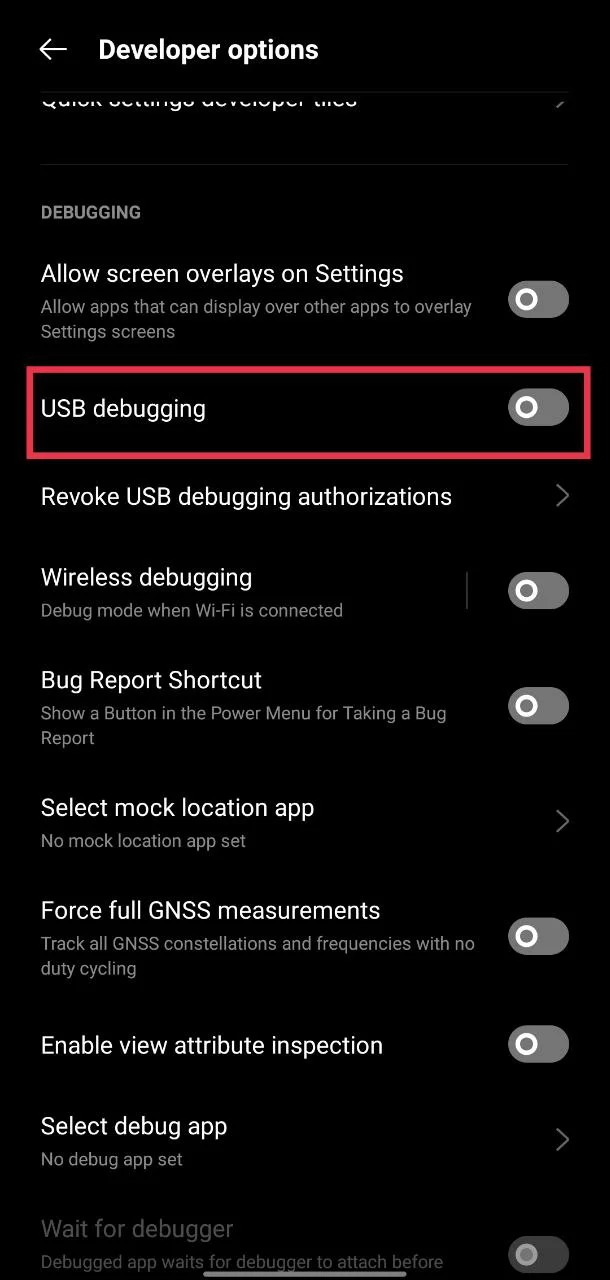
At times, that storage error on WhatsApp shows up because the phone is having a hard time linking with the app. A quick way to give it a nudge is by using the USB debugging option that sits inside your device’s developer settings.
So, open your phone settings and scroll down to the developer options. If you do not see this menu, you can unlock it by tapping several times on the build number inside the about phone section. Once you are in, look for USB debugging. Switch it off, wait for a short moment, then turn it back on.
Restart your Phone
If the first fixes did not help, a restart might do the trick. It only takes a minute and is often all that is needed to make the error disappear. So, just restart your device once and check.
Clear the cache
Another easy way to deal with it is by clearing the cache from your phone settings. Just open the settings and click on WhatsApp from the apps section. There, you can find the “clear cache” option under the “Storage” section. Tap on it. 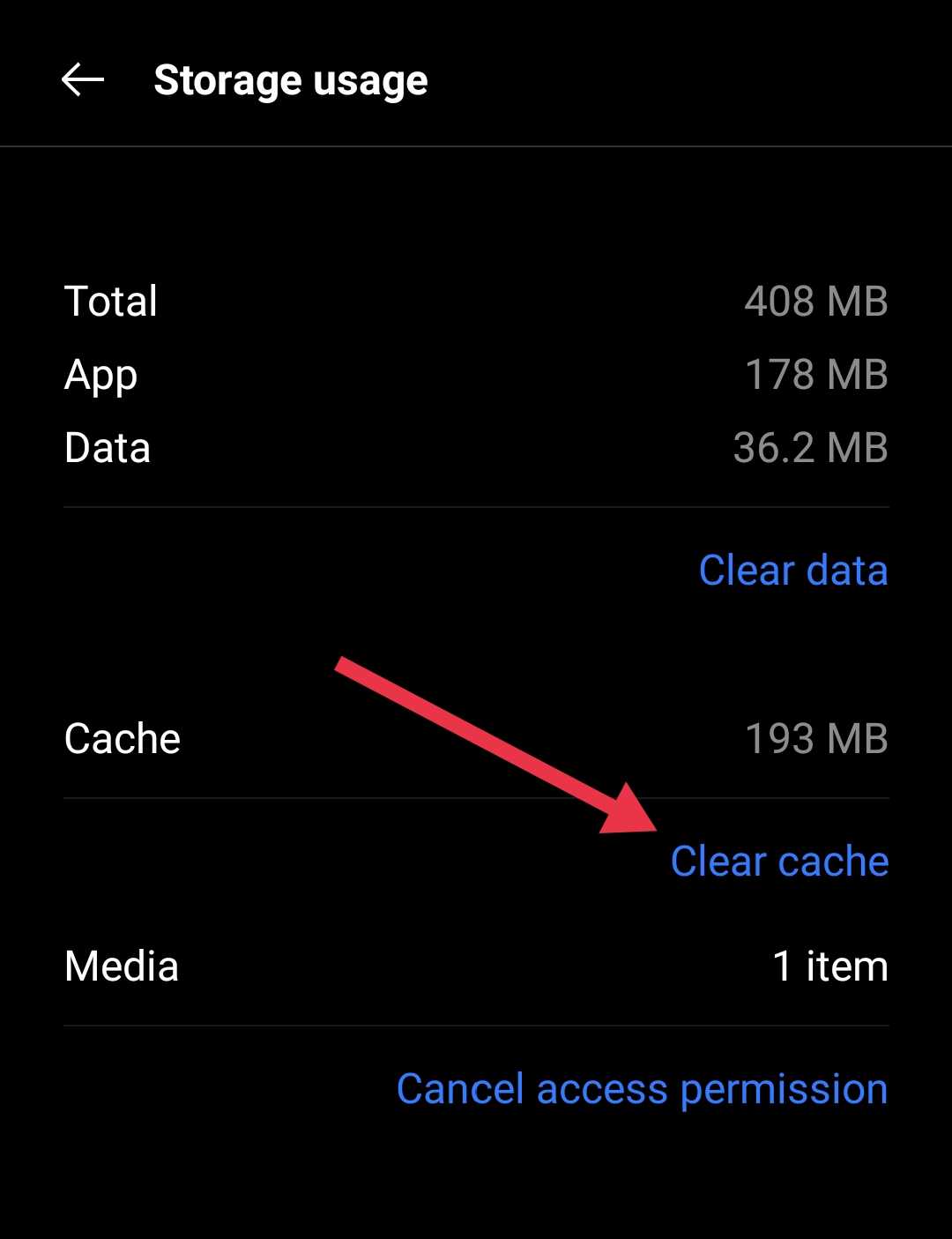
This method is only for Android users since iOS does not have a clear cache option. iOS users who face this problem can try offloading the app and then reinstalling it. Often, Android users are the ones most affected by this error.
Delete Large Videos and Photos
A lot of storage on WhatsApp is taken up by videos and photos, especially the ones that are long or high-quality. Going through your chats and deleting the biggest files can free a lot of space quickly. This can also help fix the “Internal storage required” error message on WhatsApp and make your phone feel less full.
RELATED GUIDES:
- WhatsApp Stuck on Initializing? Here’s How to Fix It Fast!
- How to Fix “Your battery usage is restricted for WhatsApp”
We hope these easy tips helped you fix the WhatsApp Internal storage required. Please turn off USB storage error. If they did not work, you can try uninstalling and reinstalling the app. Just make sure to back up your chats and media first so nothing important is lost. Also, share which method worked for you, or if you have another trick that solved the problem. It can really help others who are dealing with the same issue.