Reddit feels like a huge online hangout where people share ideas, stories, news, and all kinds of content. I have spent time scrolling through different communities, and each one has its own style and vibe. You can jump from serious discussions to fun posts in just a few minutes, which makes it interesting to keep exploring.
As more users join, the type of content shared on Reddit has also grown. You will see light and fun posts, but also content marked as NSFW. This means not safe for work. It usually includes adult content, strong language, or topics that may feel too much to view in public. Because of this, Reddit keeps such content hidden or blurred by default.
When you scroll through the Reddit app or website, you might notice images or videos that look blurred. That is Reddit trying to protect you from seeing mature content without warning. If you are okay with viewing it, you might want to change this setting.
The sections below will show you how to turn off the NSFW filter on Android, iPhone, and on a browser using your PC or mobile.
How to Turn Off NSFW Filter on Reddit App Android, iOS, and PC Browser
On Android
Most people use Reddit on an Android phone. If that is what you use, you can turn off the NSFW filter in just a few taps. Before you begin, open the Google Play Store and make sure your Reddit app is updated to the latest version.
- Open the Reddit app on your phone.
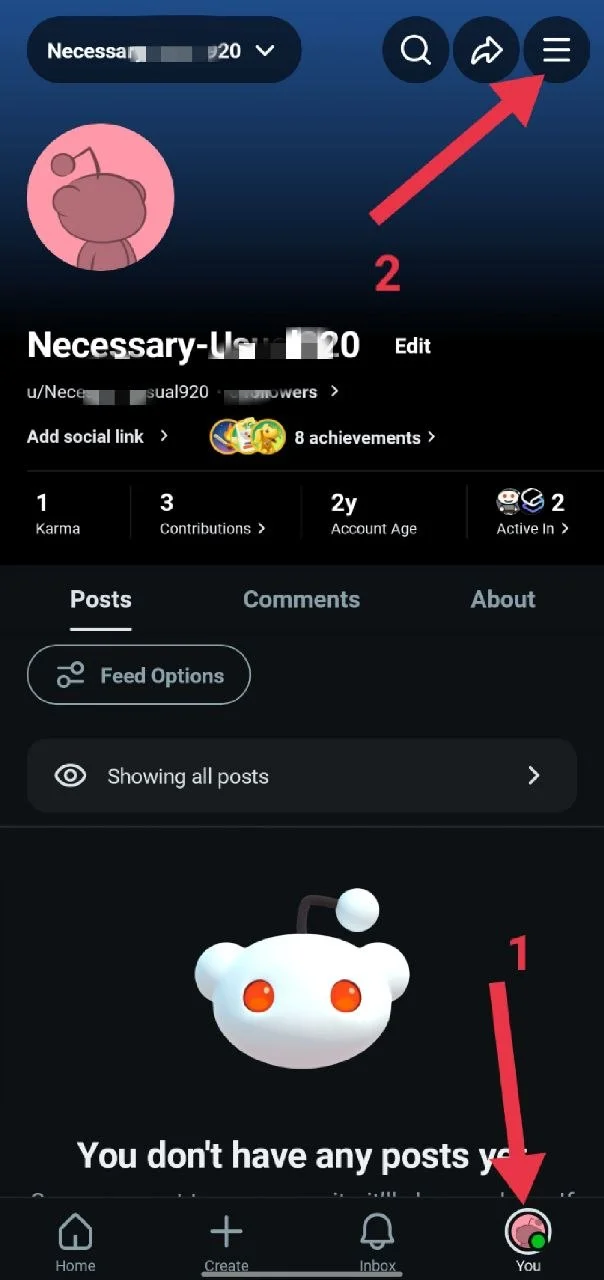
- Tap the You option at the bottom right corner.
- Tap the three-line menu at the top right corner.

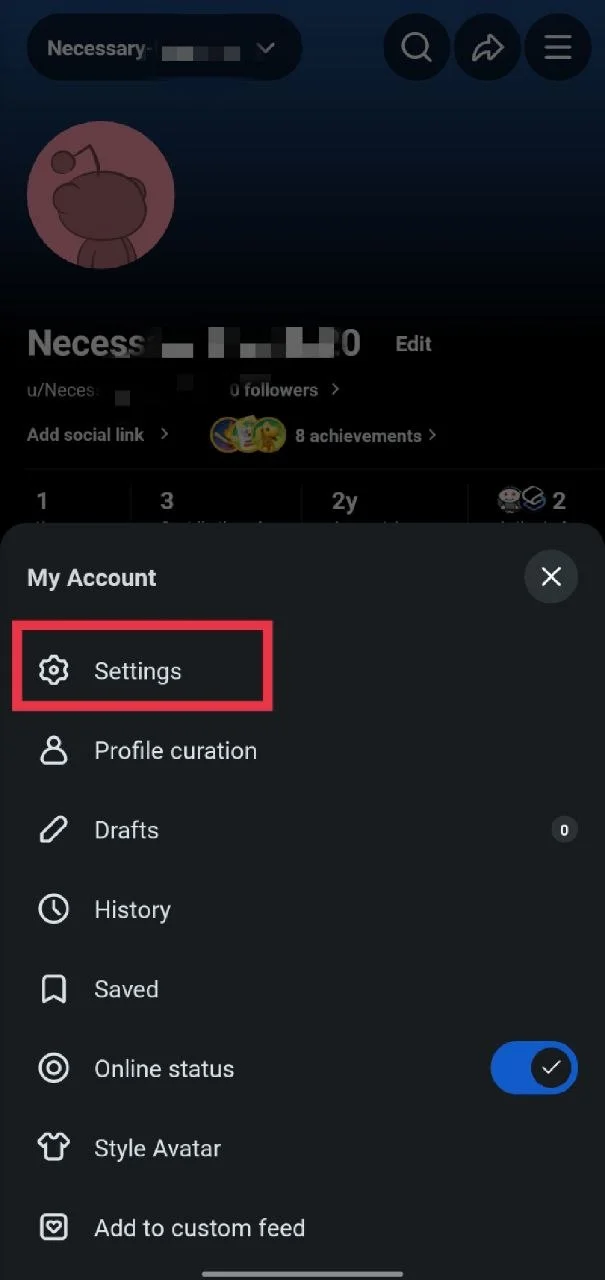
- Go to Settings.

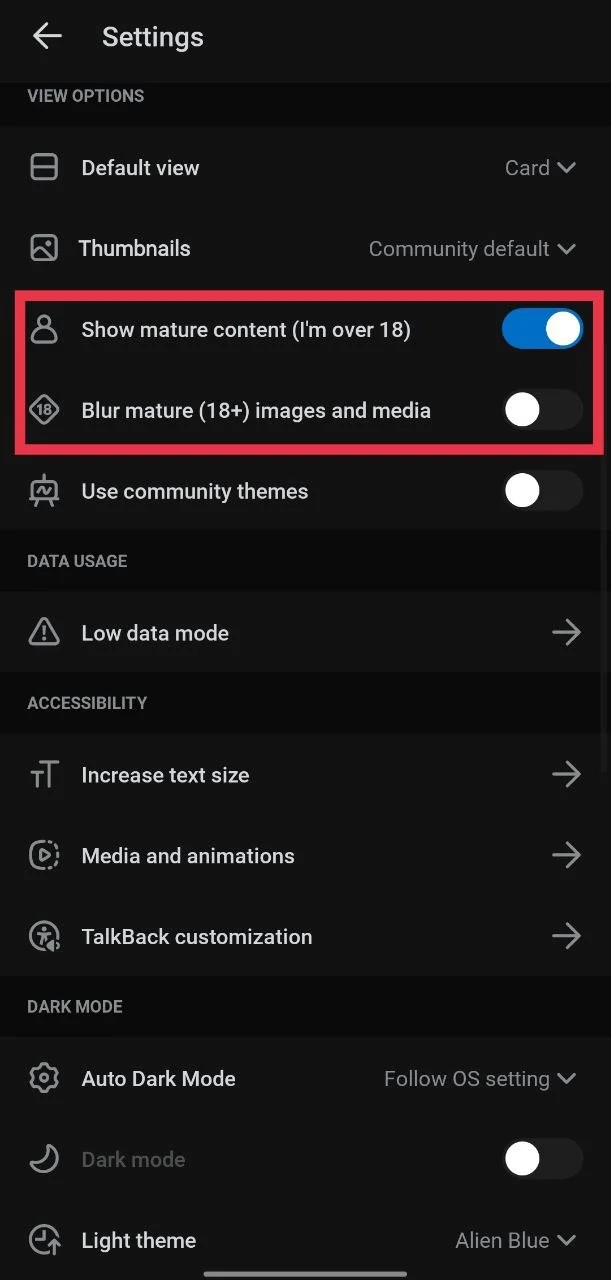
- Under the view section, turn on the option called “Show mature content (I’m over 18).”
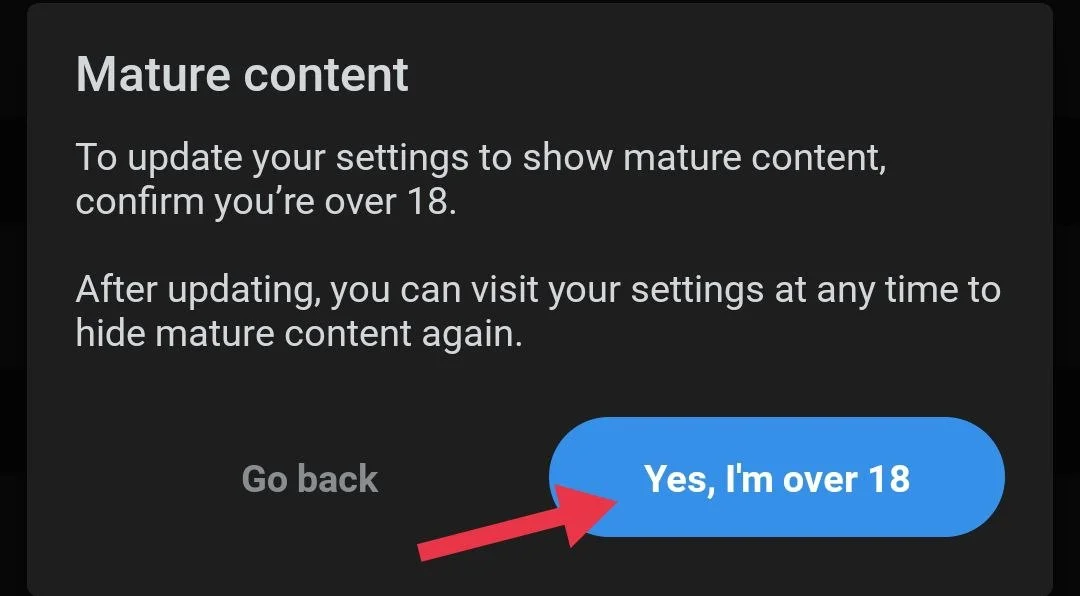
- A message will pop up. Tap “Yes, I’m over 18” to continue.

- Now, in the same section, turn off the “Blur mature (18+) images and media” option.

On iPhone
If you are using Reddit on an iPhone or iPad, the steps are a bit different from Android. You will not find this option inside the Reddit app. Instead, you need to change it from your device settings.
- Open the Settings app on your iPhone or iPad.
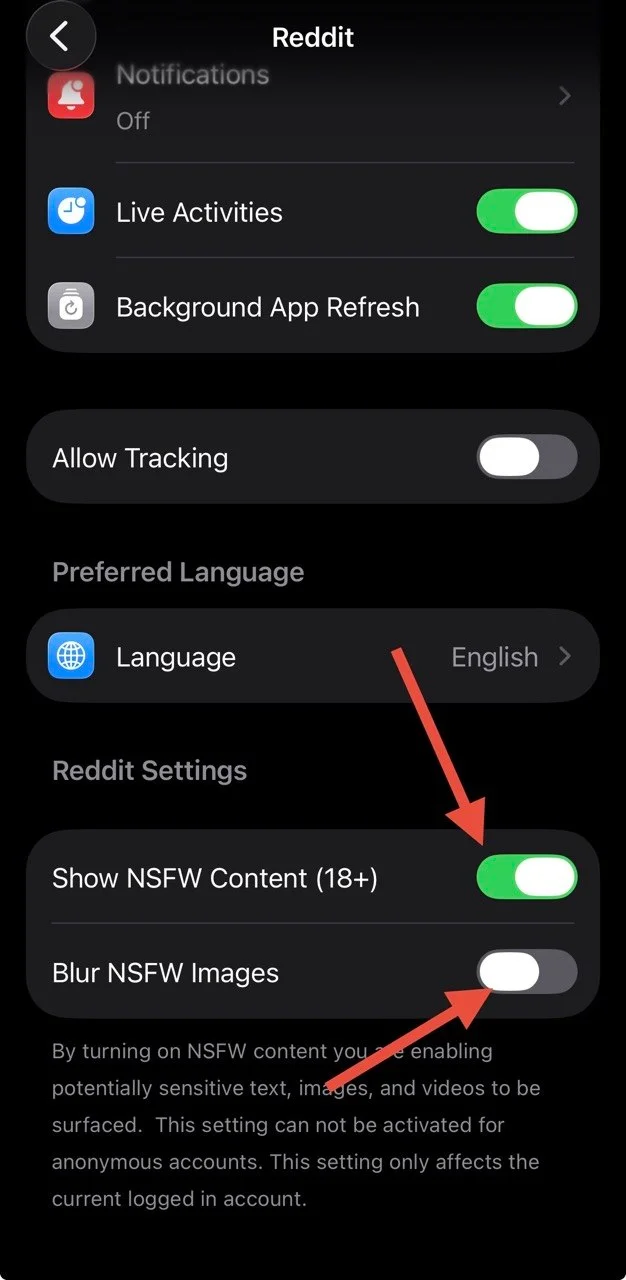
- Scroll down and tap on Reddit (If you are using iOS 18 or newer, you will find the Reddit app under the “Apps” section in Settings.)
- Turn on the option called Show NSFW Content (18+)
- Next, turn off the Blur NSFW Images option.

On a Web Browser
If you use Reddit on your computer or in a browser, you can change these settings from your account page. It only takes a few clicks.
- Open Reddit in your web browser and log in to your account.
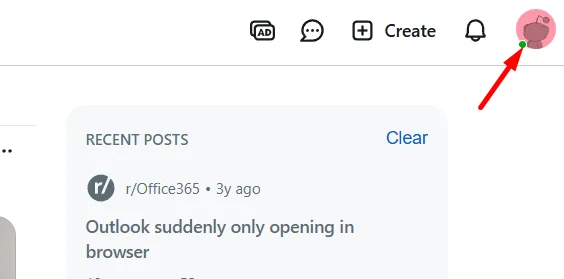
- Click on your profile name at the top right corner.

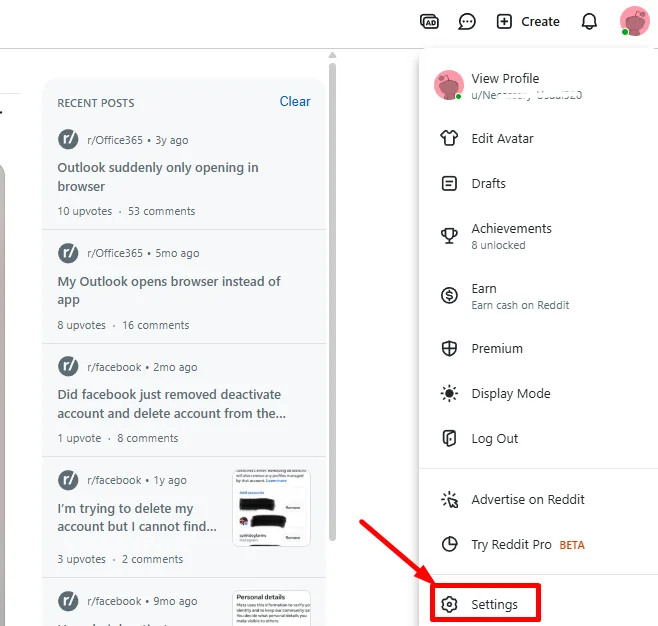
- From the menu, select Settings.

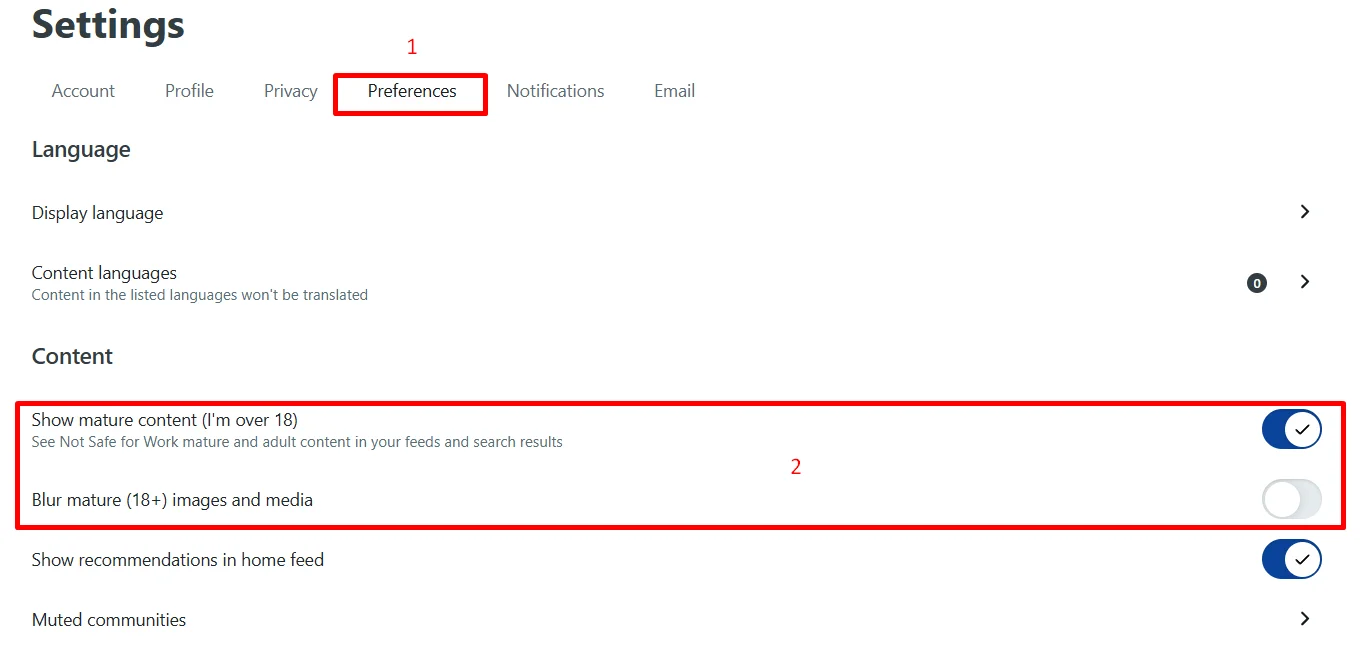
- Go to the Preferences tab.
- Now, turn on the “Show mature content (I’m over 18)” toggle.

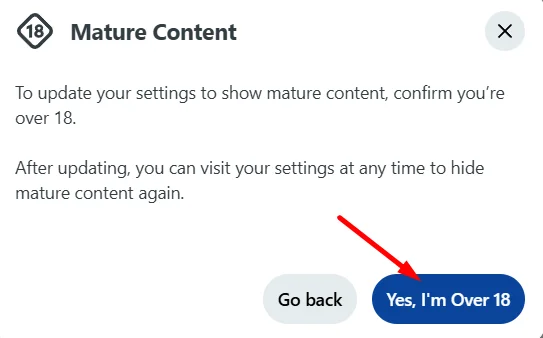
- A message will appear; click “Yes, I’m Over 18” to confirm.

- Now, turn off the Blur mature (18+) images and media option.
Hope this made things clear and helped you turn off NSFW warnings on Reddit. If anything is still not clear or you need help with any step, just leave a comment, and I will reply. If this guide helped you, do share it with others who might need it.