TikTok grew very fast, and people everywhere started using it for fun short videos. Then, in some places, it suddenly faced bans because of safety concerns, privacy issues, and risky trends going viral. Even after all that, a huge number of people still use TikTok every day and enjoy spending time on it.
The app is made for users who are 13 years and older. This rule is there to keep younger users away from content that may not be safe for them. Some trends online can be risky, so having an age limit actually makes sense when you think about user safety.
Many people enter the wrong date of birth while creating their account, thinking they can change it later without any trouble. But TikTok does not allow you to edit your age directly inside the app, which makes it a bit tricky. Earlier, the only way was to contact support and go through a long verification process.
The good news is that there is now a simple workaround that can help you update your date of birth. If you just follow the steps shared below, you should be able to update your date of birth on TikTok without much effort.
How to Change Date of Birth on TikTok
- Open the TikTok app and log in to your account.
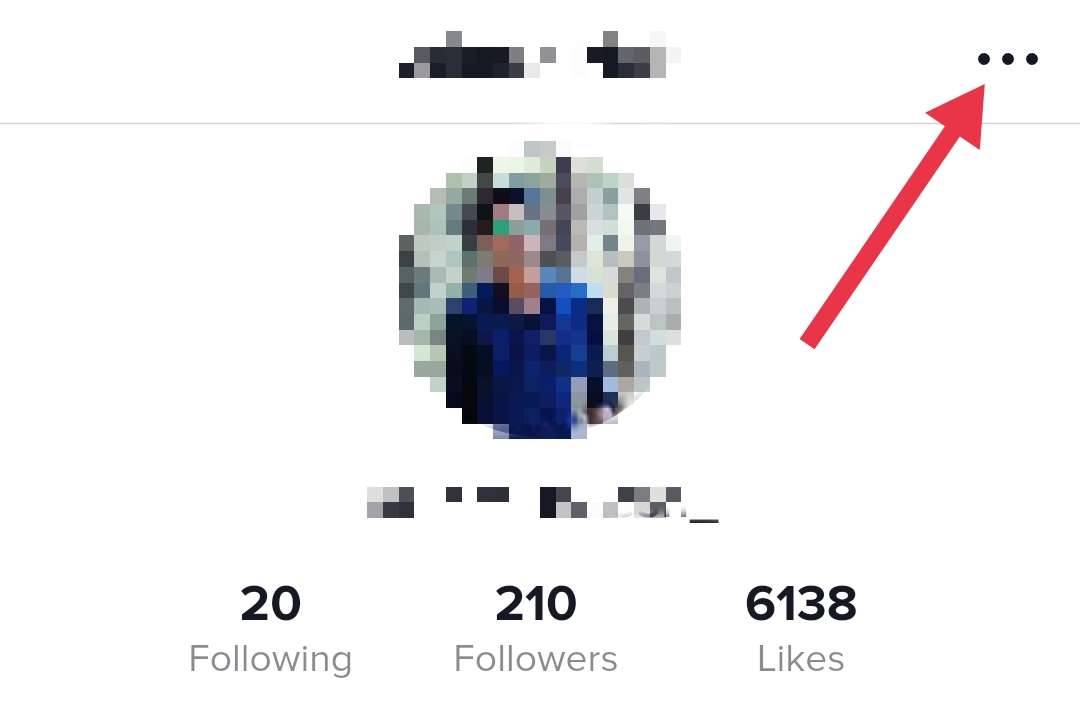
- Tap on the Profile icon at the bottom right corner of the screen.

- Look at the top right corner and tap on the three-line menu.

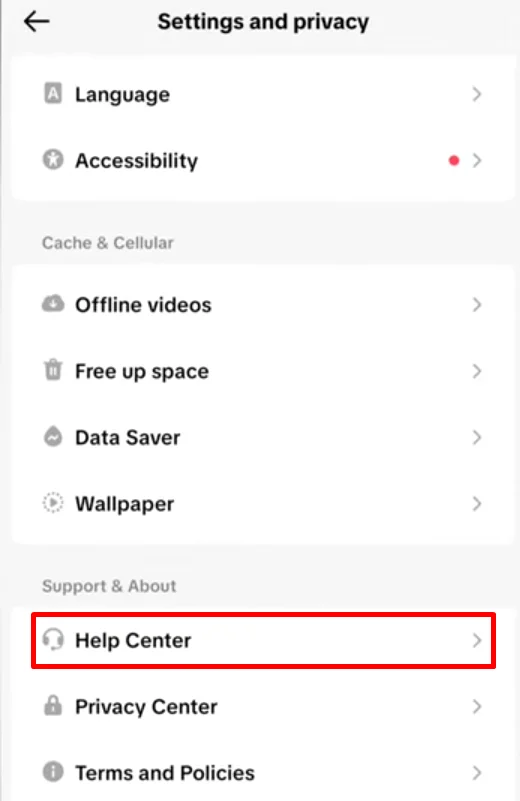
- From the list, choose Settings and privacy.

- Scroll all the way down and tap on Help Center.

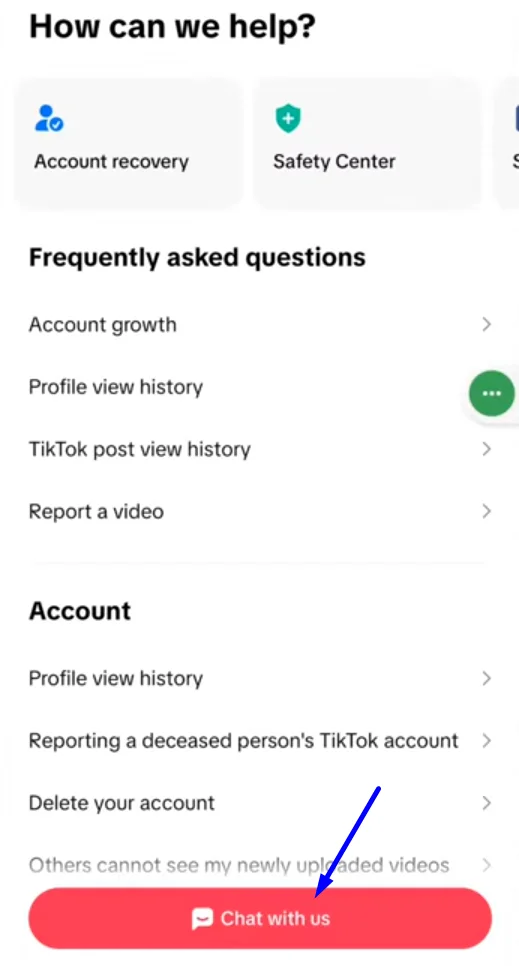
- Inside the Help Center, tap on Chat with us.

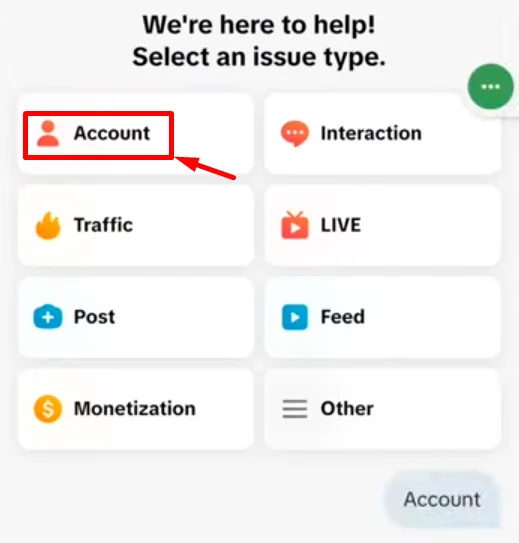
- Select Account from the options shown.

- In the message box, type “I want to change my birth date” and send it.
- You will receive an automatic reply with an option that says Edit date of birth. Tap on it.

- Now choose your correct date of birth and confirm it when asked.



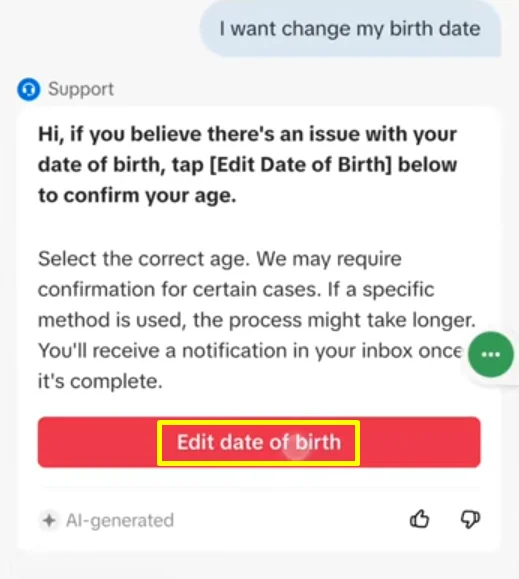
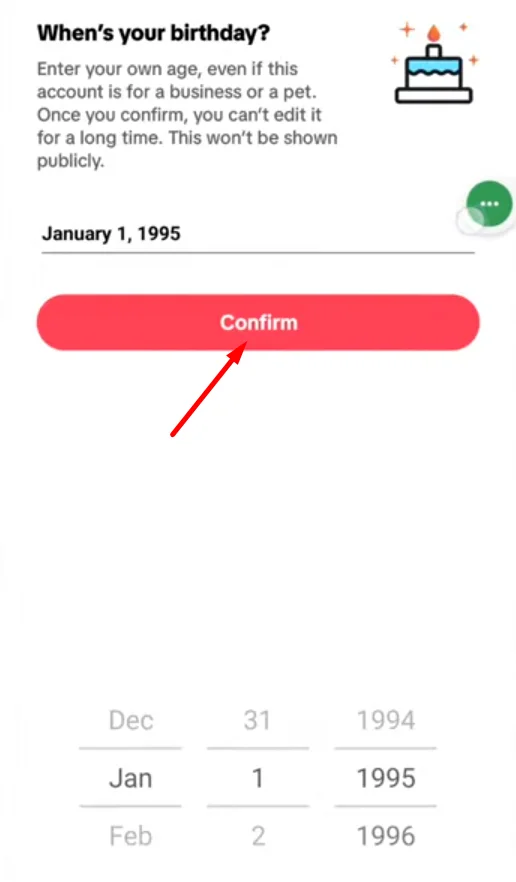
Note: This method lets you directly edit your date of birth by choosing the day, month, and year. But after you confirm the change, TikTok may ask you to submit documents to verify your age. In my case, my age was already correct, so I did not go ahead and confirm the update. So just keep this in mind before you proceed.
What to Do If You Cannot Change Your Date of Birth on Tiktok?
If you have tried all the available methods and still cannot update your date of birth, even after reaching out to TikTok support, then there is one last option you can think about. You can delete your current TikTok account and create a new one with the correct details.
Before you do this, keep in mind that deleting your account will remove everything linked to it. This includes your videos, followers, following list, and all other account data. So this step is only worth it if you are sure TikTok is not going to accept your request to change your age.
If you do not have any important content and mainly use TikTok just to watch videos, then creating a new account can be a simple choice. Just make sure you enter the correct date of birth this time, because some content will be restricted if your age is set lower than required.