Compile And Run Programs On Android- Compiling is a process of converting codes written in a particular programming language into machine language or code that a computer can understand. While coming to the topic if you’re a student learning any programming languages and don’t have a computer to compile the program codes to check the results, then don’t worry. You can use your Android device to compile and run the programs to test it!
Here we listed some best Apps to compile most of the programming languages to solve or test it.
5 Top Apps To Compile And Run Programs On Android
#1 Online Compiler(Beta)
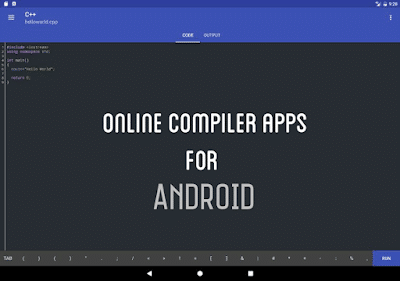
This is just a 2 MB App allows you to compile the program codes. Simply type or copy-paste the source code of your programming language and run it. Within a few seconds, it will give you a result. However, due to the limited computing power of mobile devices, this app won’t work without the internet. This app supports languages include Bash, C, C++, C++14, C++17, C#, Clojure, Go language, Java7, Java 8, MySQL, Objective-C, Perl, PHP, NodeJS, Python 2.7, Python 3.0, R language, Ruby, Scala, Swift 1.2, VB.net, Pascal! You can save your code and permits you to add single or multiple inputs.
#2 SoloLearn
Basically, this is a Community learning app for HTML, CSS, JavaScript, PHP, C++, Python, Java, C#, SQL, Swift and Ruby. But it also confesses users to compile the codes by typing or pasting it on any Android devices. This is also best to teach you the basics and ensures you to learn by lessons and concepts.
#3 Dcoder
This app supports 31+ languages as of now including C, C++, Java, Python, C#, PHP, Ruby, Perl, Pascal, VB.Net. It supports text highlighting. You can debug the code, see the results and errors at the same time on the same screen. You can also test your problem-solving skills by solving challenges from the respected section.
Also Read: – Top 10 Best Voice Changer Apps For Android
#4 C4Droid
This is one of the popular compilers for mobile. But this app is not available for free in play store. However, you can get it for free from other sources. Features of this app include Offline compilation, Syntax highlighting, Code Formatting, Undo/redo and more. This app even needs some extra plugins that you need to download.
#5 CppDroid
This 44+ MB compiler app helps you to compile only C and C++ codes. Features are syntax highlighting, Auto indentation, Auto pairing and even works without the internet. This compiler even supports Dropbox and Google Drive. Note that this app requires more than 200 MB internal storage space and it cannot be moved to SD Card.
So, guys, this is about Compiling Apps for Android. Don’t worry if you don’t own PC to compile and run your codes when you have an Android phone. Download any app from the above section, type your code and compile and get your result on the Go! Also plenty of compiling Apps available in play store. If any other compiling apps that I missed in this post then let me know in the comments section.
Speak Your Mind In The Comments. I Would Like To Hear What You Think 🙂