Perchance AI is a free and open source platform that runs directly in your web browser. It allows users to create AI images, generate text, and build interactive character chats without needing to install any software. A lot of people enjoy it because it is easy to use and open to everyone. You do not need to download anything, and you can jump in and create right away. That is one big reason why it has built a big fan base over time.
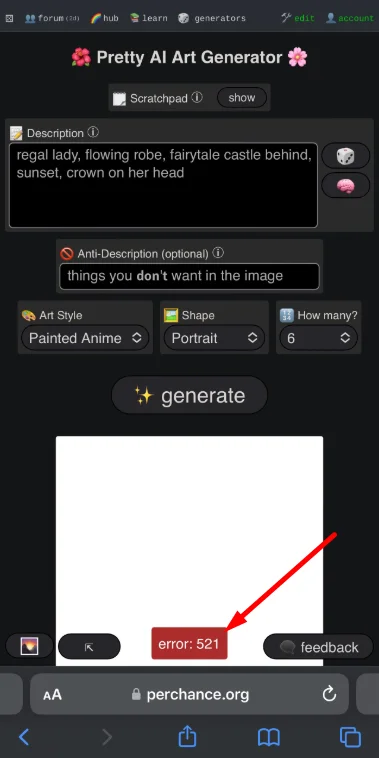
However, in recent weeks, many users have started facing different errors while trying to access the platform. Some are getting Error 521, while others are seeing 522, 520, 400, network failure, or stale error messages. When these errors show up, it usually means the web server is down, and the site is not responding.
These random errors can ruin your overall experience when you just want to use the platform and continue your work. In the sections below, I will explain how you can fix Perchance AI error codes 521, 522, 520, and 400.
How to Fix Perchance AI Error Codes 521, 522, 520, and 400
Check Perchance AI Server Status
If you are seeing error 521 or other similar errors, the first thing you should do is check the server status of Perchance AI. These types of errors usually point to a problem on the website’s side, not your device. When the server is down or not responding, the platform cannot load your request.
Perchance has a server status page on its official website where you can see if there is an ongoing issue. This page shows current problems and lets users know if the system is facing heavy traffic or downtime. Since Perchance AI is free to use, a huge number of people access it every day. If too many users open the character generator at the same time, the server can become overloaded.
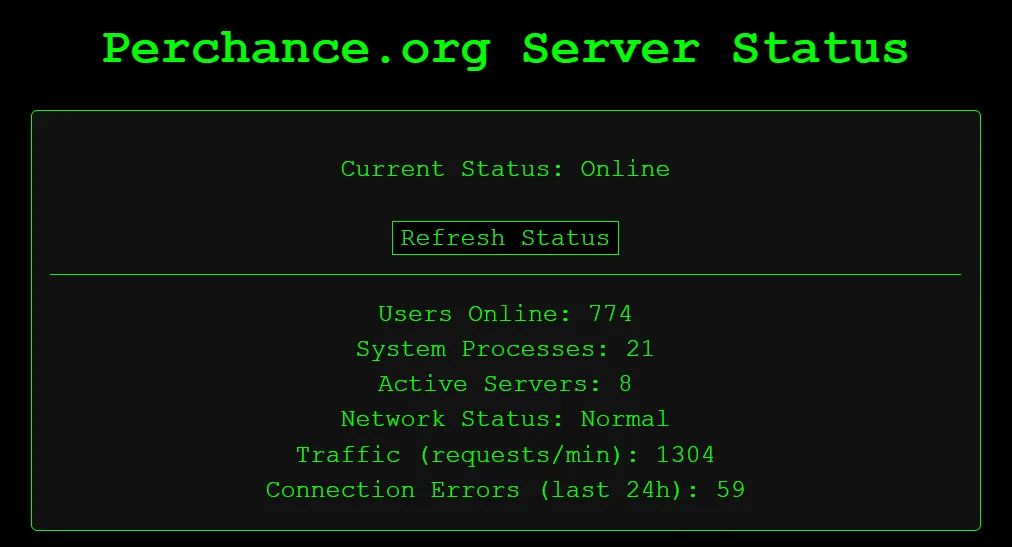
When this happens, you might notice that the main menu loads, but the generator section keeps spinning and does not show any result. In some cases, the screen may directly display Error 521. Based on past outages, small server problems are often fixed within 15 to 45 minutes. Sometimes it can take around 2 to 5 hours to be resolved.
Refresh the Page
Even if the Perchance server is back online, the site may still not load on your browser right away. This can happen because your browser is showing an older saved version of the page.
A refresh forces the browser to clear the saved cache for that page and download a fresh copy directly from the server. On a Windows computer, press Ctrl + F5 together. On a Mac, press Cmd + Shift + R at the same time.
If you are using a mobile phone, open the browser menu and tap the refresh option. If you have been using your browser for a long time, you probably already know where the reload button is.
Open Perchance in Incognito or Private Mode
Another method you can try is opening Perchance.org in Incognito or Private Mode instead of your regular browser window, as this mode runs the site without using saved cookies, cache, or extensions
On Windows/Linux machines, you can open Incognito Mode by pressing Ctrl + Shift + N on your keyboard. 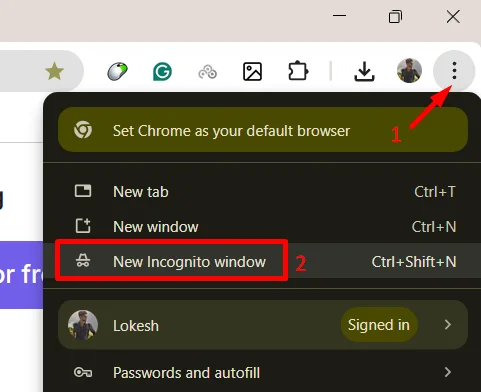
If you are on mobile, open your browser menu and look for the option called Incognito Mode or Private Browsing. In some browsers, it may appear as a private tab or an icon near the tab switch button. If you have been using your browser for a long time, you likely know where this setting is.
I hope this guide helped you resolve the Perchance AI shows error codes like 521, 522, 520, or 400. Most of the time, these errors are linked to server load. If you found this helpful, feel free to share it with others who might be facing the same issue. And if you discovered any other working method that solved the problem for you, do share it as well, so it can help more users.