The rise and fall of Threads has been unusual to watch. The app launched as an alternative to X and quickly gained millions of users, but its popularity has not stayed steady. Meta continues to push the platform, which many users find a little irritating at times, especially when features feel forced or unfinished.
One problem that many people face on Threads is the way others use tagging and mentioning. These tools were created to link accounts to posts and make conversations easier. A mention uses the @ symbol before a username and sends a notification, while a tag connects someone to a topic, image, or video. Sadly, some users take advantage of these tools to spam or bother others.
Because of this, many people now want to stop strangers or unwanted accounts from tagging or mentioning them. It can feel uncomfortable when unknown users add you to random posts. If you prefer more control and privacy on Threads, it is helpful to know what options the app currently offers.
How to Stop People from Tagging or Mentioning You on Threads App and Website
On Android and iPhone
If you use the Threads app on Android or iPhone, you can stop people from tagging or mentioning you. These options are turned on by default, but you can change them at any time from your settings.
- Open the Threads app on your phone.
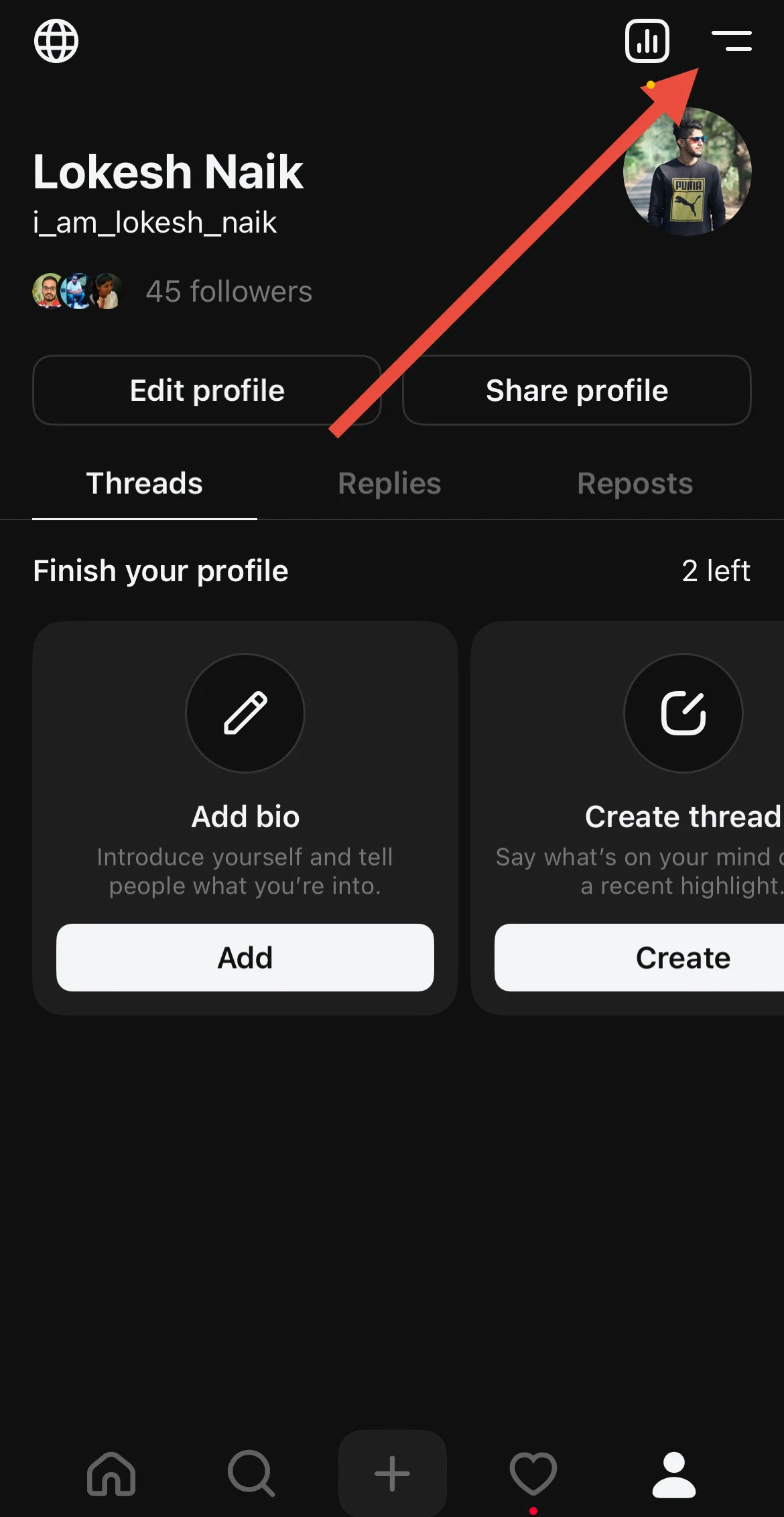
- Go to your profile and tap the two lines at the top right.

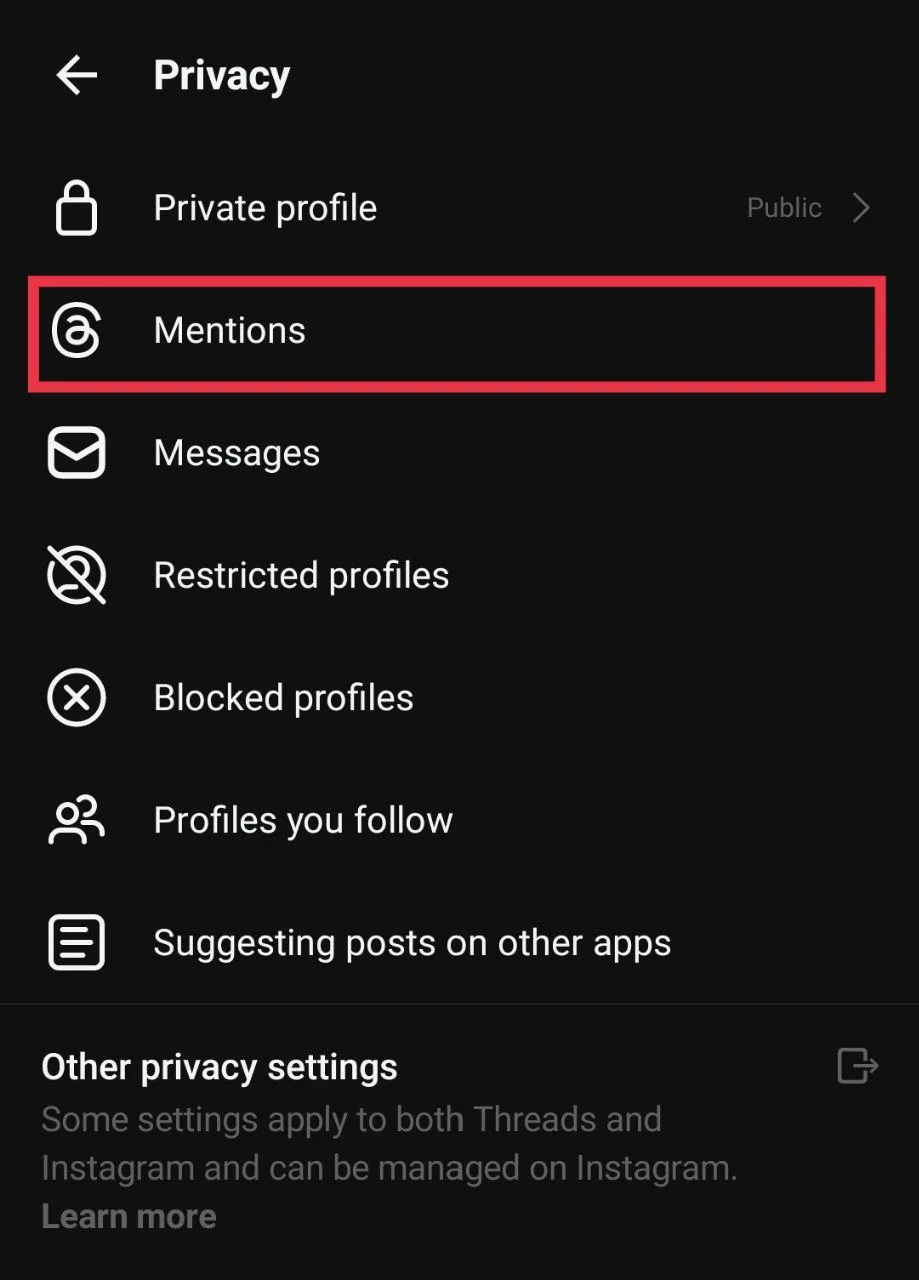
- Select Privacy from the menu.
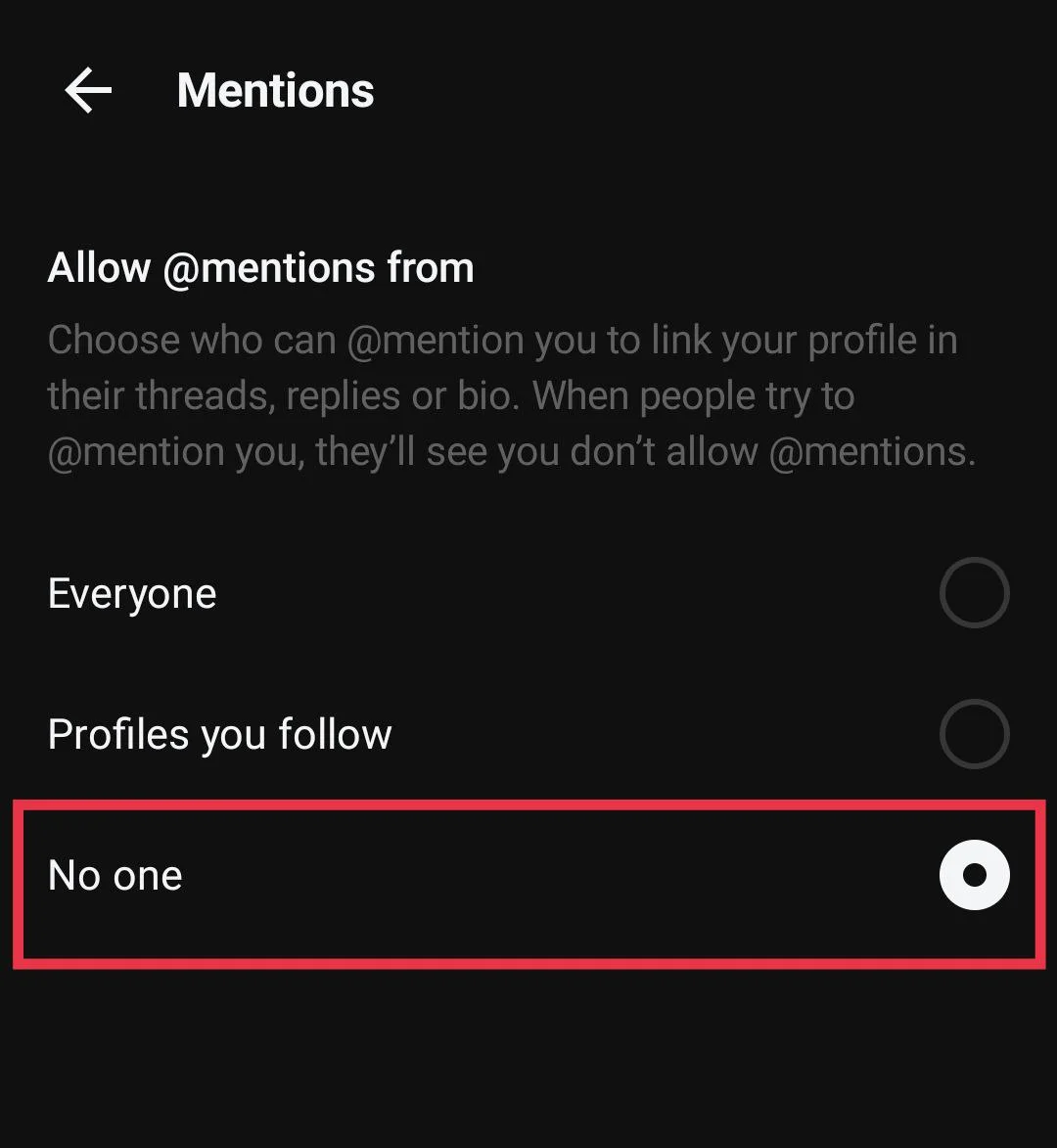
- Tap Mentions.

- Set it to “No One.”

On Desktop
You can also turn off tagging and mentioning on the Threads website, just like you do in the mobile app, to stop other users from adding your name to their posts or tagging you to random posts.
- Open your preferred web browser
- Now, go to Threads.com and sign in to your account.
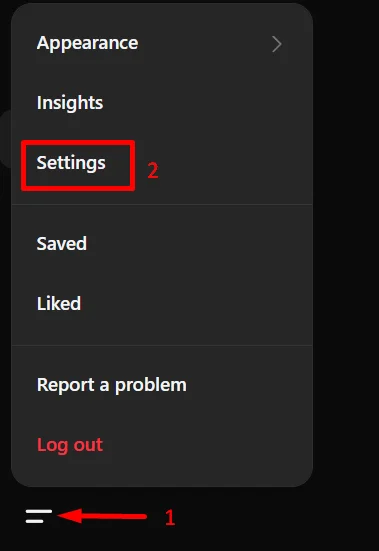
- Click the two lines at the bottom left corner, then choose Settings.

- Open the Privacy section and click Mentions.

- Now, choose No One.

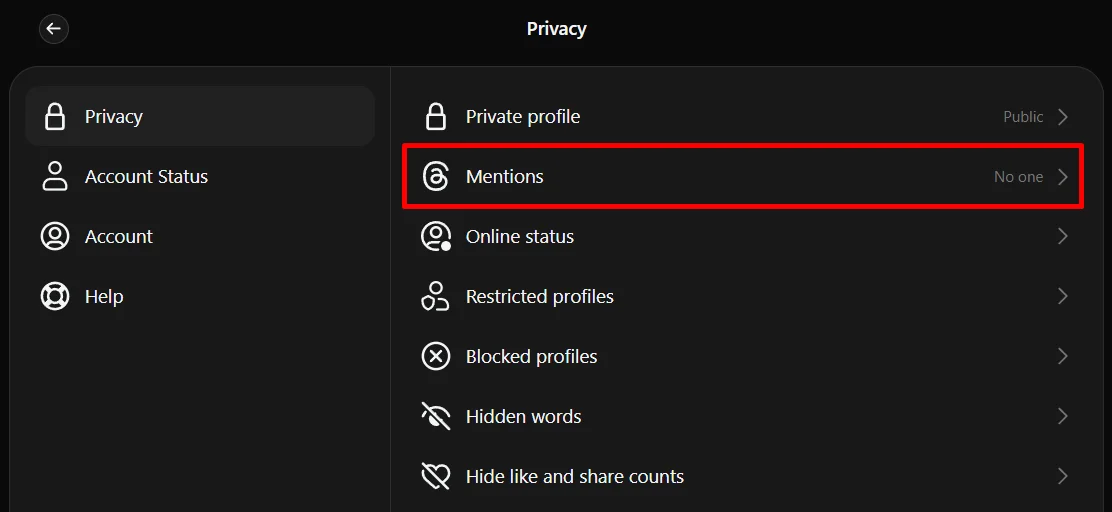
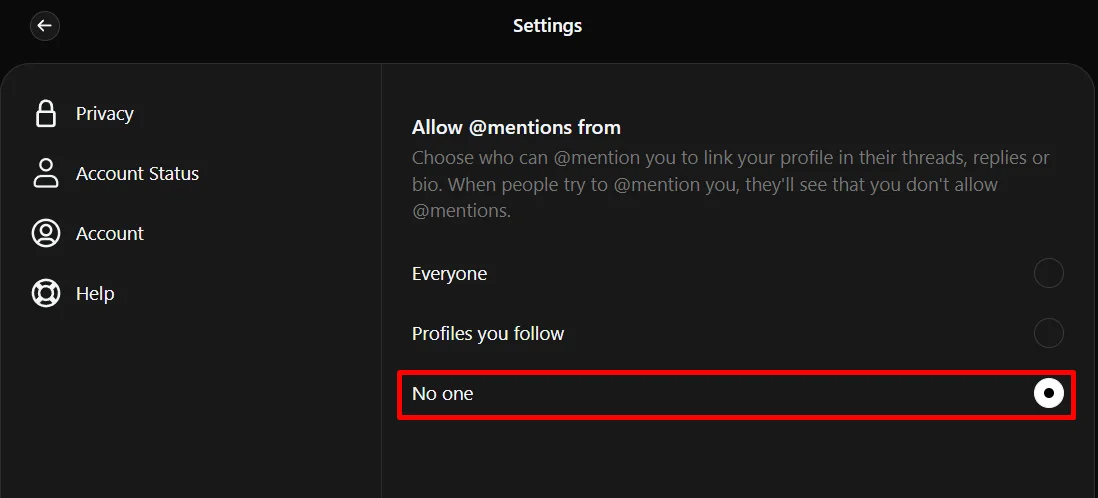
That’s all you need to do. After this, no one will be able to tag or mention you on Threads. If you want, you can also pick the option “Profiles You Follow,” which only allows people you follow to tag or mention you.
- RELATED GUIDE: How to Turn Off Threads For You on Instagram
We hope this guide made it easy for you to understand how to control tags and mentions on Threads. Many people choose to turn off these features to avoid spam, unwanted attention, or random tags from strangers, so it is helpful to know how to manage them. If you have any questions, you can share them in the comments. Also, feel free to share this article with others who might find it useful.