
MangaGo is a place many manga fans visit to read their favorite stories online. You can find all kinds of manga there, from romance and action to fantasy and comedy. For many people, it has become part of their daily reading habit as it is free and easy to use.
As the site grew bigger, it also started facing a few challenges. Heavy traffic can slow it down, and server issues can stop pages from opening. On top of that, free manga sites often face legal pressure, which can lead to sudden blocks or changes. These reasons can make the site feel hard to access at times, even when nothing has changed on your side.
That is why many readers end up seeing errors like pages not loading, access blocked messages, or server errors when visiting MangaGo. Before trying any fixes, from the section below, understand why MangaGo is not loading in the first place, then check out the solutions in the next sections.
Why is MangaGo Not Working
MangaGo often looks like it is down from the user side when pages keep loading, or the site stays stuck on one screen. In the past, there were rumors about MangaGo shutting down in 2025, which added more confusion. Right now, there is no confirmed news of mangago.me closing, and the domain is still active.
Many times, the reason sits on your side. An old browser cache, server-side issues, or an enabled ad blocker can stop pages from opening fully. In some regions, internet providers also limit access, which makes the site feel blocked even though it works fine elsewhere.
7 Easy Ways to Fix MangaGo Not Working on Any Device
Check MangaGo Server Status
MangaGo may not work when its servers are under heavy load or facing downtime. When the site is not loading, the first thing worth checking is if the issue is coming from their side. There are also cases where long access trouble points toward a bigger shutdown-related situation.
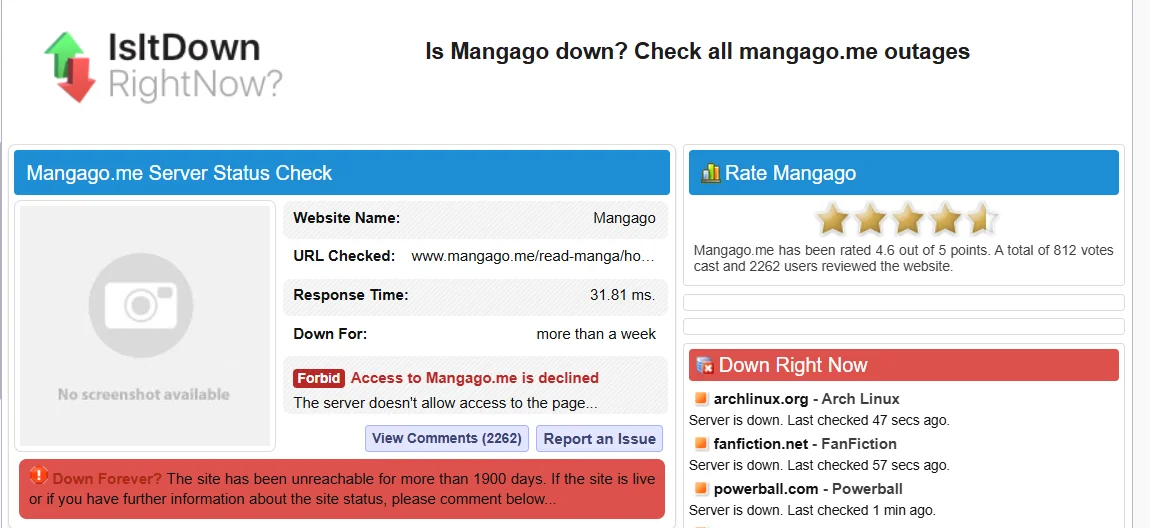
To check this, open a site status checker like IsItDownRightNow by clicking on the link. These tools show real-time reports from other users and give a clear idea of what is going on.
If the report shows MangaGo is down, there is nothing to resolve on your end. The only option is to wait until the site comes back online. While waiting, you can switch to other free manga reading sites.
Check Your Internet Speed
To open MangaGo in a browser, a working internet connection is a must. If your network is slow or drops often, the pages may stay blank or take too much time to load. In many cases, the site is fine, and the real issue sits with the connection.
So, you can try switching to a strong Wi Fi network if one is available. You can also test using mobile data to see if the page opens there. Another easy check is to open a different website. If that page also doesn’t open, then the internet connection needs attention.
When other sites open without delay and only the MangaGo site is not working, it is a sign to move ahead and try the next solution.
Turn Off Your Ad Blocker
MangaGo depends on ads to load its pages correctly. Some ad blockers can stop parts of the site from loading, which may leave certain sections of the website blank or broken.
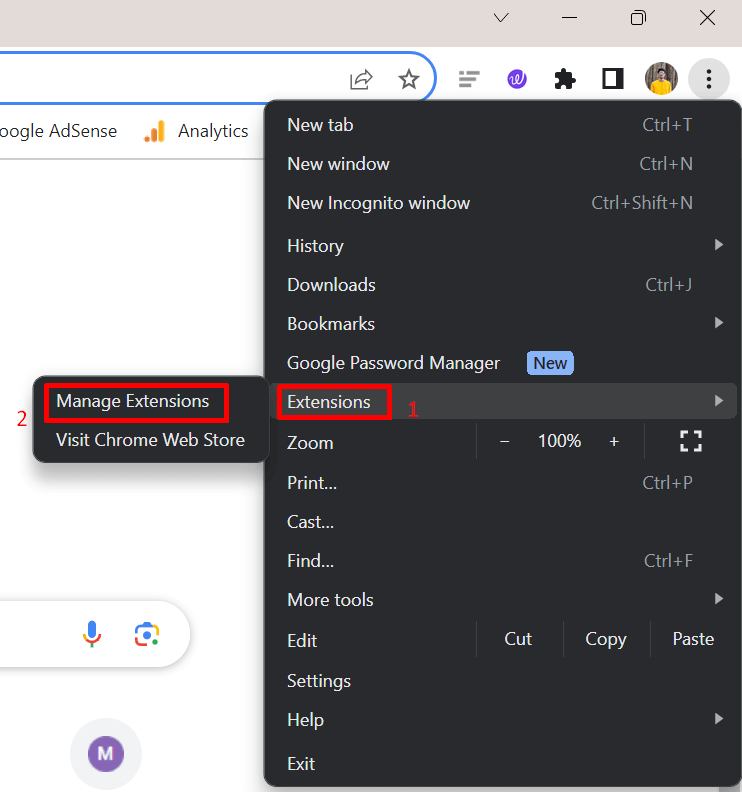
- Open your browser
- Now, head to the Extensions or Add-ons section.

- If you’ve installed the extensions/add-ons like Adblock Plus, AdGuard, switch them off for now. (You do not need to remove or uninstall them fully, just disable them while using MangaGo)
- Once the ad blocker is off, reload the MangaGo page and see if it opens as expected.
Use a VPN
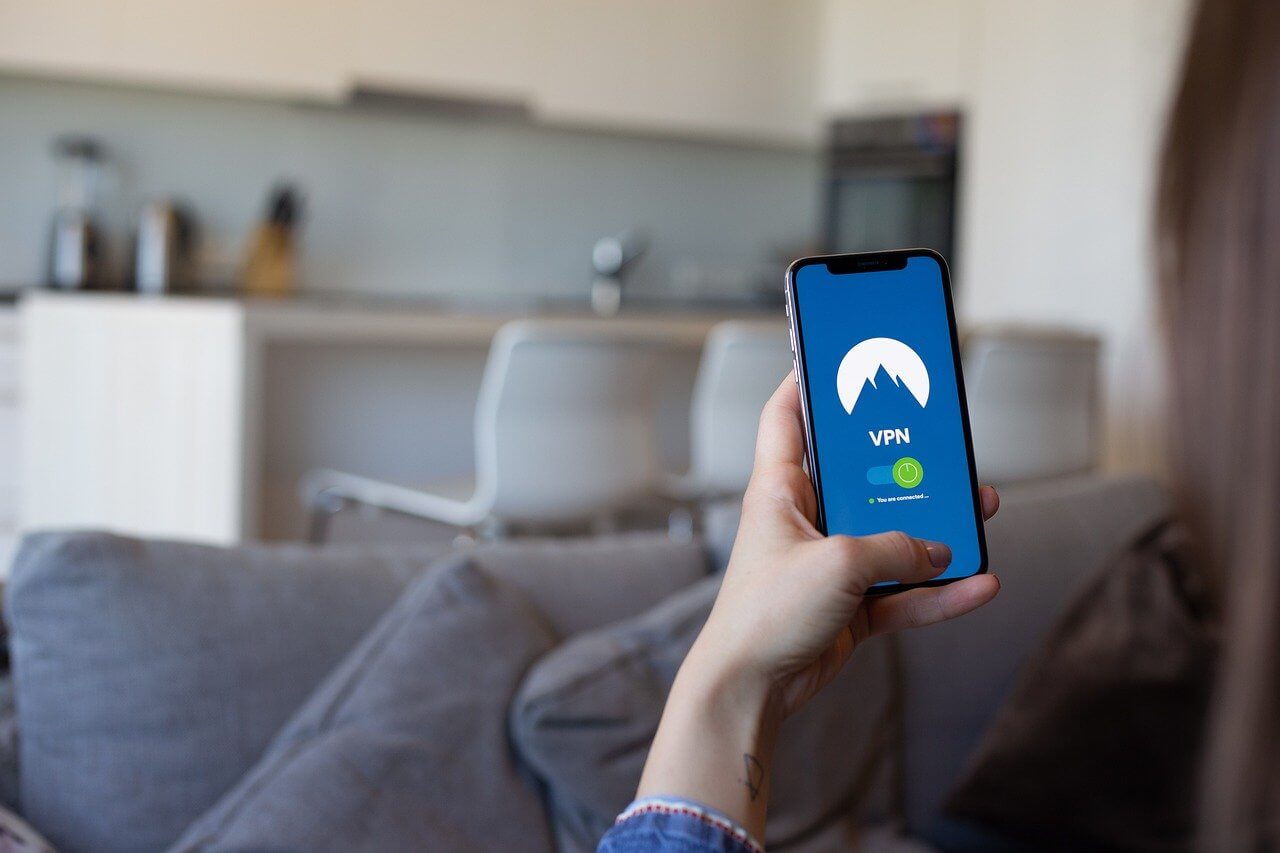
MangaGo may stay blocked in certain regions due to copyright rules. When the site does not open at all and shows access blocked messages, the issue can be linked to your location. In this case, a VPN can help you open the site with encrypted access.
A VPN hides your real IP address and connects you through another country where the site is still accessible. If you already use a VPN and MangaGo still does not open, try changing the server location inside the VPN app. You can try trusted VPN services like NordVPN, ExpressVPN, or CyberGhost.
Clear Your Browser Cache
Whatever web browser you use, it saves data from sites you visit, and over time, this data can become corrupt.
- If you are a desktop browser user, open the browser first.
- Press CTRL + SHIFT + DELETE together on your keyboard.
- Choose a time range, tick Browsing History and Cached Images and Files, then click Delete Data.

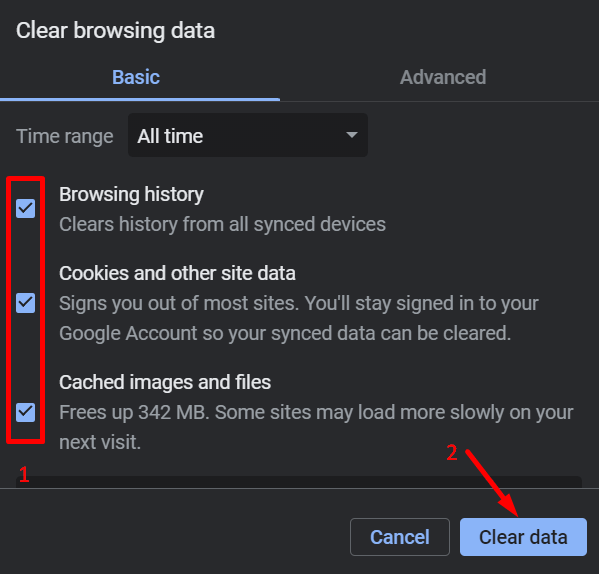
If you use the MangaGo website on a mobile browser, you already know where these options sit since you use the browser often. Just open the browser settings, clear cache and history, and then open the site again. Most mobile browsers follow the same layout, so the steps stay nearly the same.
Try a Different Browser or Device
Some browsers come preinstalled with ad blockers or VPN features turned on by default, and these can block parts of certain sites without making it obvious.
Try opening MangaGo on another browser like Mozilla Firefox, Google Chrome, or Safari. If you are on a laptop or desktop, also try checking the site on a phone or tablet. This can be useful to identify whether the trouble is limited to one browser or device.
If MangaGo opens fine elsewhere, then your original browser likely needs an update or a reset. In many cases, built-in blockers or loading limits cause the page to fail, and switching to a different browser clears it right away.
Use Alternative Manga Sites
MangaGo may stop opening at times due to domain blocks or legal pressure. When that happens, even a working internet or browser will not help. In these cases, the easiest option is to switch to another manga reading site until MangaGo becomes accessible again.
There are many manga sites available online that let you read similar titles and genres. Some may look different or update at a different pace, but they can help you keep up with ongoing chapters. A quick search will show several options shared by manga readers across forums and communities.
Keep one thing in mind before using alternatives. Many free manga sites operate in risky spaces, so always stay alert. Avoid sites that ask for strange permissions or push too many pop-ups. Using common sense goes a long way.
Hope these methods helped fix the MangaGo not working issue for you. If one of the methods worked, feel free to share which one helped. If you found another way that solved it, tell us about that too. And if you know a good alternative manga site worth checking out, drop it in the comments so other readers can benefit as well.







