The whole world is in love with WhatsApp, a simple, effective and secured messaging application lets the users chat with end-to-end encryption.
Recently, WhatsApp introduced a new feature to delete the sent message even after delivery of the message. This features deletes the sent message from both the users. This was the great feature from WhatsApp which helps the user to recall the sent message within 7 minutes.
But if you’re thinking that after recalling the sent message you have been successfully deleted it from everyone, then you are wrong! As per a popular Spanish blog, Android Jefe, The messages you send and receive during a chat time can be retrieved even after deleting them. Yes. You heard it right! The deleted message’s notification still exists on the device even though that message is recalled by the sender. Those recalled messages are stored in the notification log history of the app and it can be retrieved by the user.
You can also try and read the recalled message of your friend using a simple app. Just read this post completely to understand about this loophole of popular messaging giant WhatsApp.
Also Read: – How to Send Blank Message On WhatsApp?
Method 1: – (New Method)
How to Read Deleted/Recalled Messages On WhatsApp?
- Download WhatsAppDeleted App from here
- After installing open the App
- Give all the required permission by enabling notification access
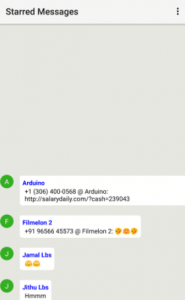
- You are done. This app records your Whatsapp messages and shows your friend’s deleted messages.It is simple and easy to use.
Method 2: –
How to Read Deleted/Recalled Messages On WhatsApp?
- This simple trick can be done using third-party apps like Notification History Log
- After installing the app on your device, open the app
- Give all necessarily required permissions to the app
- Make sure that this app is running properly in the background and auto start has been enabled for this app
- That’s it! You will find all the notifications and recalled messages in Advanced History option.


Also Read: – Here Is Everything You Need To Know About WhatsApp Bot Duta
Method 3: – (Using Nova Launcher)
How to Read Deleted/Recalled Messages On WhatsApp?
- Make sure that you have installed Nova Browser
- Set Nova browser as a default browser and Long press on an empty area of your home screen
- Next, Click on “Widgets”
- Again long press on “Activities” and drop when you jump to the home screen.
- In the list that will appear, touch on “Settings”.
- In the sub-list, tap “Notification Log” to create the shortcut on the home screen, where you will have all the Android notifications history. It shows the active notifications in white and dismissed notifications are greyed out.
Also Read: – How to Download WhatsApp Stories On Android
Some Points to Be Noted: –
- This log records everything on Android device until the device is restarted.
- You can retrieve only those messages which generated the notification.
- Only the first 100 characters of the deleted message can be read.
- Only a text messages can be retrieved and Photos cannot be retrieved.
I hope you understand these easy steps to access the recalled messages. Share this post with your friends and Keep visiting us for more articles.
Speak Your Mind In The Comments. I’d Like To Hear What You Think 🙂