Back in the early internet days, email was still a brand new thing for many people, and AOL was one of the biggest names around. A huge number of people created their very first email account on AOL. People used it every day to send messages, chat with friends, and spend time online when the internet was slowly entering homes across the world. For many families, AOL was one of the first online services they ever used, which is why so many old accounts still exist today.
As years passed, newer email services started showing up, and many users slowly moved away from AOL. Platforms like Google became more common because people liked the newer design and extra features. After switching to new email accounts, many forgot about their old AOL inbox completely. Old photos, personal emails, contacts, and important account details stayed inside those accounts for years without being opened again.
Now, a lot of people are trying to sign back into their old AOL email accounts because they suddenly need access to old messages or saved information. Some may need important personal messages, while others may be looking for old account details, memories, or files saved years ago. If you are trying to open an old AOL account again and cannot remember all the details, this quick guide shares the different ways you can try to access it again.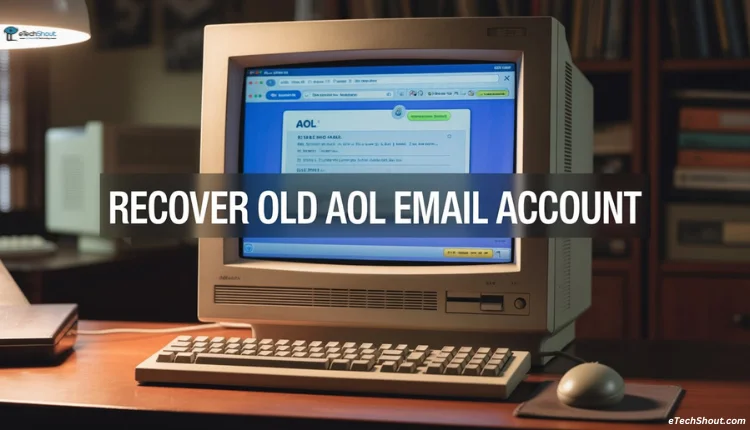
How to Recover an Old AOL Email Account
Before trying to sign back into your old AOL account, keep at least one important detail with you. This makes the recovery process much easier and saves a lot of time. Here are the details you should try to remember or find first.
- Your AOL sign-in email address or the phone number linked to the account.
- The recovery phone number added while creating the account.
- The recovery email address connected to the AOL ID.
If you still have access to any one of these details, there is a good chance you can open your old AOL email account again.
- Open the official AOL account recovery page.
- Once the page opens, type your AOL user ID.
- Your user ID is simply the part that comes before the @ symbol in your email address.
- After entering it, complete the security check to confirm you are a real person, then click on Continue.
- Now, AOL will then send a verification code to your linked phone number or recovery email address.
- Enter the 8-digit code on the screen and press Verify. After that, you will be asked to create a new password for the account.
- Once the password is changed, you can sign in to your AOL email.
If your AOL account is extremely old and you no longer have access to the recovery phone number, recovery email, or even the original sign-in details, then recovering the account becomes much harder. Still, there is one last thing you can try, and that is contacting AOL support. The good thing is that AOL also has live customer support available all day and night.
But you need to understand that the recovery process may take a long time, and in many cases, you may need to wait quite a while before hearing back from the support team. AOL may also ask you to confirm that the account really belongs to you. For that, they can ask for details like your date of birth, old account information, or even a government ID used for identity verification.
Hope this guide helped you recover your old AOL account. If you were able to sign back into your account after following these steps, feel free to share your experience. Also, if you found another method that helped you recover your old AOL email, do share it with others as well.