WeatherNation offers a comprehensive solution for weather enthusiasts and those who need to stay informed about live weather newscasts, local weather data, and alerts from certified meteorologists.
With WeatherNation, Roku users can track the weather via a dedicated TV channel. This 24-hour service delivers continuous weather updates for every region, ensuring you always have access to the latest information without any subscription fees. The app also allows you to save favorite places for quick and easy access to weather information for multiple areas.
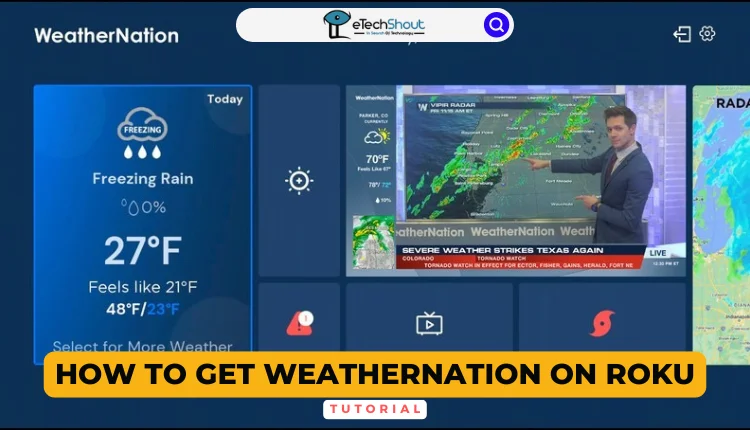
If you’re looking to enhance your weather-watching experience on Roku, adding WeatherNation to your channel lineup can provide you with expert insights and accurate predictions. This article will guide you on how you can set up WeatherNation on your Roku device.
How to Get WeatherNation on Roku
- Firstly, make sure your Roku TV is connected to your home Wi-Fi network.
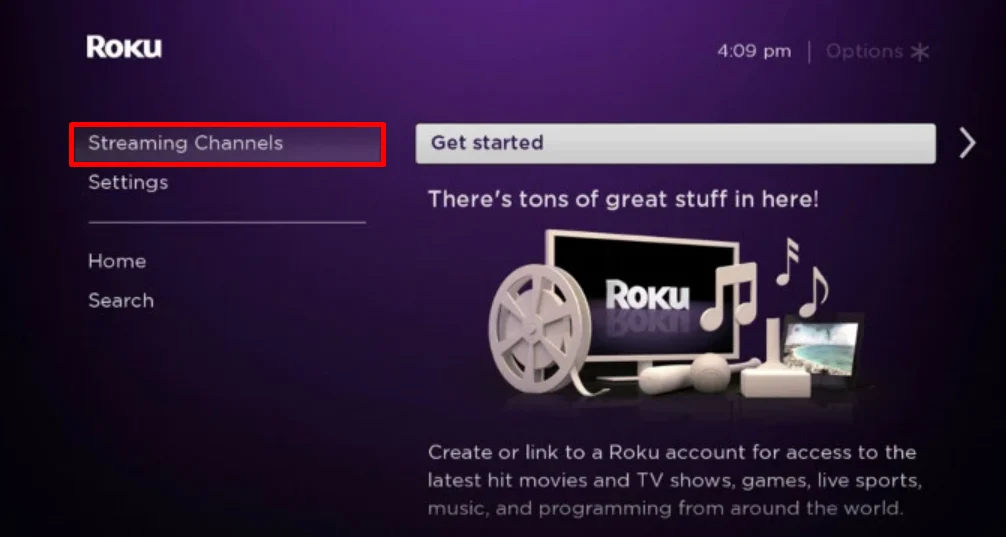
- Now, from your Roku home screen, navigate to the “Streaming Channels” option to open the Roku Channel Store.

- Once there, use the search function to look for “WeatherNation“.
- Click on WeatherNation in the search results, and you’ll see an option to “Add Channel“. Click on this to begin the installation process. Your Roku will now download and install WeatherNation.
- After the installation is complete, you’ll see a prompt to “Go to Channel“. Select this to launch WeatherNation immediately. Alternatively, you can find the newly added WeatherNation channel on your Roku’s home screen.
- Once you’ve opened WeatherNation, you’ll see its home screen with various weather-related content. Simply choose any video or section you’re interested in to start accessing WeatherNation’s comprehensive weather information and forecasts on your Roku TV.
Alternative Way to Set up WeatherNation on Roku
If you can’t install the WeatherNation app due to less storage space on your Roku TV or if Weathernation not working on Roku then don’t worry. You can still access WeatherNation content through screen mirroring from your mobile device or computer.
Note: Before mirroring WeatherNation to your Roku TV, ensure both your Roku TV and the device you’re using (smartphone, tablet, or computer) are connected to the same Wi-Fi. On Roku, activate AirPlay for Apple devices or Screen Mirroring for others via the settings menu. Once set, follow the instructions for your device to start streaming WeatherNation on your Roku TV.
Using a Mobile Device
- Download the WeatherNation app (Android/iOS) on your smartphone.
- Open the app and select a live stream or recorded video.
- Android users:
- Swipe down to open the Notification Panel
- Tap the Cast icon


- iPhone users:
- Swipe down from the top-right corner to open Control Center
- Tap “Screen Mirroring”

- Select your Roku TV from the list of available devices to start mirroring.

Using a Computer
- Open your preferred web browser on your PC and go to the WeatherNation website
- Click the menu icon (often represented by three horizontal lines) and select “Video On-Demand“.
- Choose a video to play.
To mirror your screen:
- Windows users: Press the Windows key + K
- Mac users: Click the Control Center icon in the menu bar, then select “Screen Mirroring“
- Select your Roku TV from the list of available devices.
- That’s it! Your chosen WeatherNation video will now display on your Roku TV.
Frequently Asked Questions (FAQs)
What is WeatherNation on Roku?
WeatherNation on Roku is a free app that streams live weather updates, local forecasts, weather alerts (U.S. only), and weather maps, keeping you informed about current conditions.
Is Weathernation free on Roku?
Yes, WeatherNation is free on Roku. You can download the app from the Roku Channel Store and start streaming without any subscription or additional costs.