Viu is a streaming app that many people use to watch Asian dramas, movies, and shows. It is widely used in places like Indonesia, Malaysia, Thailand, and parts of the Middle East.
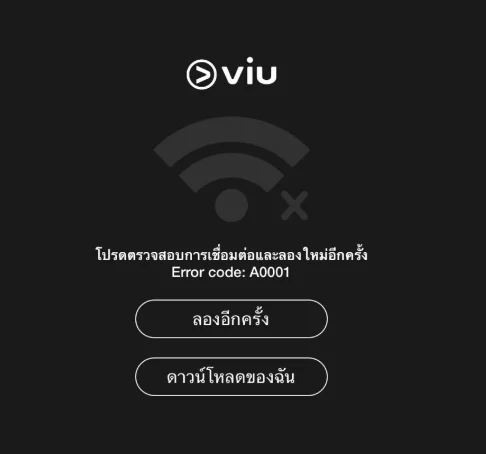
Lately, a lot of viewers have been seeing error codes like A0001, A0002, and A0004 while trying to watch videos on both the mobile app and the desktop version.
These error codes usually show up when the app is unable to connect with the Viu system in the right way. Below are some worthy ways you should definitely try to fix these error codes whenever they appear on your screen.
QUICK ANSWER: In most cases, this error is linked to a server-side issue or a bug within the platform. It usually clears on its own after a few hours or within a day. If the issue stays, check your internet connection first, then move on to the next sections for other fixes.
How to Fix Viu Error Code A0001, A0002, A0004
Check Viu Server Status
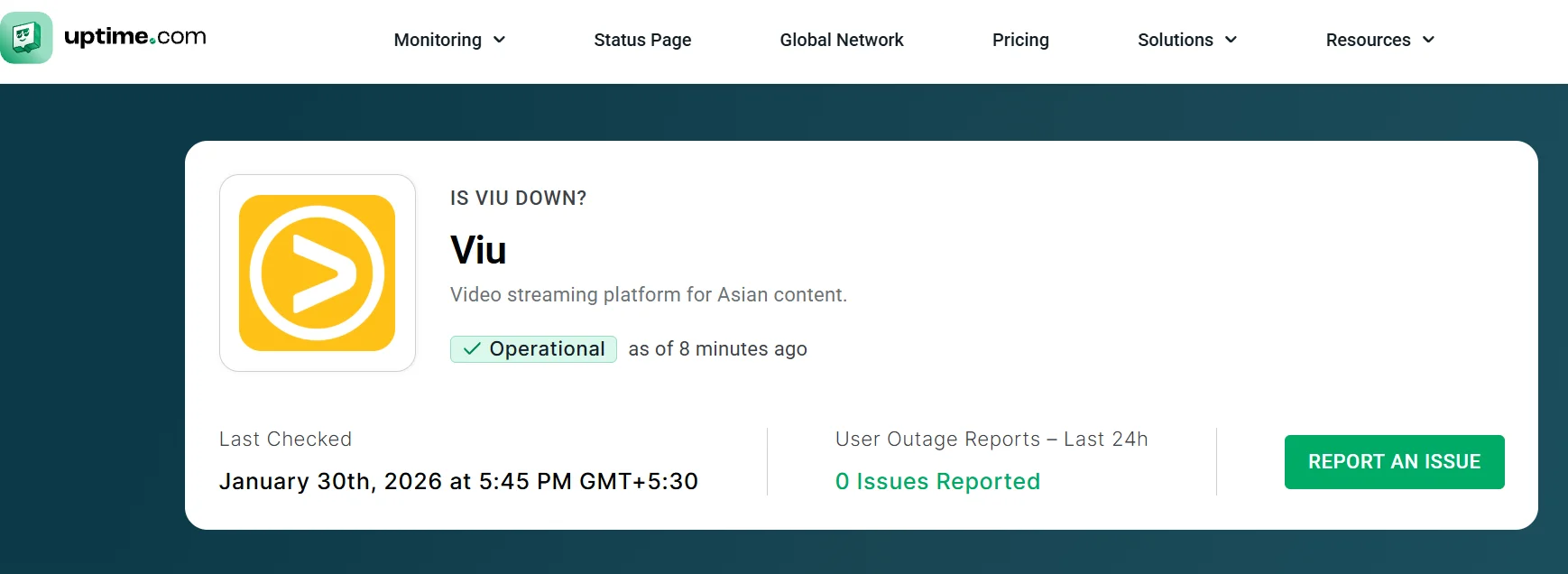
Before digging deeper, I always suggest taking a quick look at the server side. At times, the issue is not on your device at all. When Viu servers face trouble, the app may stop playing videos and show error codes.
You can visit outage monitoring platforms like Uptime.com or DownForEveryoneOrJustMe for Viu. These sites show if the service is working normally or is facing outages in different regions.
If the server is down, there is nothing you need to change on your end. Waiting for the service to come back online is the only option in that case.
Disable or Change your VPN
Viu works only in selected countries, but the app has a huge fan base even outside these regions. Because of this, many viewers try to access it from other locations using VPNs or proxy services so they can keep watching their favorite shows.
The issue is that Viu actively blocks many VPN IP addresses. When that happens, the app loses connection and shows this error code on the screen.
In a few cases, turning the VPN off and turning it back on can clear the issue. When you connect again, choose Singapore servers, as these tend to work more reliably.
If you already live in a country where Viu is officially available, using a VPN is not needed at all. In that case, turning the VPN off completely is the best move.
Disable Ad Blocker Extensions on your PC
If you watch Viu on a computer, your browser may be part of the reason. Many streaming sites keep a close eye on ad blockers. When the site notices one running in the background, it may stop the video and show an error message instead of playing the content.
If you have any ad-blocking extension turned on, pause it and reload the Viu page. Also, keep in mind that browsers like Brave, Opera, and others come with built-in ad-blocking features. These can interfere with Viu even if you did not install an extension yourself. So, try opening Viu in Chrome or another browser without ad blocking enabled.
Remove Ad-blocking DNS
If you are using an ad-blocking DNS on your phone or laptop, these DNS services filter traffic in the background, and Viu may block the connection when it detects this type of setup.
Open your network or internet settings, check if a custom DNS is active, and switch it back to the default DNS given by your internet provider.
Check for App Updates
If the version on your device is old, it may struggle to connect during streaming. So, check for updates on app stores and install the latest version.
Clear Cache
If you are watching on a laptop or desktop, open your browser settings and remove saved cache and cookies. On Chrome, Edge, Opera, or Firefox, press CTRL + SHIFT + DELETE at the same time. Choose Cached images and files along with Cookies, then clear them. 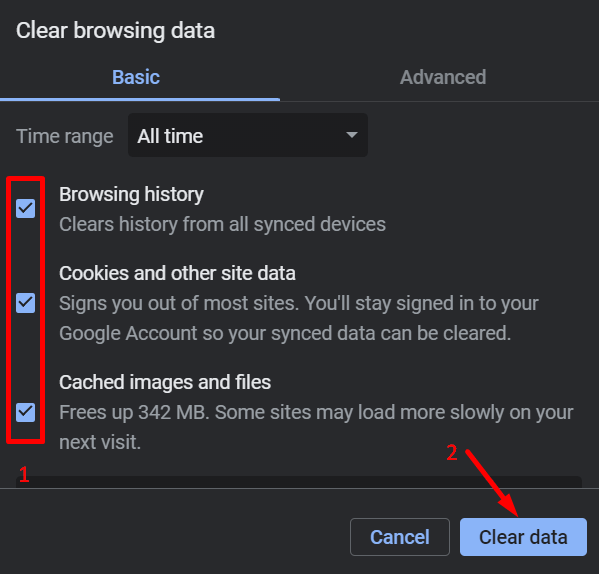
If you are using an Android phone, head to Settings > Apps > Viu > Storage and data > Clear cache. 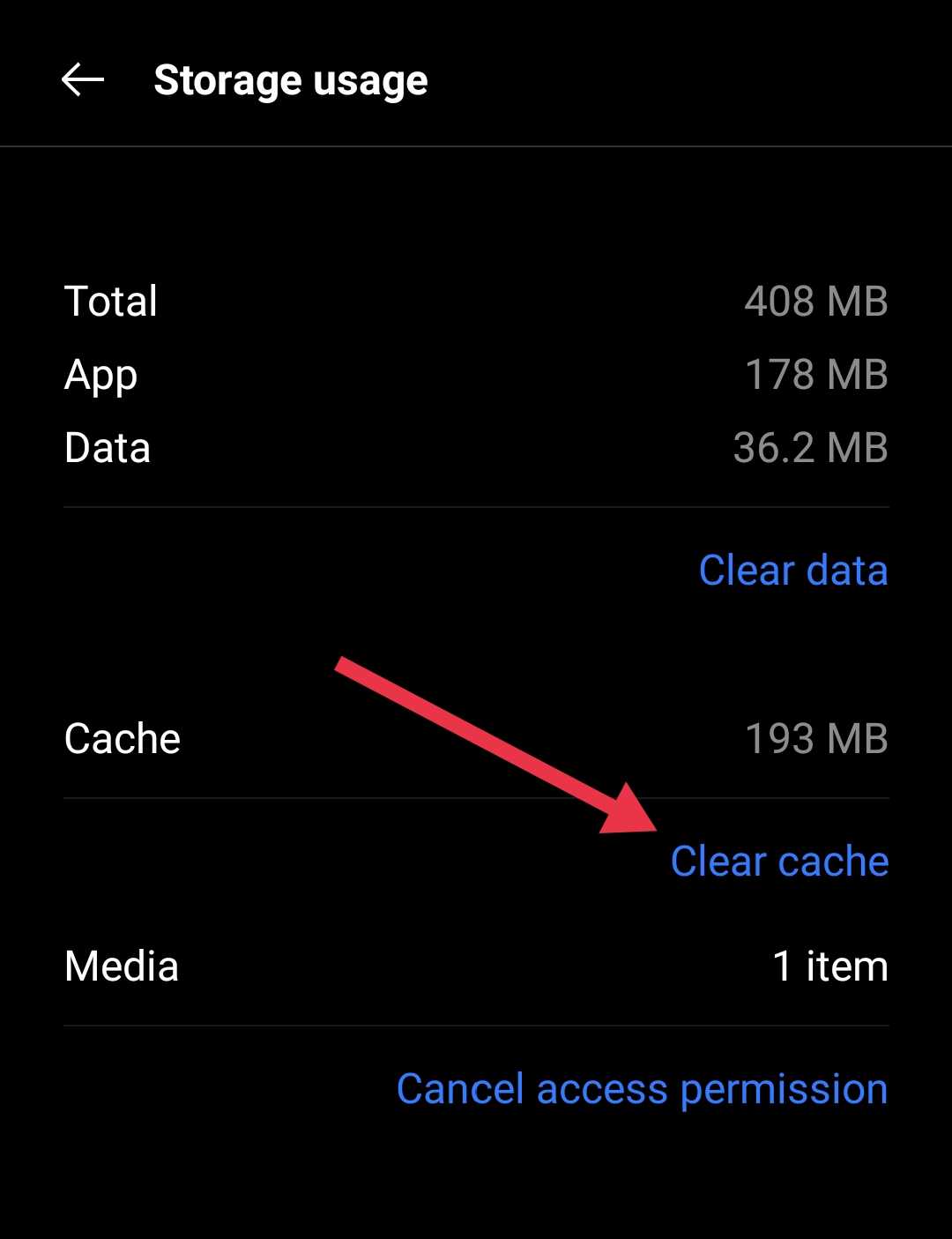
Reinstall the Viu App
If you are still seeing the error after trying everything else, this is the step I usually save for last. Firstly, uninstall Viu from your device and then install the app again. After that, open a video to check how it goes.
These steps work for many Viu error codes, including A0001, A0002, and A0004. I hope this helped you. If you found it useful or know any other way that worked for you, feel free to share it in the comments.