eTechShout
  • TECH
  • HOW TO
    • ANDROID
    • iOS
    • WINDOWS
  • TOP LIST
  • ALTERNATIVES
  • REVIEWS
  • COMPARISON
No Result
View All Result
  • TECH
  • HOW TO
    • ANDROID
    • iOS
    • WINDOWS
  • TOP LIST
  • ALTERNATIVES
  • REVIEWS
  • COMPARISON
No Result
View All Result
eTechShout
Home HOW TO

How to Fix TSC_DEADLINE disabled due to errata?

by Lokesh Naik
October 28, 2020

Are you looking for TSC_DEADLINE disabled due to Errata; please update microcode to version: 0x52 (or later) solution? Well. We will tell you the methods to fix TSC_DEADLINE disabled due to Errata in Ubuntu/Linux Mint.

TSC_DEADLINE disabled due to errata Error Solutions

  • How to Fix TSC_DEADLINE disabled due to errata Error in Linux Mint?
  • How to Solve TSC_DEADLINE disabled due to errata Error?

How to Fix TSC_DEADLINE disabled due to errata Error in Linux Mint?

Most of the times, you get TSC_DEADLINE disabled due to errata prompt when there is a problem with your root drive.Fix TSC_DEADLINE disabled due to errata Error

  1. At the initramfs prompt, type exit
  2. Hit enter to see the error message
  3. If it shows error path to the device that failed, /dev/something, then type fsck -y /dev/etechshout (Replace etechshout with the actual path)
  4. It will repair the problem with the root drive and once it completes successfully, type reboot and hit enter
  5. That’s it! I hope this method solved TSC_DEADLINE disabled due to errata error in Linux Mint.
  • Suggested Read: –
  • Why You Should Learn Linux?
  • Tools to Run Windows Programs On Linux
  • Things You Should Consider Before Switching to Linux
  • Linux Mint 19 Cinnamon – New Features | How to Install Linux Mint 19 Cinnamon

How to Solve TSC_DEADLINE disabled due to errata Error?

If the above method didn’t work for you, then no worries. Here is another method to solve TSC_DEADLINE disabled due to errata error.

  • First of all, you should check if there is an update available for your BIOS/UEFI.
  • After updating the BIOS/UEFI, try the below commands
  • Depending on your processor brand, the following command line :
sudo apt-get install intel-microcode

OR

sudo apt-get install amd64-microcode
  • The above commands will automatically apply the latest processor firmware when the Linux kernel is booting. I hope this solved the issue.

Wrapping Up

So, guys, that’s it for the article on methods to fix TSC_DEADLINE disabled due to errata error. I hope the above methods helped you to fix this error. If one of the above-mentioned methods worked for you, please comment below specifying the method that saved your day. Please, don’t forget to share this article with your friends.


Tags: Linux
ShareTweetSendPinPinShareShareSend
Lokesh Naik

Lokesh Naik

Lokesh Naik is an avid blogger and internet freak who is behind this blog. A tech enthusiast and fan of smartphones who keeps track of every little happening in the smartphone world. When not writing, he loves watching cricket.

Related Posts

Which OS is best for college students

Which OS is the Best For College Students

April 7, 2022
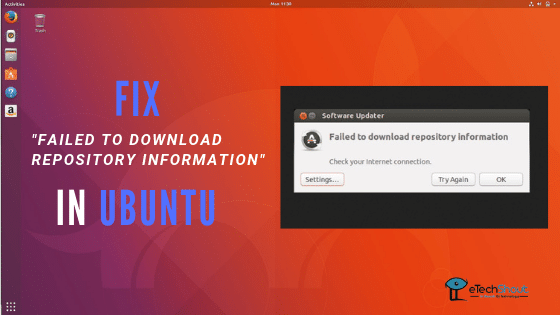
Fix “Failed to download repository information” Update Error

How To Fix “Failed to download repository information” in Ubuntu?

January 8, 2020
Disable Bluetooth At Startup on Linux

How to Disable Bluetooth At Startup on Linux?

March 27, 2020
linux

Tools to Run Windows Programs On Linux

January 5, 2021

Recent Posts

Guide showing how to fix the System UI keeps stopping error on Android phones

How to Fix System UI Keeps Stopping on Android (6 Working Fixes)

June 26, 2026
Complete troubleshooting guide on fixing Roblox games not loading, including solutions for missing textures, unloaded maps, and game assets that fail to appear

How to Fix Roblox Games Not Loading [100% WORKS]

June 22, 2026
Guide on quick fixes for Roblox Studio loading screen stuck on Windows computer

Roblox Studio Not Opening? 6 Fixes That Worked

June 18, 2026
Easy and quick guide on fixing Instagram Story "Waiting for Connection" error

How to Fix Instagram Story “Waiting for Connection”

June 16, 2026
Guide to fix the "This user doesn't seem to exist" error on Telegram

How to Fix “This user doesn’t seem to exist” on Telegram

June 15, 2026
  • Disclaimer
  • Privacy
  • Contact Us
  • About Us
  • eTechShout Team

Copyright © 2026 All Rights Reserved.

No Result
View All Result
  • TECH
  • HOW TO
    • ANDROID
    • iOS
    • WINDOWS
  • TOP LIST
  • ALTERNATIVES
  • REVIEWS
  • COMPARISON

Copyright © 2026 All Rights Reserved.