YouTube has a clip feature that lets you pick a short part of a video and share just that moment. It is really handy when you want to show a highlight without sending the full video. You just select the part you like and share a small clip link with others.
Recently, some users have noticed that the clip button is missing. Even on videos where it used to be there before, the option is no longer showing. Some creators also checked their settings and could not find any clip option there either. This has left a lot of people wondering what changed in the past few days.
If you are trying to clip your own video or someone else’s and cannot find the option, it can feel a bit unclear. There are a few reasons why this might be happening, and it is not always obvious at first. Here is everything you need to know about why the YouTube clip button is not showing right now.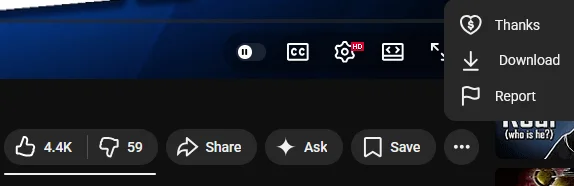
Why YouTube Clip Option Is Missing and How to Fix It
YouTube Has Replaced the Clip Feature
YouTube has made a recent change that explains why you are not seeing the clip button anymore. They are now focusing on a new option called “Share at Timestamp” on mobile. This lets you send a video starting from a specific moment, so your friend can jump straight to the part you want to show.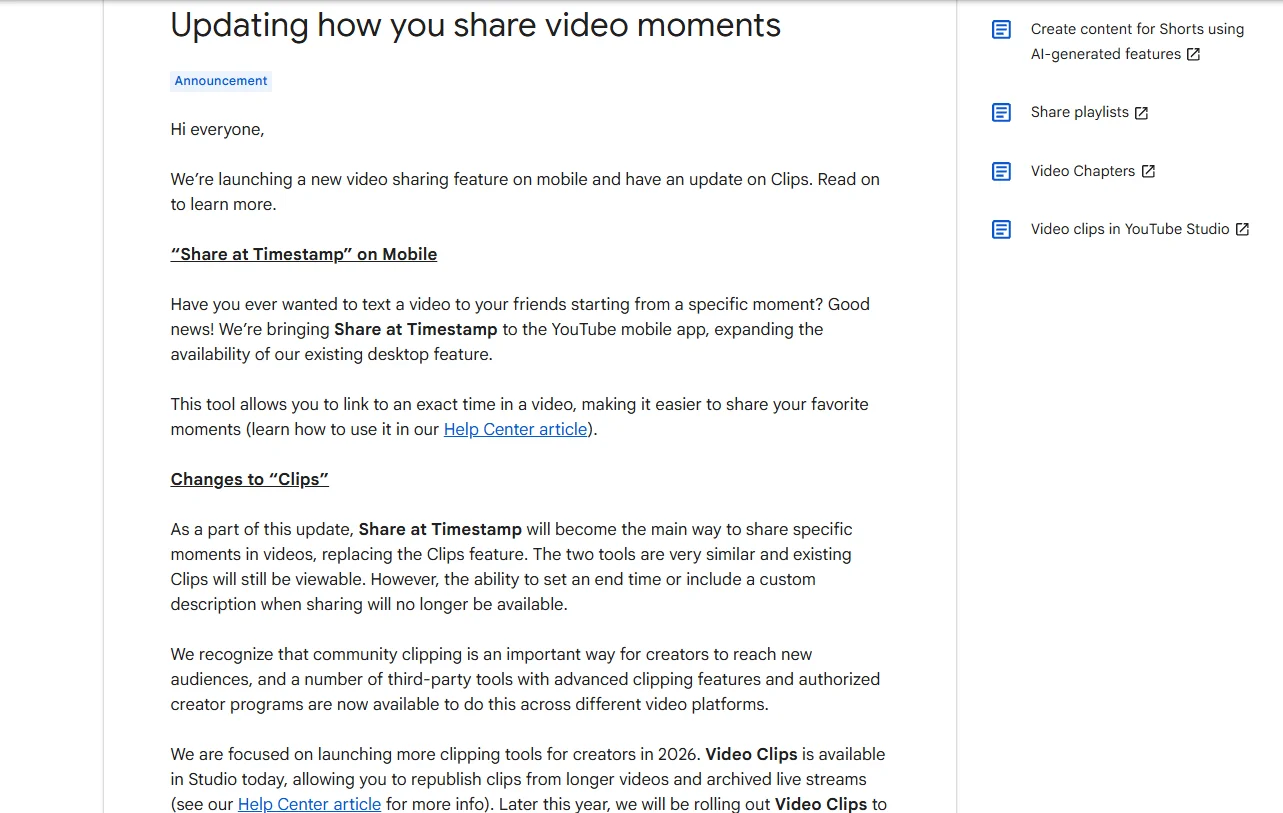
Because of this update, the old Clips feature is no longer used in the same way. Viewers cannot create new clips like before. Instead, you can only share a link with a selected start time. The new tool works almost the same as clips, and any clips that were already created will still be available to watch. The difference is that you can no longer choose an end time or add your own custom text while sharing.
Creators still have access to clipping tools inside YouTube Studio. They can create and publish clips from their own videos or past live streams. YouTube has also shared that more creator-focused features are coming, including options linked to Shorts and tools that help find the best moments to clip.
It Could Be a Temporary Change or Silent Update
Another reason for the missing clip button could be a recent change from YouTube that was not clearly announced. At times, features get removed or changed without much notice, which leaves users guessing what is going on. The clip option has been around for a while, and many people liked using it, so there is always a chance it could return in the future.
There have been cases before where features disappeared for a while and then showed up again later. That is why it is a good idea to keep your app updated. If any change happens or the feature returns, updates are usually where you will see it first.
To update the app, open the Android Play Store or iOS App Store, search for YouTube, and tap on update if it is available. On Android, you can also turn on auto update just for YouTube by opening the app page, tapping the three-dot menu, and enabling auto update. On iOS, there is no option to enable auto update for a single app, so you need to turn on automatic updates for all apps from settings if you want it to update on its own.
For now, it looks like this change happened quietly, and many users only noticed it after the clip button stopped showing. If it does come back, it will likely appear through a future update without much announcement, just like how it disappeared.
ALSO READ:
- YouTube Shorts Like, Comment, Share Buttons Not Showing? Here’s the Fix
- How to Fix YouTube Shorts Comments Not Showing [Android/iOS]
- Incognito Mode Not Showing in YouTube? Fix It in 2 Minutes
Right now, it really looks like YouTube has quietly removed the clip option for viewers. Many people are seeing the same thing, and the new “Share at Timestamp” feature does not give the same control like choosing an end point, which was the main reason people liked clips in the first place.
For users who just want to highlight a short part of a video, this change does not feel the same and raises a lot of questions about why it was done. There is still a chance things could change again in the future, but for now, this is how it works. ‘
Hope this article cleared all the doubts you had, and do share it if you found it useful.