With the rising popularity of YouTube, it feels like almost everyone in the world has used it at some point. From music and tutorials to entertainment and news, it has become a daily habit for millions of people. But there is a strange fact that many users do not fully notice. The videos you see on your home page are not random at all. They are carefully selected based on your activity, even when you think certain tracking settings are turned off.
This is where watch history comes in. It helps Google understand your interests and show videos you might like. It also lets you find videos you watched earlier without searching again. Still, some people turn this off because they do not want their viewing habits saved. That choice is fair, but it changes how YouTube shows content.
Lately, many users are seeing a message that says “Your watch history is off” and their home page is completely empty. People have shared this on social media, and many say this is not a mistake. It looks like YouTube now depends a lot on watch history to show videos. If it is turned off, the home page may stay blank. We went through this issue too and found a simple way to fix it. Here is how.
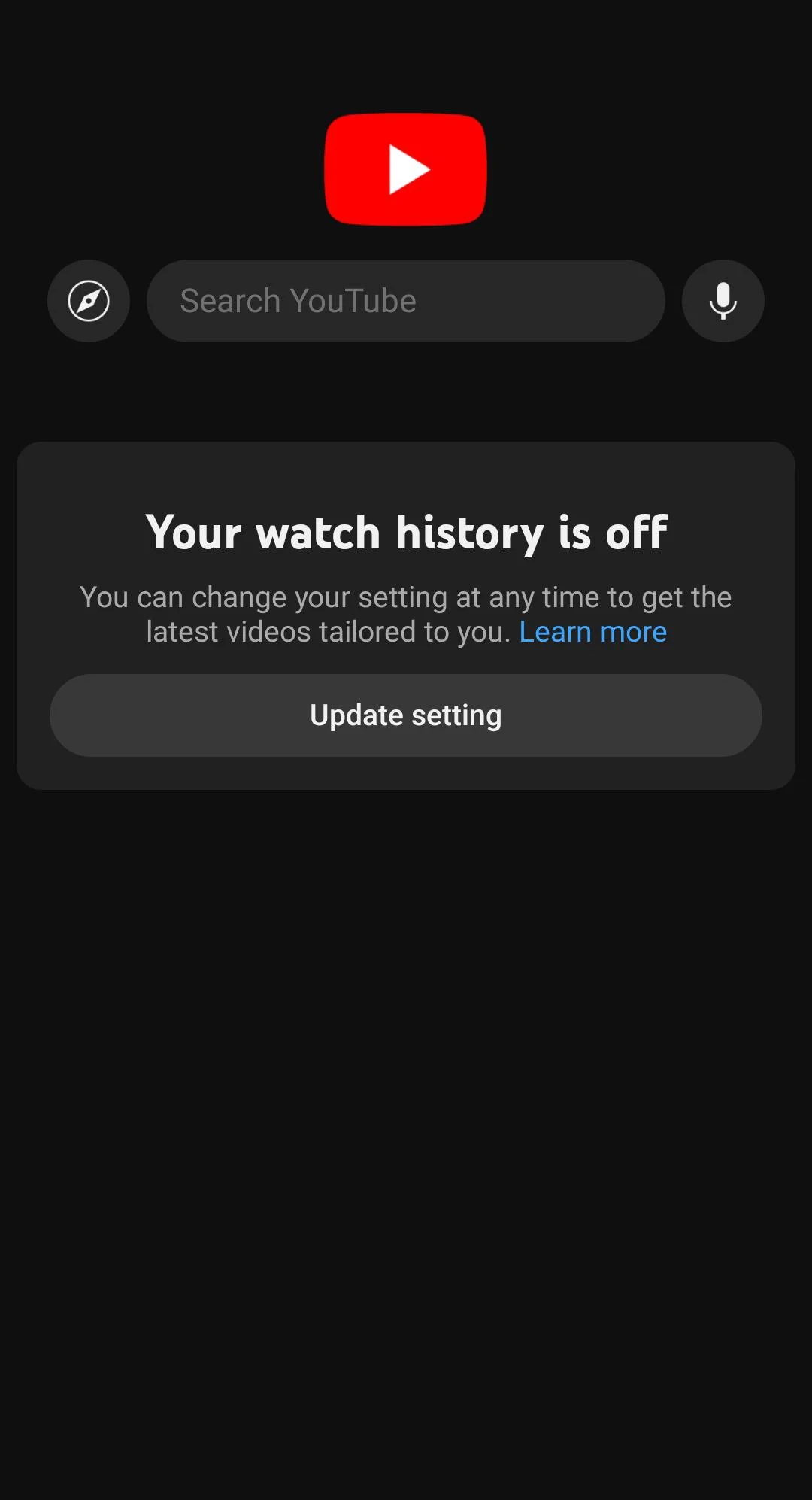
How to Fix YouTube “Your watch history is off”
Turn Watch History On Once and Reset It
If your YouTube home page is blank because history is off, a quick way to bring it back is to briefly enable your watch history. This helps YouTube rebuild your feed. After that, you can switch it off again if you still prefer not to keep it active. Many users have shared that even a short interaction is enough to bring the home page back, so you can try this and see how it works for you.
- Open the YouTube app on your phone
- Tap on your profile icon

- Go to Settings

- Select Manage all history

- Tap TURN ON to enable watch history

- Now go back and watch any one video
- After that, return to the same history section
- If you want, turn the watch history off again.


Sign Out and Use YouTube Without An Account
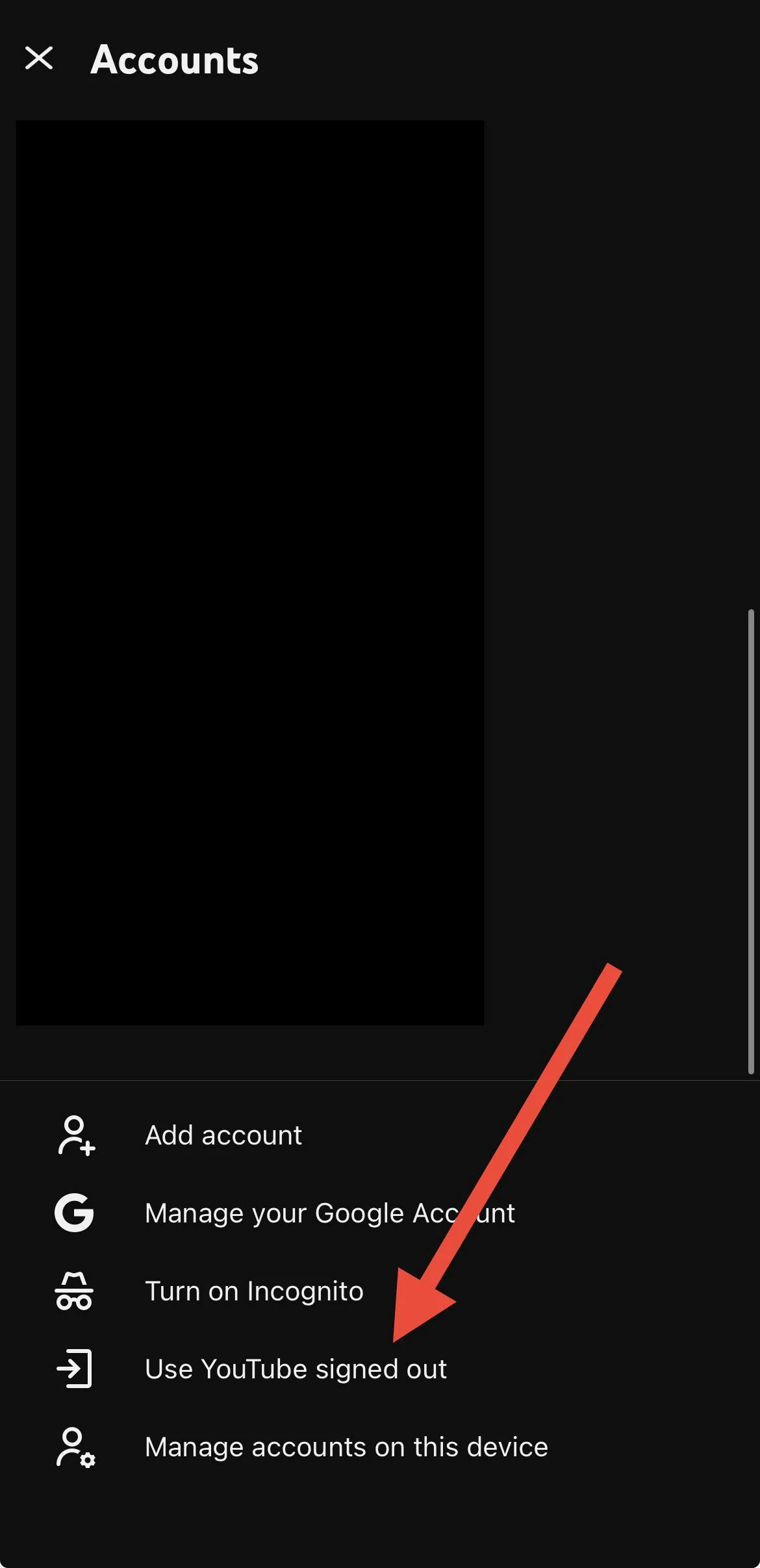
Another simple way to avoid the “Your watch history is off” message is to use YouTube without signing in. When you are logged out, YouTube does not rely on your account history, so it shows general videos instead of a blank home page. This is useful if you do not want to enable watch history at all.
- Open the YouTube app
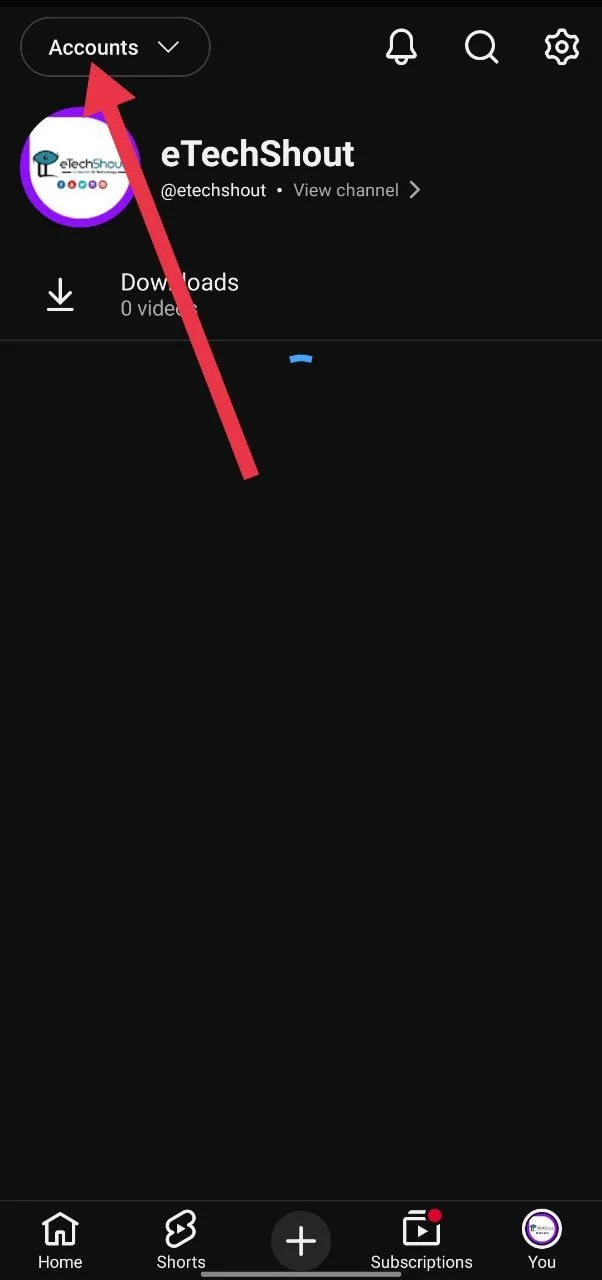
- Tap your profile icon at the top
- Tap the Accounts option in the top left corner
- Scroll down and select Use YouTube signed out

- You will now see general videos and trending content.
You can keep browsing this way without turning on watch history, and the home page will no longer stay empty.
ALSO READ:
- How to Fix YouTube Search History Not Showing on Mobile & PC
- How to Disable YouTube “Video Paused. Continue Watching”
- How to Incognito Mode Not Showing in YouTube
At the end of the day, this change has raised real concerns among users. Many people keep watch history off for valid reasons, like making sure kids do not come across content meant for adults, including true crime or strong language. But with YouTube now leaving the home page empty, it feels like users are being pushed to turn history back on just to use the app normally. What makes it more noticeable is that when you are signed out, YouTube still shows random videos without any issue. This makes the move look intentional rather than accidental. For many users, it is less about recommendations and more about having control over what they see and how their data is used. Hope this guide helped, and do share your thoughts.