Instagram has grown from a simple photo-sharing app to a social media giant since its launch in 2010. The platform now boasts over 1 billion active monthly users worldwide. People use Instagram to share moments from their lives, while businesses and influencers use it to market their brands and build their following. Instagram’s expanding features, such as Stories, Reels, and IGTV, have made users more attached to the app than ever.
Many people spend hours scrolling through their Instagram feeds, liking posts, and chatting with others via Direct Messages (DMs). The combination of attractive visuals and the rewarding feeling of receiving likes and comments keeps drawing users back to the platform.
However, sometimes users want more privacy and control over their Instagram interactions. The “half swipe” is a little-known trick that allows users to view DMs and Stories without letting the sender know they’ve seen them. In this guide, you will learn how to half swipe on Instagram DMs and stories.

What is a Half Swipe on Instagram? Why It Is Useful?
The Half Swipe is an Instagram trick that allows you to read Direct Messages (DMs) or view stories without marking them as “seen”. Despite its name, the Half Swipe doesn’t actually involve swiping. Instead, it requires careful scrolling and timing to discreetly view content.
People use the Half Swipe for various reasons, such as anonymously viewing a story from an unfamiliar account or deciding whether to watch a full story. Some users also use this technique to read messages without feeling pressured to reply instantly.
Here are some uses of half swipe on Instagram:
- Privacy: You can read messages or view stories without immediately notifying the sender, giving you time to think about your response or avoid engaging in a conversation right away.
- Online presence control: The Half Swipe lets you manage your “seen” status, helping you control your online presence more effectively.
- Fun: It’s a fun hack to learn and share with others who might find it handy.
However, it’s important to remember that while half-swiping on Instagram stories or DMs, the sender may still see that you have viewed their content, even if you don’t mark it as “seen”. The Half Swipe doesn’t guarantee complete anonymity, but it does offer an additional way to control your Instagram interactions.
How to Half Swipe on Instagram DMs
If you want to view Direct Messages (DMs) on Instagram without the sender knowing, you can use the half-swipe technique. This method allows you to peek at the content of a message without marking it as seen. Here’s a step-by-step guide on how to half swipe DMs on Instagram:
- Open the Instagram app on your device (Android/iOS)
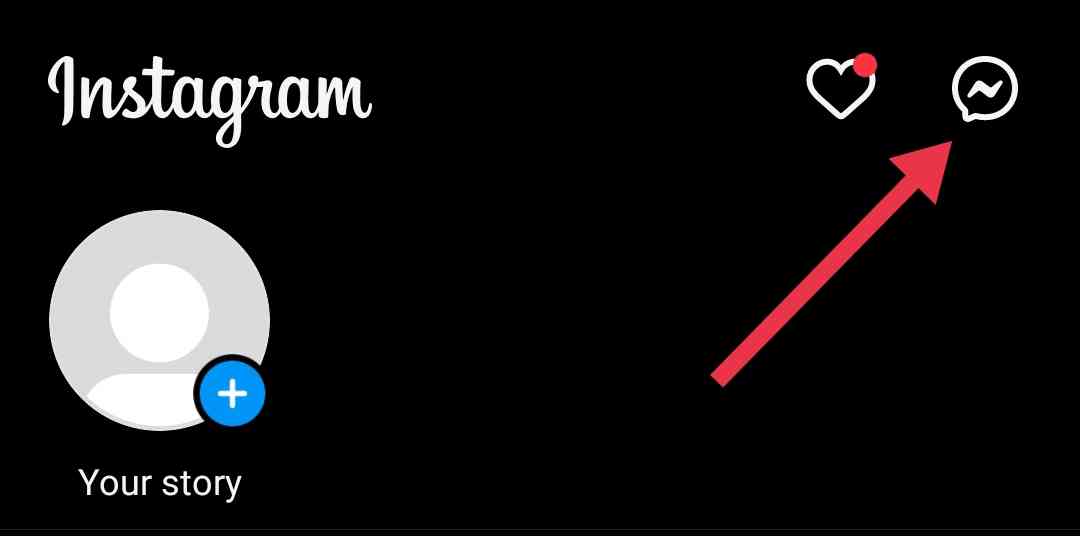
- Go to your DMs by tapping the paper airplane icon located in the upper right corner of your main Feed.

- Tap on the conversation you want to view secretly.
- As soon as the chat opens, quickly swipe up on the screen before the conversation fully loads. This will prevent the “seen” status from being triggered.

- Carefully scroll down the conversation, making sure not to reach the end of the current message. If you reach the end, the message will be marked as seen.
- With this you can read the message without the sender being notified that you’ve seen it.



It’s important to keep in mind that if there are multiple unread messages in the conversation and you want to view all of them, only the last message will remain unseen. All the previous messages will be marked as seen. To avoid this, you need to be quick when half-swiping.
How to Half Swipe on the Instagram Stories
If you want to preview an Instagram story without the user knowing you’ve seen it, you can use the half-swipe technique as well. This method allows you to take a peek at the next story in a user’s sequence without marking it as viewed.
- Open the Instagram app on your device and navigate to your main Feed.
- Find the story you want to preview, but don’t tap on it directly.
- Instead, tap on the story that appears just before the one you want to view discreetly.
- Once the previous story opens, place your finger on the screen and hold it there.
- While keeping your finger on the screen, swipe to the right. This action will reveal a preview of the next story.

- To exit the preview, simply swipe back to the left while still holding your finger on the screen.
- If you decide you want to view the full story, you can swipe all the way to the right to open it, but keep in mind that this will mark the story as seen.

Note: Be careful not to lift your finger or swipe all the way to the right, as doing so will result in the story to be marked as seen.