Any time you watch a video on YouTube, TikTok, Likee, Dailymotion, Metacafe, Flickr, Facebook, Vimeo, Twitch, and SoundCloud, or any other popular sites, have you thought about downloading it? Now you’ve come to the right place because today we are going to introduce the software called 4K Downloader that allows you to download videos from various video streaming services such as YouTube, TikTok, Likee, Vimeo, and more, all for free!
A number of YouTube downloaders are available, and 4K Video Downloader tops the list. The software is developed by Open Media LLC.
4K Downloader Review
4K Video Downloader allows you to download videos and audio from multiple websites and save them in a variety of video and audio formats with different resolutions.
Additionally, the software can download videos from subscribed YouTube channels automatically, meaning it will download new videos as soon as the videos are posted on the channels you subscribe to.
4K Video Downloader offers a simple, fast, and easy-to-use interface that makes downloading videos simple and quick. 4K Video Downloader supports a wide range of languages, including English, German, French, Russian, Chinese, Japanese, and others. Further, you can use a 4K Video Downloader on Windows, Mac, and Linux.
The software is available in two versions – the free version and the paid version. You will love the free version because it lets you download videos for free, so you will probably enjoy the free version.
You can even change the video into an audio file. 4K Video Downloader makes it easy to convert music videos into formats that you can use on audio devices such as MP3 players. In terms of video, it can convert downloaded videos into MP4, FLV, MKV, or 3GP format. When converting audio files, it can turn videos into M4A, MP3, or OGG format.
Media that you download has a lot of options for video quality. If you want, you can download videos in 4K and up to 8K video quality. Would you prefer a smaller file size or a compressed one? That’s fine. 4K Video Downloader is able to download videos in standard, high, and low definitions as well.
Alternatively, you can download subtitled videos and playlists. You can download up to 24 playlists for free. Any YouTube channel can be subscribed with the premium version of the 4K Video Downloader.
As soon as a new video is posted on the channel you are subscribed to, the video is automatically downloaded to your computer. The software comes in a premium version that allows you to download videos for up to three computers, including future updates and unlimited video downloads in playlists.
4K Video Downloader enables you to download videos and audio from a variety of sources. Here is the list of sites supported by this software.
- YouTube
- TikTok
- Likee
- Bilibili
- Vimeo
- SoundCloud
- Flickr
- Dailymotion
- Metacafe
- Twitch – Recorded streams
How to Download Any Videos Using 4K Video Downloader?
- Download and install 4K Video Downloader. You can get it for Mac, Windows, Linux, and Android.
- Open the software
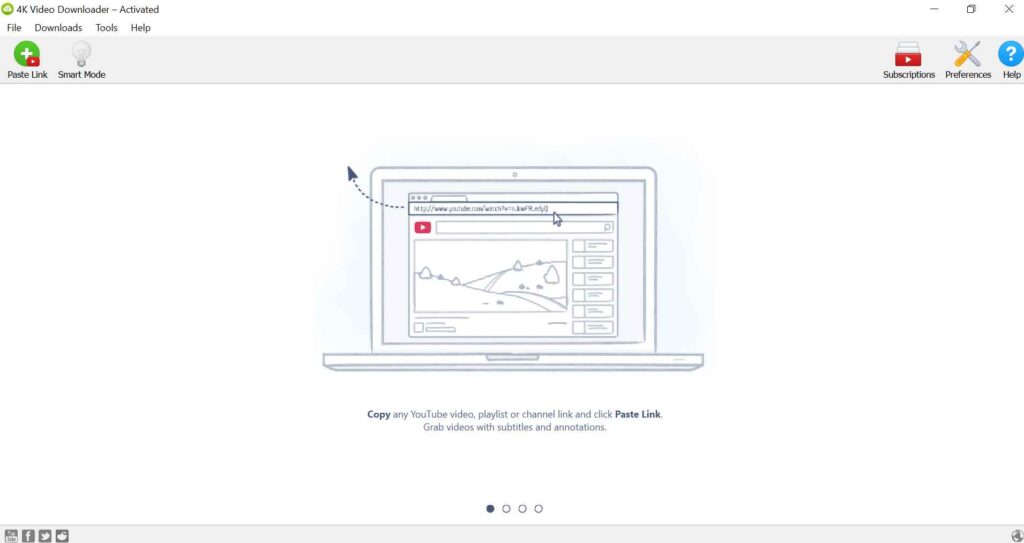
- Now, copy the video link you wish to download.
- Open 4K video downloader and click the Paste Link option

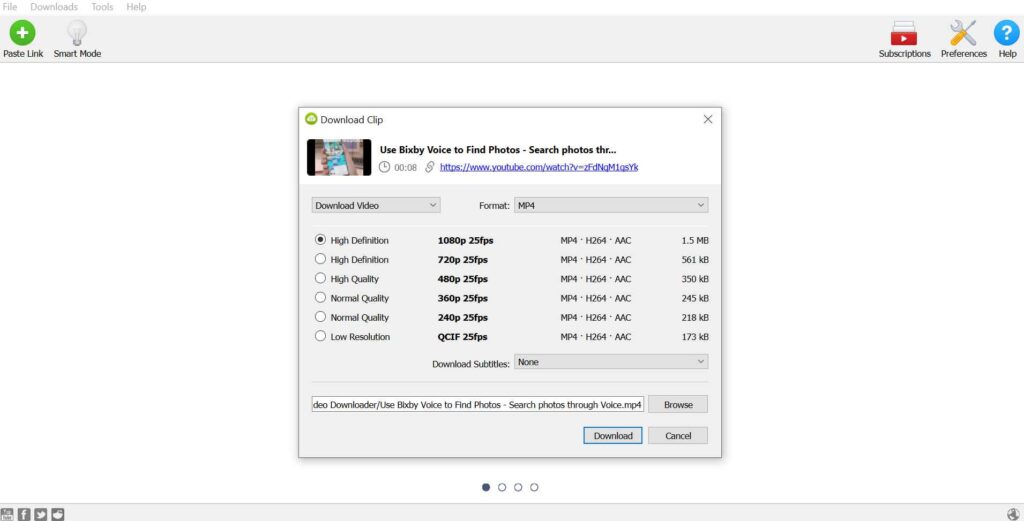
- Choose the quality and format.

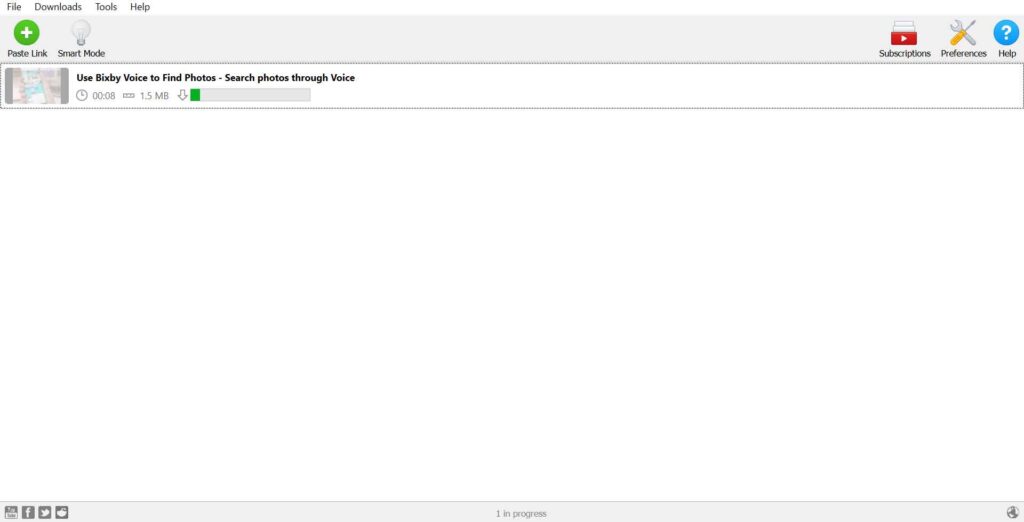
- You can download it by clicking the Download button.
- It’s done! The video will begin to download shortly.
How to Download an Entire Playlist
- 4K Video Downloader lets you download 4K videos easily. Here are the steps you need to take to download a YouTube video or playlist.
- Start by selecting the YouTube video you wish to download. Press CTRL + C to copy the complete URL. Note that the 4K Video Downloader should be running in the background.
- Start the 4K Video Downloader, and it should recognize the copied URL. To initiate the download process, click the ‘Paste Link‘ button on the top left.
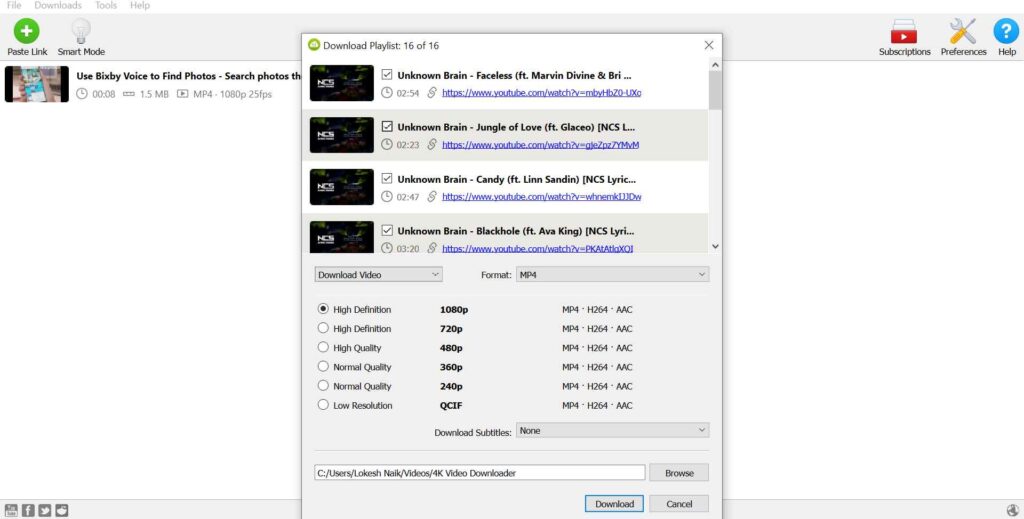
- Then you will see a number of options. Choose between downloading the video or just extracting its audio. On the left-hand side of the screen, you must select the preferred format based on what you select.
- You can download all videos in a playlist by selecting ‘Download Playlist‘.

Conclusion
The user experience and features are excellent overall. In comparison to other video downloader and converters, a 4K video downloader stands out as everything is contained within one application. It is more convenient to have everything at your fingertips.