If you’re using LocalSend to share files and suddenly see something like Error 500 or Could not save file, yeah, that can be pretty annoying. It usually shows up when the app can’t send your file or can’t save your file. The message might say “[500] Internal Server Error,” or “[500] Could not save file,” which honestly doesn’t explain much.![Screenshot showing [500] Internal Server Error message on LocalSend app](https://etechshout.com/wp-content/uploads/2025/07/localsend-500-internal-server-error-screenshot.webp)
LocalSend is a great app that lets you send stuff between your phone, computer, or tablet without needing the internet. It works on all kinds of devices—Windows, Mac, Android, iPhone, iPad, and even Linux. It’s kind of like AirDrop, but it works across different brands and systems.
Still, every now and then, some random errors keep popping up out of nowhere, and error 500 is one of them. If you’re wondering why it’s happening, keep reading, and we’ll help you figure out the issue and resolve it.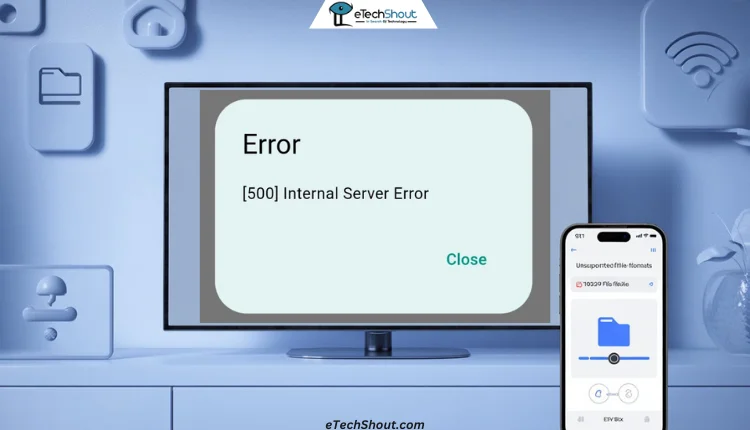
3 Easiest Methods to Fix LocalSend Error 500
Change the Download Location
If you’re trying to send a file from your phone to your Windows PC using LocalSend and you see the Error 500 message, the issue might be related to the file’s destination folder on your computer. In some cases, especially with minimal installations or custom setups, the default download folder (like Downloads) may not exist or may not be set up correctly.
The simple fix for this is to manually choose a destination folder for incoming files in the LocalSend app on your PC. Try setting it to a known location, such as C:\Users\YourName\Downloads or even directly to your user folder (e.g., C:\Users\YourName). This small change has helped many users, especially when the default folder is missing or not accessible.
And this isn’t just for Windows — if you’re using LocalSend on another OS like macOS, Linux, or even mobile devices, try changing the save location to a different folder there too. It often solves the problem.
Turn Off the “Save Media to Gallery” Option
If you’re still seeing a LocalSend Error 500 while sending files, the issue might be with the “Save media to gallery” setting. When this option is turned on, LocalSend tries to add media files directly to the recipient device’s gallery. However, if the system doesn’t support certain file types, this can lead to errors during the transfer.
- Open the LocalSend app.
- Use your remote to scroll down and select Settings.
- In the Settings menu, go to the Receive section.
- Find the option labeled “Save media to gallery” — it is usually turned on by default.

- Uncheck this option to disable it.
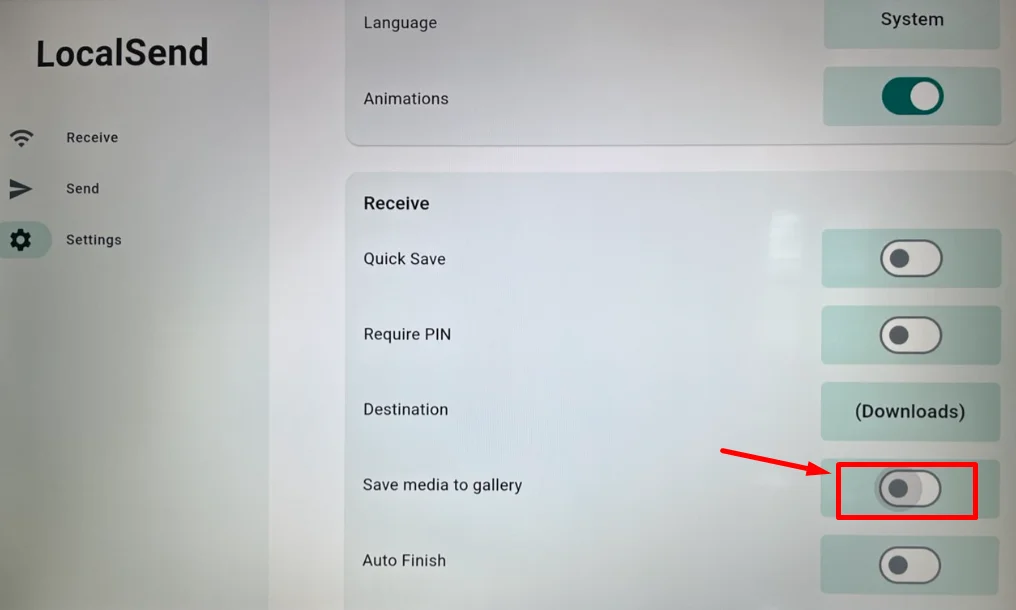
Once you’ve disabled it, go back to the main screen and try sending the file again from your phone.
Rename the File Extension
If you’re trying to send a file and it’s either not transferring or showing an error, the problem could be with the file extension. Some devices or apps may have trouble with uncommon or unsupported formats, which can block the transfer or make the file unreadable.
A quick and easy fix is to rename the file extension to a more common one that’s supported by most devices. For example:
For videos, rename the extension to .mp4
- For images, use .jpg or .png
- For documents, try .pdf or .txt
- For audio files, use .mp3
- For compressed folders, try .zip
This doesn’t actually change the format of the file, but it helps LocalSend and the receiving device recognize and handle it better. Just make sure the file works before renaming it.
These are some of the easiest and fastest ways to fix LocalSend Error 500, whether you’re having trouble sending or receiving files. If one of these worked for you, drop a comment and let us know which one did the trick. And if you’ve found any other fix that helped, feel free to share it—we’re all here to help each other out!