Instagram does not need much introduction. It is one of the most popular platforms for communication, especially for businesses that rely on direct messages to connect with customers. But recently, many users have started facing a strange issue where people see the message “Not everyone can message this account” when trying to contact a business page.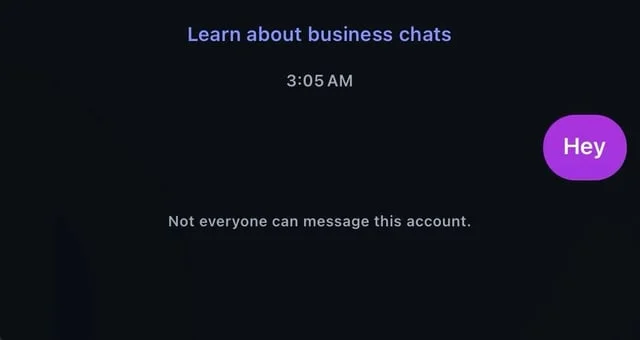
We first noticed this problem when several people reached out to us through other platforms and email, saying they were unable to message our business account. At first, we assumed it might be a simple settings issue, but everything was already set to allow messages from everyone.
After checking more closely, we realized that the issue was real for some users, while others could still message without any problem. We spent time testing before finally figuring out what was going on and how to fix it.
4 Quick Ways to Fix “Not everyone can message this account” on Instagram
Check Your Message Controls Settings
If people who do not follow you back are unable to send messages, there is a good chance your message control settings are limiting who can reach you. Even if you remember setting it to allow everyone, it is still worth checking again because these options can change or reset without you noticing.
- First, open Instagram and log in to your account.
- Tap on your profile picture at the bottom right, then tap the three lines at the top to open the menu.
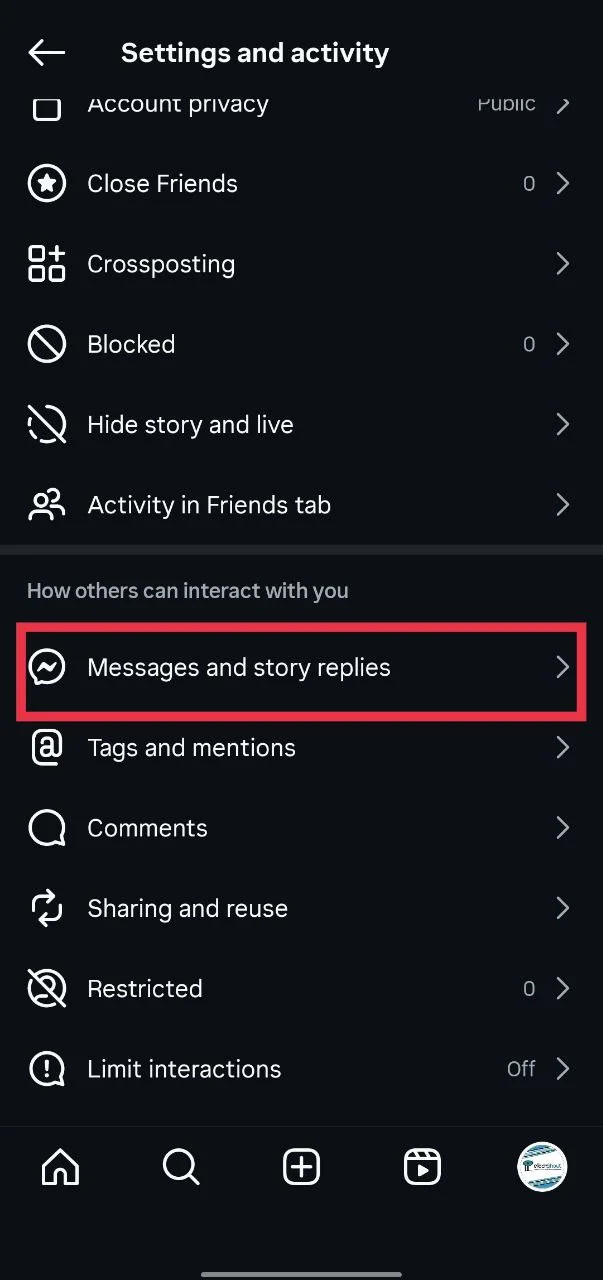
- Scroll down and tap on Messages and story replies

- Then go to Message Controls.
- Here, set “Your followers on Instagram” to Requests
- Also set “Others on Instagram” to Requests.
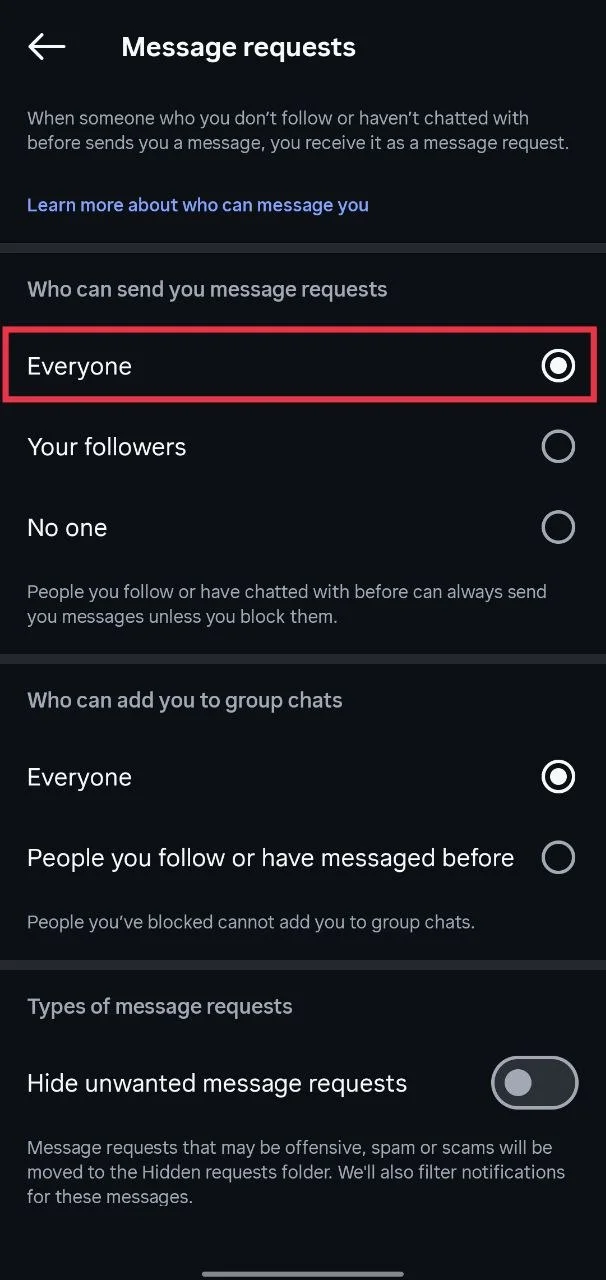
- If you do not see these two options and instead see “Who can send you message requests”, just change it to Everyone.

- After this, people who are not following you should be able to message your account again.
Give Full Access and Turn On Two Factor Authentication
In some cases, the issue can happen if your personal account does not have full access to your business account. This can limit certain features, including messages. Here is the fix you can try:
- Open Meta Business Suite and go to Business Settings.
- Then go to Accounts and select your Instagram account.
- After that, tap on Assign assets and permissions and make sure your personal account has access to everything.
- Next, turn on two-factor authentication. Do this first on your personal account, then turn it on for your business account as well. This step is important.
- After making these changes, it may take a few days for everything to work normally. Some users have said it can take up to a week, so give it a little time and check again.
Make Sure Both Accounts Follow Each Other
There is also a rule from Instagram that can stop messages between certain users based on age.
If one person is above 19 and the other person is below 19, messages may not go through if they are not following each other. In this case, Instagram limits who can send messages to protect younger users.
An easy way to deal with this is just to follow each other. Once both of you are following one another, messages should start going through like usual.
Check and Update Your Account Age to Above 19
Another thing that can affect messaging on Instagram is the age set on your account. If your account is marked as under 19, it can limit who is allowed to message you, especially from people you do not follow.
Go to your profile and check your date of birth in your account settings. If it is incorrect, update it to your actual age. Make sure your account shows that you are above 19.
- Open Instagram and log in to your account.
- Tap on your profile picture at the bottom right.
- Tap the three lines at the top corner to open the menu.
- Select Account Centre.
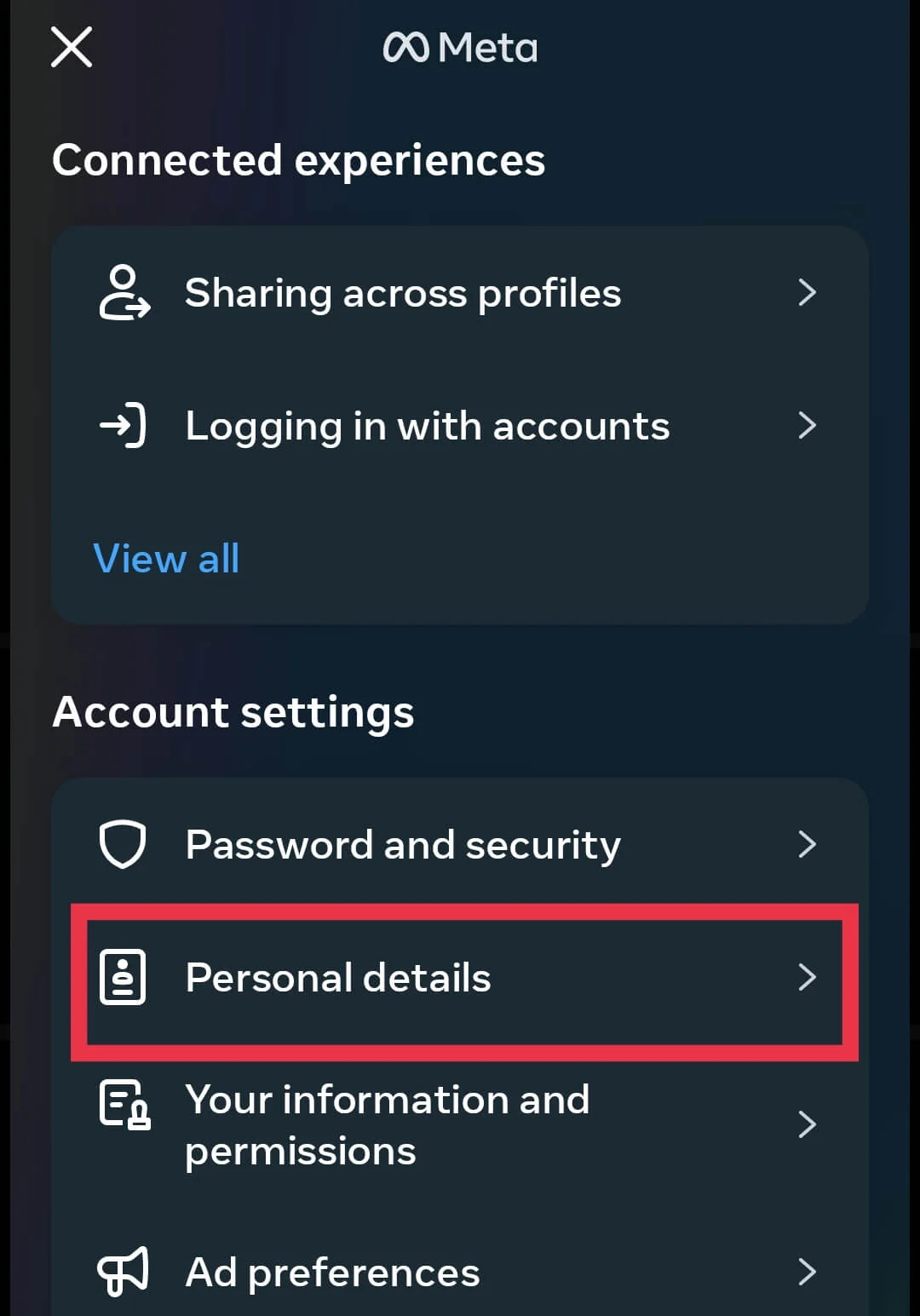
- Scroll down and tap on Personal details.

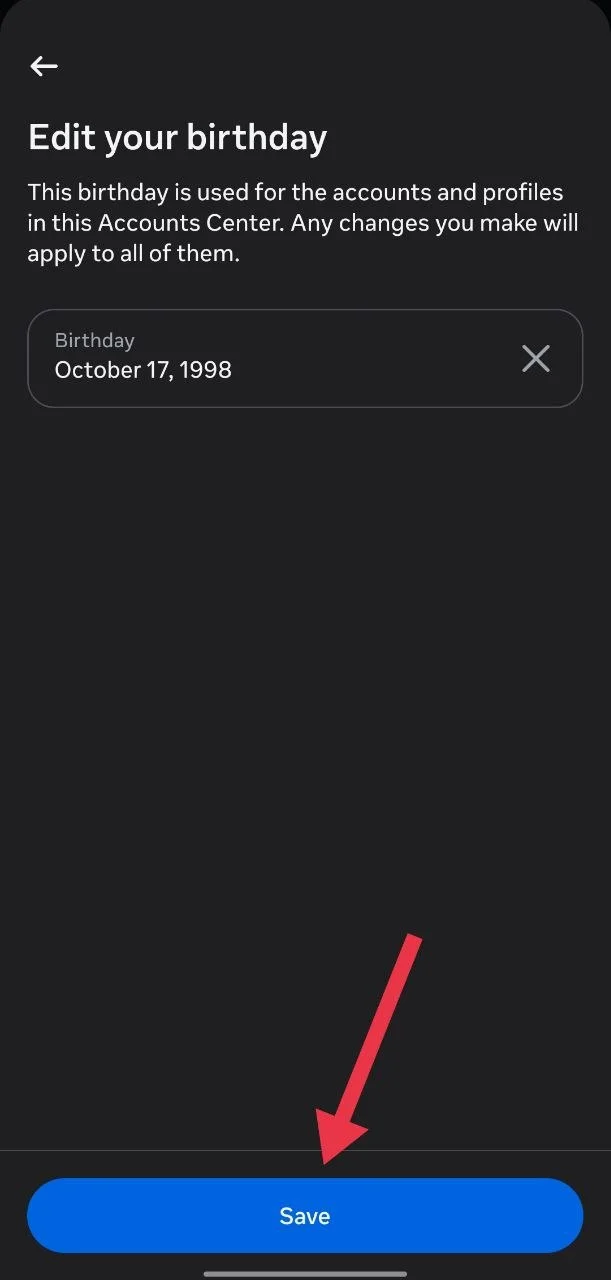
- Tap on Date of birth and set your date of birth so your age is above 19.

- Lastly, click on Save to confirm the changes.



Hope this guide helped you fix the “Not everyone can message this account” issue on Instagram. If you found another way that worked, feel free to share it. And if this helped you, pass it along to someone else who might be facing the same problem.