Telegram’s translation feature has been a favorite for a lot of people. It lets you tap on any message in a different language and see what it means in your own. This is very useful, especially if you’re part of global groups or follow updates from other countries. This feature is only available for Premium users, and for many, it’s the main reason they even pay for Telegram Premium.
People really liked how easy it was to read messages from anyone, no matter what language they were using. It helped with everything from chatting with friends across the world to reading important news or alerts in real-time. Some even depended on it during emergencies, like in Ukraine, where quick updates can really matter.
But recently, something weird has been going on. The translation feature just stopped working, and the app is displaying “Translations are currently disabled!”, even for users who paid for it. No warning, no clear reason, and no reply from support. People have been sharing their frustration on Twitter, Reddit, and other platforms, trying to figure out what’s going on. If you’re stuck in the same situation, you’re definitely not the first to notice it. Let’s dig into what’s causing this and what you can try.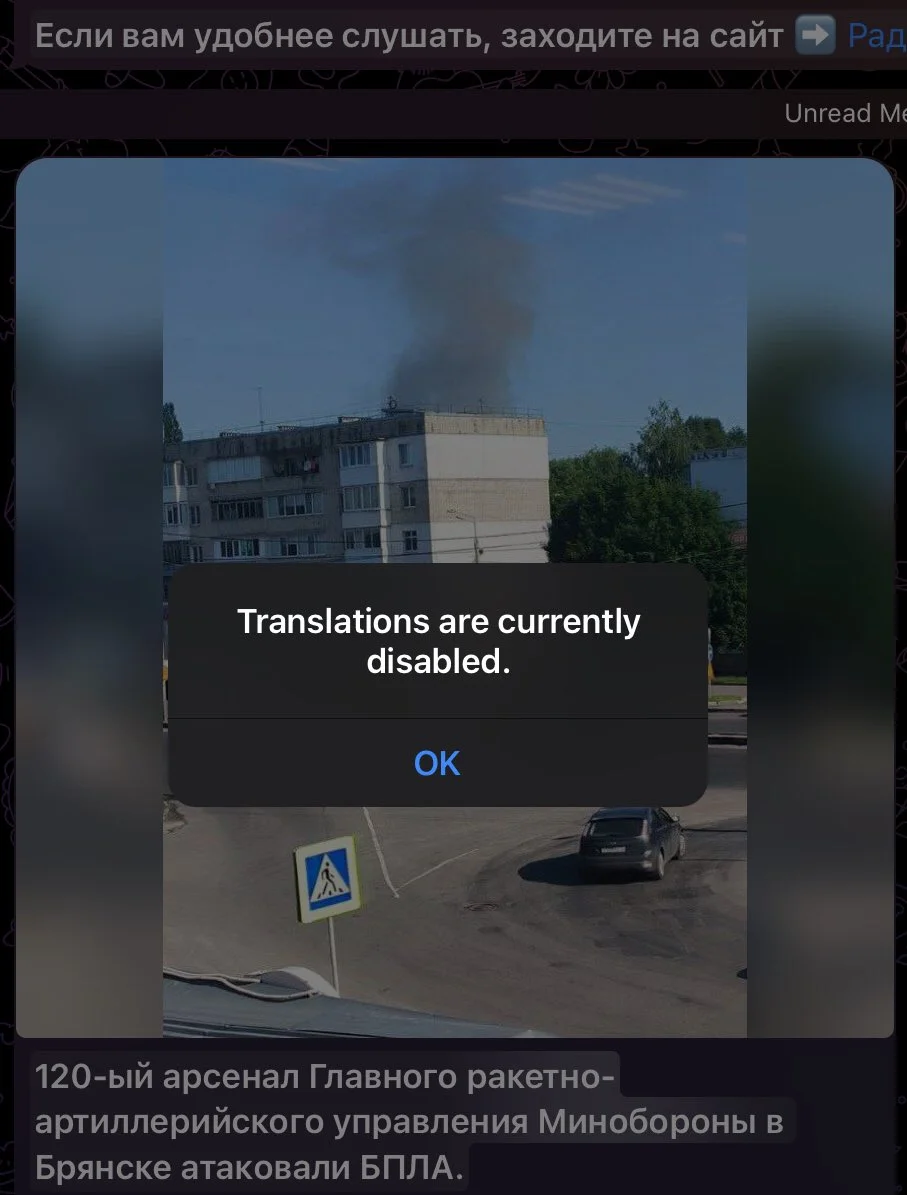
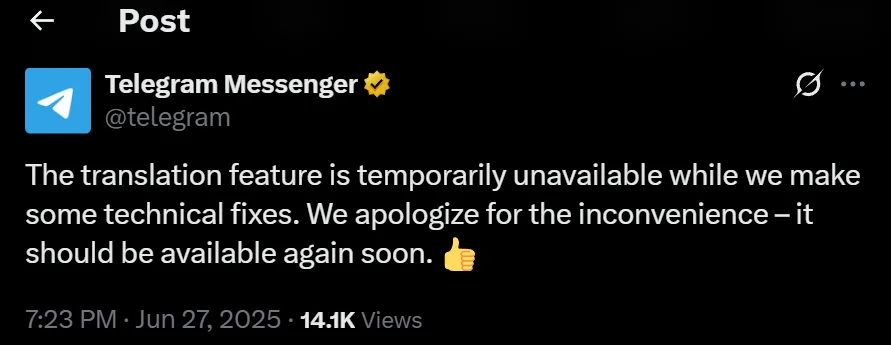
UPDATE: This problem is actually from Telegram’s side, not yours. The good part is they’ve already spoken about it. On their official X (Twitter) account, Telegram said:
“The translation feature is temporarily unavailable while we make some technical fixes. We apologize for the inconvenience – it should be available again soon. ”
Like I said earlier, Telegram already knows about this issue and they’ve promised to fix it. But sometimes, even after they sort things out on their end, the feature might still not work on your app. That’s when you might need to try a few simple steps yourself.
How to Fix “Telegram Translations are Currently Disabled!”
Update the Telegram App
Even if Telegram doesn’t say exactly when the fix goes live, the best thing you can do is keep checking for new updates — and when one is available, make sure to update the app. Since they’ve turned off the translation feature to fix things, there’s a good chance the next update will bring it back.
So, check for updates. If you’re on Android, go to the Google Play Store. If you’re using an iPhone, open the App Store.
Wait a Little Longer
If you’ve already updated the Telegram app but the translation feature still isn’t working and you keep checking for new updates hoping the feature is back, you need to wait for a few more days. It probably just means Telegram hasn’t fully fixed it yet. Sometimes these things take a bit of time.
From what people are saying online, it might have something to do with the translation system Telegram uses. They rely on Google’s API for translations, and there’s a chance Google changed something or pulled back access. Some users even think it could be part of a bigger issue between Telegram, Google, and certain governments, especially with how Telegram is often used for sharing uncensored news during conflicts. Whatever the case is, the fix might take a little longer, so for now, just hang in there.
ALSO READ:
- Fix Telegram “This Channel Cannot Be Displayed” Error
- How to Download Restricted Videos From Telegram Channel
So, Telegram has confirmed that its in-app translation feature is temporarily down while they work on some technical fixes. They’ve said it should be back soon. If you’re seeing the message “Telegram Translations are currently disabled!”, you need to wait, as it’s part of the ongoing issue. Until then, you’ll just need to wait it out and try the steps above to get it working again as soon as possible.