Instagram wants people to keep scrolling. Open the app for a minute, and before you know it, you’ve already scanned dozens of posts and reels. That is why a lot of people end up spending far more time on Instagram than they originally planned. For some users, it has become a daily habit that quietly eats into their time and focus.
Now, Instagram seems to be pushing a new popup called “Time for a scroll break.” While the idea might sound helpful, plenty of users are seeing it far sooner than expected. In some cases, the message appears after scrolling past just 4-5 posts. You barely begin browsing, and suddenly, Instagram is asking if you want to stop.
People have been posting about this across forums and social media, trying to figure out why it started appearing out of nowhere. You came here for one reason: that “Time for a scroll break” popup keeps appearing and you want it gone. Let’s get straight into the possible fixes.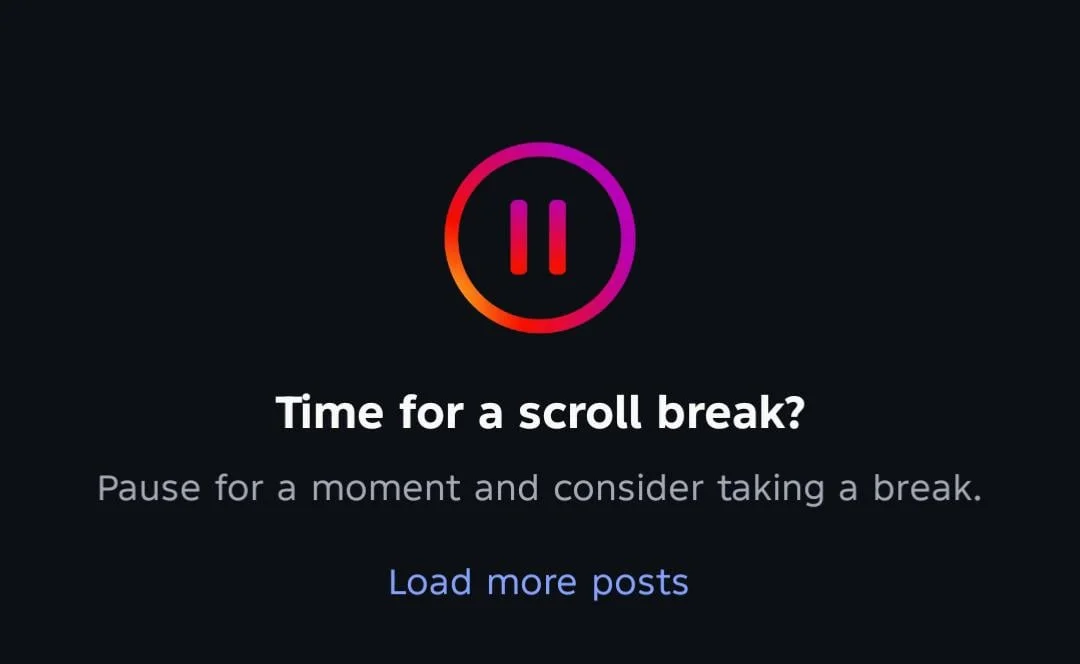
How to Remove Instagram ‘Time for a Scroll Break’ Message
Update Instagram to the Latest Version
As mentioned earlier, Instagram may have introduced this popup as a new feature. What is surprising is that there does not seem to be any direct option to disable it. It also appears that the popup is showing up for only a group of users, which has led to a lot of complaints and discussions online.
Since the message started appearing unexpectedly for a number of people, there is a chance that Instagram has already released an update to address the issue or reduce how often it appears.
So before trying anything else, check if a newer version of Instagram is available. Head over to the Play Store or App Store and see if an Update button is available. If there is one, install it and give Instagram another try.
Clear Instagram Cache on Android
If Instagram has been sitting on your phone for months or even years, there is a good chance it has collected a large amount of temporary data in the background. Most of the time this data helps the app load faster, but there are situations where old cached files can lead to unexpected issues.
Since the “Time for a Scroll Break” popup seems to be appearing out of the blue for some users, clearing the cache is one of those quick checks that makes sense to try. It only takes a minute, and you do not have to worry about losing your account, messages, posts, or login details.
On your Android phone, open Settings > Apps > Instagram > Storage > Clear Cache. 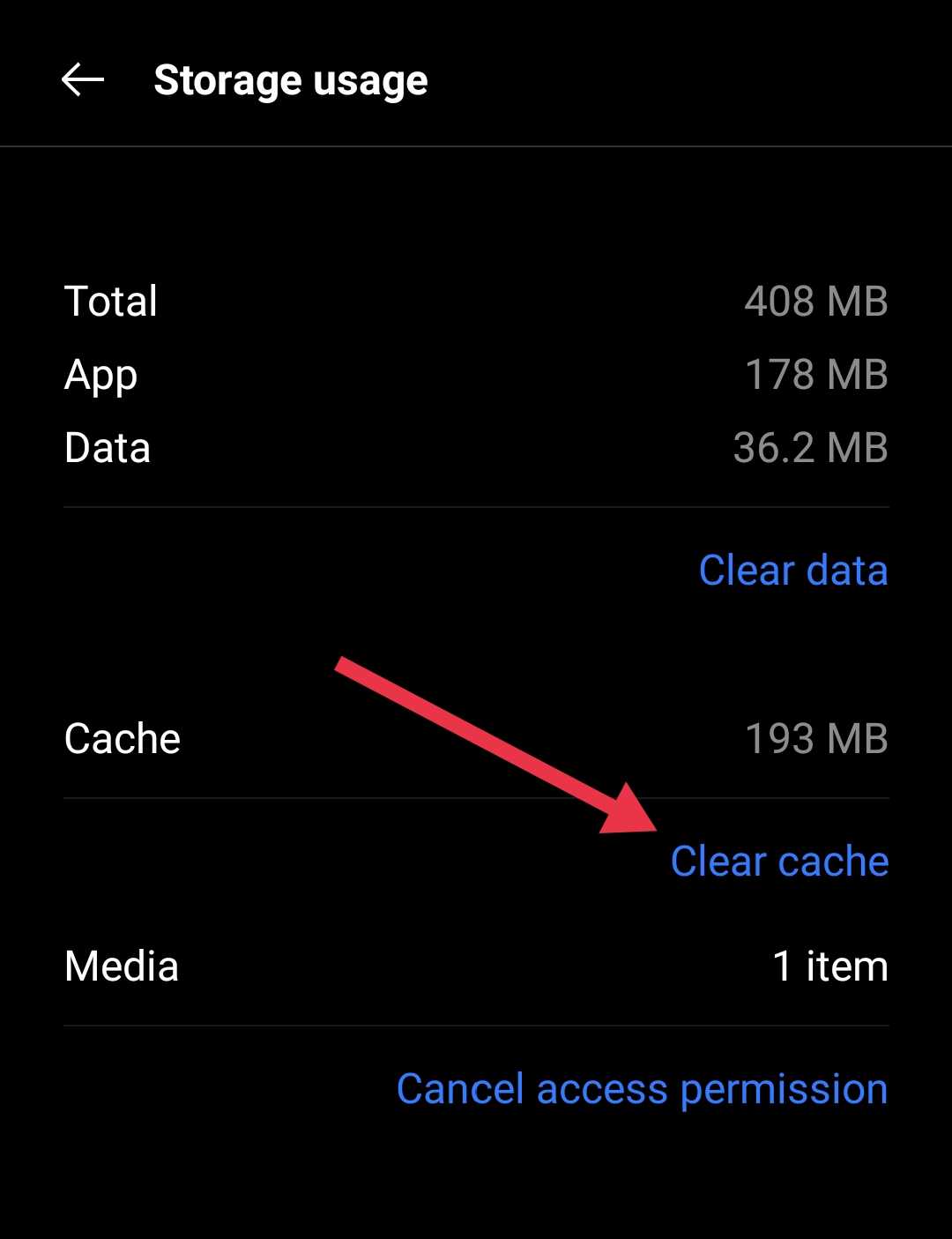
You can also long press the Instagram app icon from your Home Screen or App Drawer, tap App Info > Storage > Clear Cache. After that, launch Instagram again and browse your feed for a while. If the popup was being triggered by stored temporary data, you may notice a difference right away.
Try an Older Version of Instagram
Not every Instagram update works perfectly for everyone. Every now and then, a new version introduces changes that affect only a small group of users.
A number of users noticed that this scroll break pop-up only appeared after updating Instagram. Since this appears to be tied to a recent change in the app, going back to an earlier version is worth testing. If the popup is linked to the current release, an older build may not show it at all.
On Android, you can uninstall Instagram and install an older APK version from an APK repository like APK Mirror. After signing back in, spend a few minutes browsing your feed and reels as usual.
Log Out and Log Back In
There is also a chance that this popup is tied to your account rather than the Instagram app itself. Open Instagram, go to your profile, tap the menu icon, and tap on the Log Out button.
Once you are signed out, close the app completely, reopen it, and log back into your account.
Reinstall the Instagram App
At this point, it may be worth uninstalling the whole app. If Instagram has gone through multiple updates on your phone over time, there is always a small chance that part of the app did not update as intended.
Completely uninstall Instagram from your device, either by long-pressing the app icon and tapping the Uninstall button or by going to the Apps section in your device settings. Then, install it again from the respective app store and sign back into your account. After that, spend some time scrolling through posts and reels as you normally would.
Hopefully, one of the methods above helped reduce or remove the “Time for a Scroll Break” popup from your Instagram app. If you know someone else dealing with the same issue, feel free to send this guide their way.
If the popup continues to appear even after trying everything listed above, your best option is simply to wait and see if Instagram makes further changes in an upcoming update. Until then, keep checking for new Instagram updates from time to time and install them whenever they become available.